
AIBIMTool API
Send a brief, get an IFC4 BIM model. The REST API runs the AI architect behind AIBIMTool: it asks, plans and models the building, and you download the result.
Overview
One project is one building. Create it with a brief in your own words, in any language; the agent works in the background, asks before it designs and proposes a plan before it builds anything large, exactly as it does in the app. Every status tells you what it waits for, so a client branches on one field.
Base URL: https://aibimtool.com/api/v1. JSON in, JSON out, a bearer key on every request.
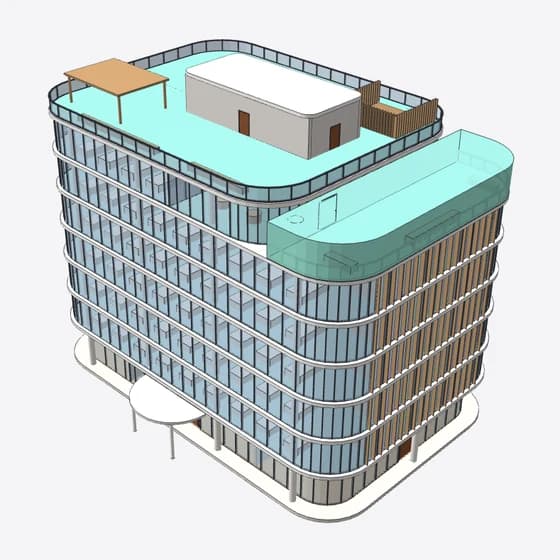
“Design a 7-story office building with a ground-floor lobby, café, and event space. Floors 2 through 4 are typical office floors around a central core with stairs, elevators, and restrooms…”
 GET /image?view=plan&storey=1
Quickstart
A brief in, an IFC file out. Set AIBIMTOOL_API_KEY and run it.
| 1 | # Start the building |
| 2 | id=$(curl -sS https://aibimtool.com/api/v1/projects \ |
| 3 | -H "Authorization: Bearer $AIBIMTOOL_API_KEY" \ |
| 4 | -H "Content-Type: application/json" \ |
| 5 | -d '{ "message": "7-storey office: lobby, café, event space, central core" }' \ |
| 6 | | jq -r .project.id) |
| 7 | |
| 8 | # Wait while the agent works (each call holds up to 50 s) |
| 9 | curl -sS "https://aibimtool.com/api/v1/projects/$id?wait=50" \ |
| 10 | -H "Authorization: Bearer $AIBIMTOOL_API_KEY" | jq .project.state |
| 11 | |
| 12 | # Download the model |
| 13 | curl -sS https://aibimtool.com/api/v1/projects/$id/ifc \ |
| 14 | -H "Authorization: Bearer $AIBIMTOOL_API_KEY" -o office.ifc |
Authentication
Every request carries a bearer key. Create one under API keys in the workspace (up to 5 at once), or let the CLI mint one for you. A key is shown once and stored only as a hash.
| Authorization: Bearer aibim_sk_xxxxxxxxxxxxxxxx |
Endpoints
A message is charged for the AI it uses: 1 credit per $0.02, at most 150 credits per 8-minute segment, and a run that fails on our side is refunded in full. Reading a project, its IFC and its pictures is free.
| Endpoint | What it does | Cost |
|---|---|---|
| POST /api/v1/projects | Start a new building from a brief. The agent works in the background; the reply is 202 with the project | Metered |
| GET /api/v1/projects/:id | What the project is doing and waits for, the agent's reply, its questions or plan. ?wait=30 holds while it runs | Free |
| POST /api/v1/projects/:id/messages | The next message: answers to its questions, a change, the plan's go-ahead, or continue | Metered |
| GET /api/v1/projects/:id/ifc | The model as an IFC4 file, as saved after the agent's last step | Free |
| GET /api/v1/projects/:id/image | A PNG of the model: ?view=iso (3D), or ?view=plan&storey=1 (one storey, rooms named and measured) | Free |
| POST /api/v1/projects/:id/stop | Stop the running agent after the step it is on | Free |
| GET /api/v1/projects | The account's projects, most recently changed first | Free |
| DELETE /api/v1/projects/:id | Delete a project with its model and chat | Free |
| GET /api/v1/me | Account, plan, credits left and how messages are charged | Free |
- POST /api/v1/projectsMetered
Start a new building from a brief. The agent works in the background; the reply is 202 with the project
- GET /api/v1/projects/:idFree
What the project is doing and waits for, the agent's reply, its questions or plan. ?wait=30 holds while it runs
- POST /api/v1/projects/:id/messagesMetered
The next message: answers to its questions, a change, the plan's go-ahead, or continue
- GET /api/v1/projects/:id/ifcFree
The model as an IFC4 file, as saved after the agent's last step
- GET /api/v1/projects/:id/imageFree
A PNG of the model: ?view=iso (3D), or ?view=plan&storey=1 (one storey, rooms named and measured)
- POST /api/v1/projects/:id/stopFree
Stop the running agent after the step it is on
- GET /api/v1/projectsFree
The account's projects, most recently changed first
- DELETE /api/v1/projects/:idFree
Delete a project with its model and chat
- GET /api/v1/meFree
Account, plan, credits left and how messages are charged
Request and response
POST /api/v1/projects
MeteredStart a new building from a brief. The agent works in the background; the reply is 202 with the project.
| 1 | { |
| 2 | "message": "7-storey office: lobby, café, event space, central core", |
| 3 | "title": "Office, 7 storeys", // optional |
| 4 | "level": "medium" // easy | medium | high |
| 5 | } |
| 1 | { |
| 2 | "success": true, |
| 3 | "project": { |
| 4 | "id": "019cf06362ab4dac", |
| 5 | "title": "Office, 7 storeys", |
| 6 | "state": "running", |
| 7 | "next": "The agent is working. Poll again in 15-30 s.", |
| 8 | "elements": 0, |
| 9 | "creditsUsed": 0, |
| 10 | "viewerUrl": "https://aibimtool.com/model/019cf06362ab4dac" |
| 11 | } |
| 12 | } |
GET /api/v1/projects/:id
FreeWhat the project is doing and waits for, the agent's reply, its questions or plan. ?wait=30 holds while it runs.
| 1 | // While it waits for you (?wait=50 holds while it runs) |
| 2 | { |
| 3 | "success": true, |
| 4 | "project": { |
| 5 | "id": "019cf06362ab4dac", |
| 6 | "state": "needs_answer", |
| 7 | "next": "Send the answers as the next message.", |
| 8 | "questions": [ |
| 9 | { "header": "Floors 5-7", |
| 10 | "question": "What should floors 5-7 contain?", |
| 11 | "options": [ |
| 12 | { "label": "Same typical office floors" }, |
| 13 | { "label": "Offices plus a top-floor amenity" }, |
| 14 | { "label": "Larger-tenant floors" } ] }, |
| 15 | { "header": "Floor plate", … }, |
| 16 | { "header": "Massing", … } |
| 17 | ], |
| 18 | "creditsUsed": 5 |
| 19 | } |
| 20 | } |
| 1 | // Once it is done |
| 2 | { |
| 3 | "success": true, |
| 4 | "project": { |
| 5 | "id": "019cf06362ab4dac", |
| 6 | "state": "ready", |
| 7 | "next": "Download the IFC, or send a change.", |
| 8 | "reply": "All five tasks are done. The model is a |
| 9 | 7-storey office about 30 m tall …", |
| 10 | "plan": [ { "id": "1", "status": "completed", |
| 11 | "subject": "Set up program, storeys and |
| 12 | ground floor" }, … ], |
| 13 | "elements": 1065, |
| 14 | "creditsUsed": 71 |
| 15 | } |
| 16 | } |
POST /api/v1/projects/:id/messages
MeteredThe next message: answers to its questions, a change, the plan's go-ahead, or continue.
| 1 | { "message": "Floors 5-7: offices plus a top-floor |
| 2 | amenity. Floor plate: about 800 m². Massing: |
| 3 | rounded bar on a glazed plinth." } |
| 4 | |
| 5 | // the go-ahead for the agent's plan |
| 6 | { "approvePlan": true } |
| 7 | |
| 8 | // go on after a run stopped at its time limit |
| 9 | { "continue": true } |
| 1 | { |
| 2 | "success": true, |
| 3 | "project": { |
| 4 | "id": "019cf06362ab4dac", |
| 5 | "state": "running", |
| 6 | "next": "The agent is working. Poll again in 15-30 s.", |
| 7 | "elements": 52 |
| 8 | } |
| 9 | } |
Project states
Every status carries a state and a next sentence saying what to send.
| State | What to do |
|---|---|
| running | The agent is working. GET with ?wait=50 holds the answer until it changes. |
| needs_answer | It asked questions (questions, each with options). Send the answers as a message. |
| needs_approval | It proposed a plan (plan) for a large brief. Send approvePlan: true, or what to change. |
| needs_continue | A long build stopped at its time limit and did not carry on by itself. Send continue: true. |
| ready | Done. Download the IFC or a picture, or send a change. |
| out_of_credits | The account ran out of credits. Nothing more runs until it is topped up. |
| failed | The last run failed on our side and was refunded. Send the message again. |
| empty | A project with nothing sent yet. |
- running
The agent is working. GET with ?wait=50 holds the answer until it changes.
- needs_answer
It asked questions (questions, each with options). Send the answers as a message.
- needs_approval
It proposed a plan (plan) for a large brief. Send approvePlan: true, or what to change.
- needs_continue
A long build stopped at its time limit and did not carry on by itself. Send continue: true.
- ready
Done. Download the IFC or a picture, or send a change.
- out_of_credits
The account ran out of credits. Nothing more runs until it is topped up.
- failed
The last run failed on our side and was refunded. Send the message again.
- empty
A project with nothing sent yet.
Following a run
Answer the agent, approve its plan, and the model comes out at the end. Long builds run in eight-minute segments and carry on by themselves.
| 1 | API=https://aibimtool.com/api/v1; H="Authorization: Bearer $AIBIMTOOL_API_KEY" |
| 2 | |
| 3 | # 1. Brief in: the agent asks before it designs |
| 4 | id=$(curl -sS $API/projects -H "$H" -H "Content-Type: application/json" \ |
| 5 | -d '{"message":"Design a 7-story office building with a ground-floor lobby, café and event space …"}' \ |
| 6 | | jq -r .project.id) |
| 7 | curl -sS "$API/projects/$id?wait=50" -H "$H" | jq '.project.questions[].header' |
| 8 | |
| 9 | # 2. Answer, then approve the five-task plan it proposes |
| 10 | curl -sS $API/projects/$id/messages -H "$H" -H "Content-Type: application/json" \ |
| 11 | -d '{"message":"Offices plus a top-floor amenity. About 800 m². Rounded bar on a glazed plinth."}' |
| 12 | curl -sS $API/projects/$id/messages -H "$H" -H "Content-Type: application/json" \ |
| 13 | -d '{"approvePlan":true}' |
| 14 | |
| 15 | # 3. Model out: the IFC, and Level 2 to check it by |
| 16 | curl -sS $API/projects/$id/ifc -H "$H" -o office.ifc |
| 17 | curl -sS "$API/projects/$id/image?view=plan&storey=1" -H "$H" -o level-2.png |
Errors
Every failure answers in the same shape, so one branch covers them all.
| 1 | { |
| 2 | "success": false, |
| 3 | "error": "no_credits", |
| 4 | "message": "The account is out of credits. Top up or subscribe at aibimtool.com/dashboard?view=plans." |
| 5 | } |
| Status | Code | Meaning |
|---|---|---|
| 401 | missing_api_key | No Authorization header, or it is not a bearer token. |
| 401 | invalid_api_key | The key is unknown, or it has been revoked. |
| 400 | missing_message | No message, approvePlan or continue was sent, or the message is over 8,000 characters (message_too_long). |
| 402 | plan_required | API, CLI and MCP access is part of the Studio plan; the account is on another one. |
| 403 | project_limit | The account holds as many projects as its plan allows (Free 3, Starter 10, Studio 50). Delete one to make room. |
| 402 | no_credits | The account is out of credits. Nothing ran. |
| 404 | not_found | No project with that id on this account. A key reaches only its own account's projects. |
| 400 | bad_storey | The plan asked for a storey the model does not have. The message lists the storeys it has. |
| 404 | no_model | Nothing was built in the project yet, so there is no IFC or picture. |
| 409 | busy | The agent is still working on this project. One run at a time; wait for the state to leave running. |
| 409 | no_plan | approvePlan was sent, but no plan is waiting (nothing_to_continue is the same for continue). |
| 429 | rate_limited | Over 60 requests, or 10 new runs, in 60s on this account. Retry-After says how long to wait. |
| 503 | daily_limit | Today's capacity is used up. Try again tomorrow; nothing was charged. |
| 503 | engine_unavailable | The BIM engine could not render the picture right now. Try again in a minute. |
- 401missing_api_key
No Authorization header, or it is not a bearer token.
- 401invalid_api_key
The key is unknown, or it has been revoked.
- 400missing_message
No message, approvePlan or continue was sent, or the message is over 8,000 characters (message_too_long).
- 402plan_required
API, CLI and MCP access is part of the Studio plan; the account is on another one.
- 403project_limit
The account holds as many projects as its plan allows (Free 3, Starter 10, Studio 50). Delete one to make room.
- 402no_credits
The account is out of credits. Nothing ran.
- 404not_found
No project with that id on this account. A key reaches only its own account's projects.
- 400bad_storey
The plan asked for a storey the model does not have. The message lists the storeys it has.
- 404no_model
Nothing was built in the project yet, so there is no IFC or picture.
- 409busy
The agent is still working on this project. One run at a time; wait for the state to leave running.
- 409no_plan
approvePlan was sent, but no plan is waiting (nothing_to_continue is the same for continue).
- 429rate_limited
Over 60 requests, or 10 new runs, in 60s on this account. Retry-After says how long to wait.
- 503daily_limit
Today's capacity is used up. Try again tomorrow; nothing was charged.
- 503engine_unavailable
The BIM engine could not render the picture right now. Try again in a minute.
Limits and pricing
The API, the CLI and the MCP server are part of Studio: €289 a month, or €189 a month billed yearly, with 2,300 credits a month and 50 projects. Nothing costs more for being called from code. See pricing.
Rate limit: 60 requests per 60 seconds per account. Past it the API answers 429 with Retry-After.
The IFC model
Real elements, not a mesh: walls, slabs, columns, curtain walls, doors, stairs, lifts and every room as an IfcSpace with its name and area, on named storeys. Open it in Revit, ArchiCAD, BlenderBIM or the free IFC viewer.
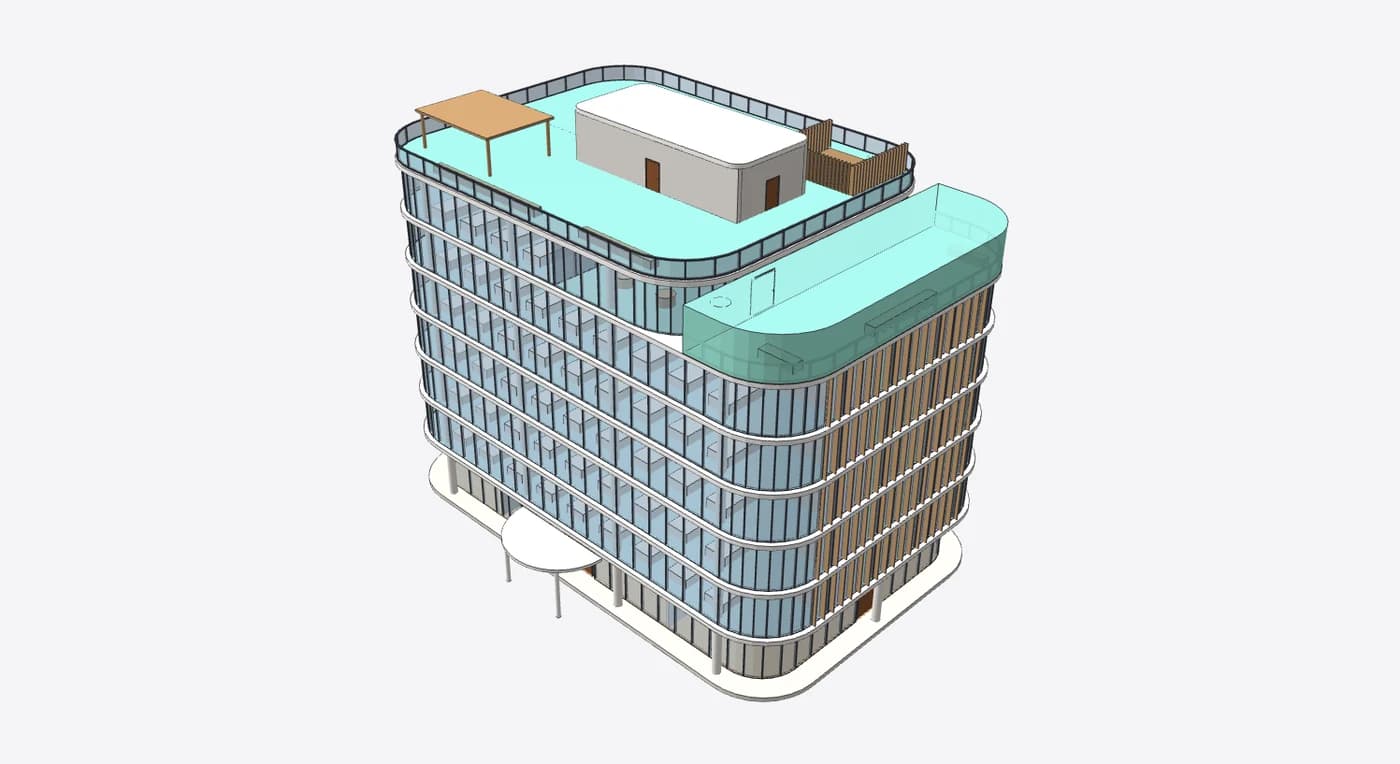
Built from a brief
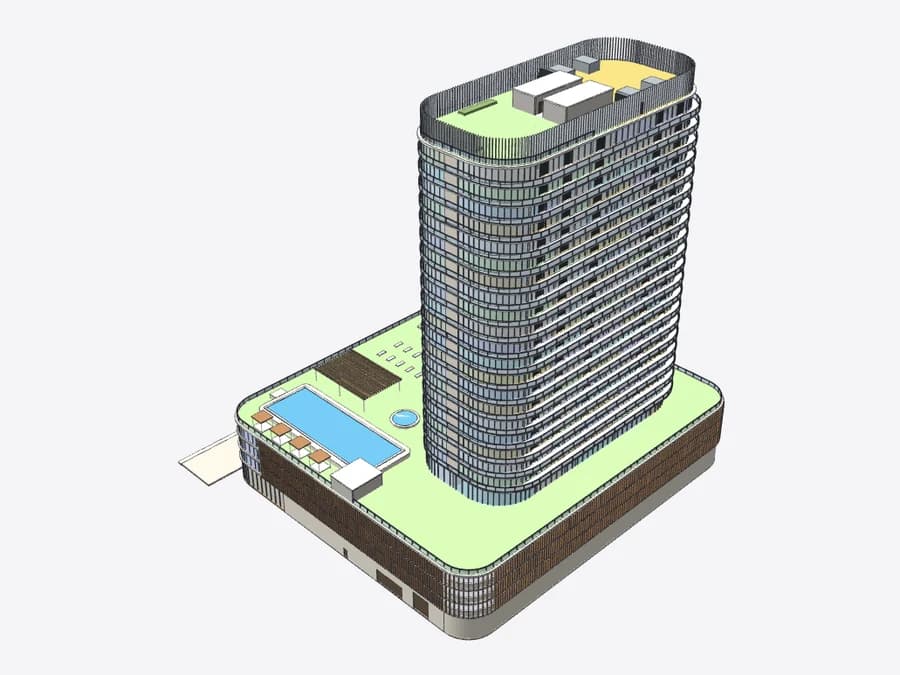
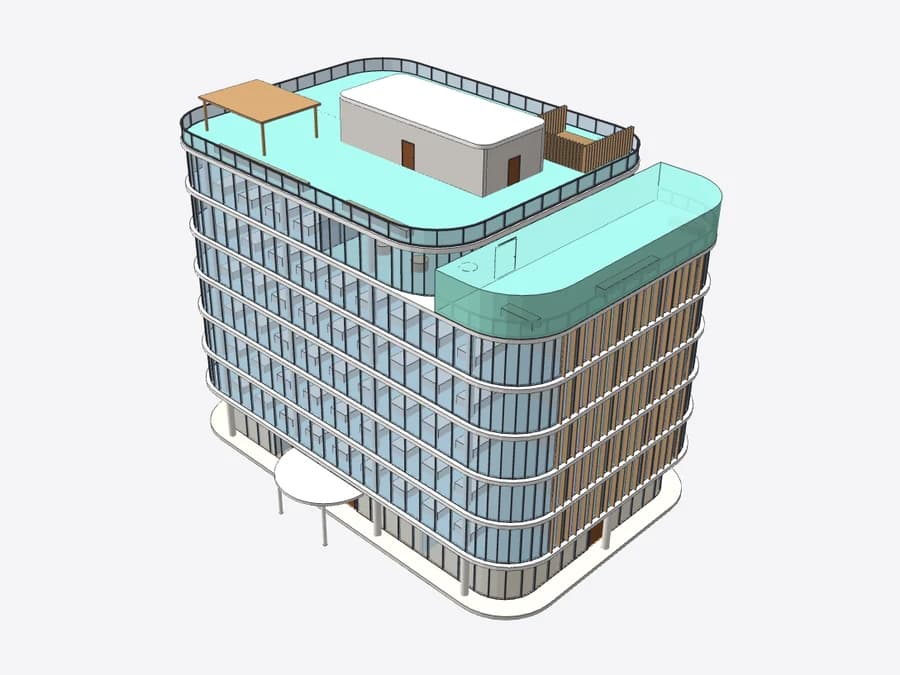
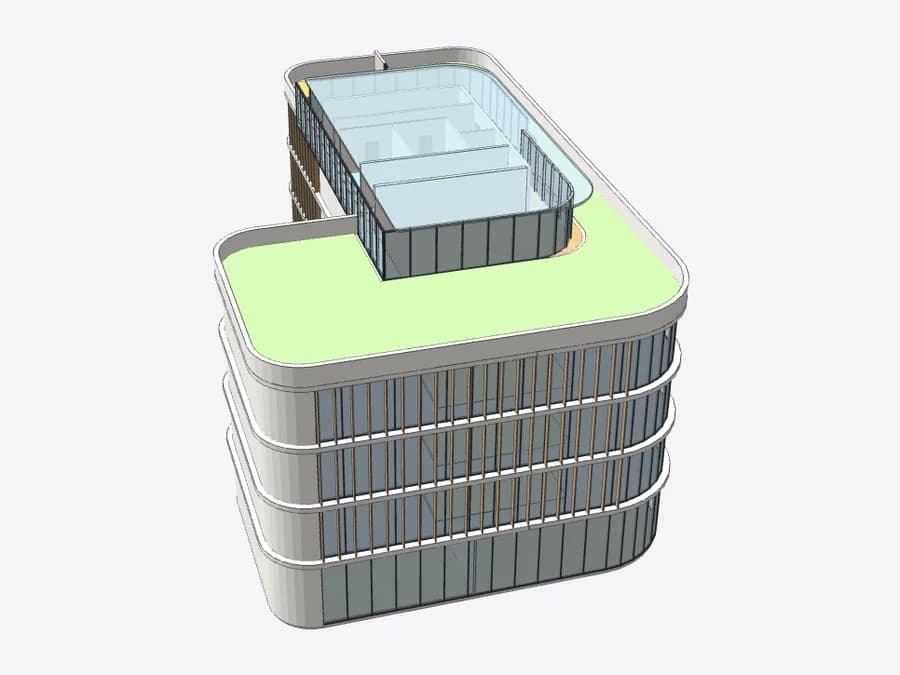
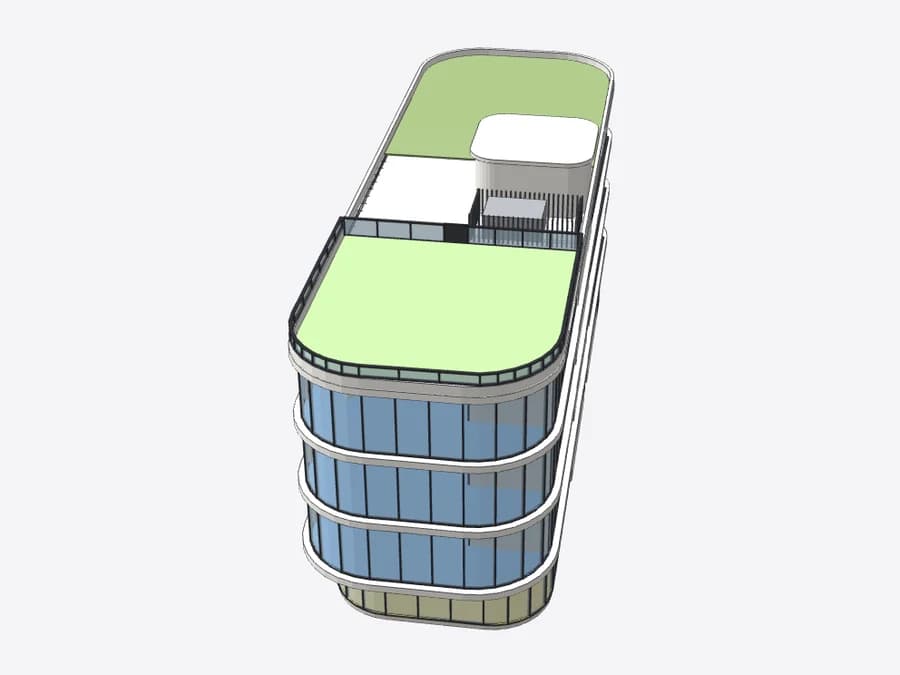
Buildings the agent designed from a few sentences, each a real project with its real brief.
FAQ
What does the AIBIMTool API do?
It runs the same AI architect as the AIBIMTool app. You send a brief in plain words, the agent asks a few questions, proposes a plan for a large building and models it: storeys, walls, slabs, columns, doors, windows, stairs, rooms and the roof. You download the result as an IFC4 file or as a plan or 3D picture.
Which plan includes API access?
API, CLI and MCP access are part of Studio (€289 a month, or €189 a month billed yearly, 2,300 credits a month). Calls spend the same credits as the app and are priced the same.
How long does a building take?
A small house takes a few minutes, a large office or a tower longer. The API never holds a request that long: creating a project answers 202 at once, and GET with ?wait=50 holds up to 50 seconds while the agent works, so a client polls in a loop without hammering the server.
Can I open the IFC in Revit or ArchiCAD?
Yes. The file is IFC4 with real elements, not a mesh: every room is an IfcSpace with its name and area, on named storeys. Link it into Revit, open it in ArchiCAD, BlenderBIM or Tekla, or view it in the browser with the free AIBIMTool IFC viewer.
What happens when a run fails?
A run that fails on our side is refunded in full and the project state turns to failed, so you can send the message again. A run you stop yourself pays for the steps it took, and the model keeps what they built.
Is there an SDK?
The API is plain JSON over HTTPS, so fetch, requests or curl is enough, and the examples on this page are complete programs. For scripts and CI there is the aibimtool command line, and for AI agents the MCP server.