
LOD in BIM: Level of Development 100 to 500, Explained with Real Models

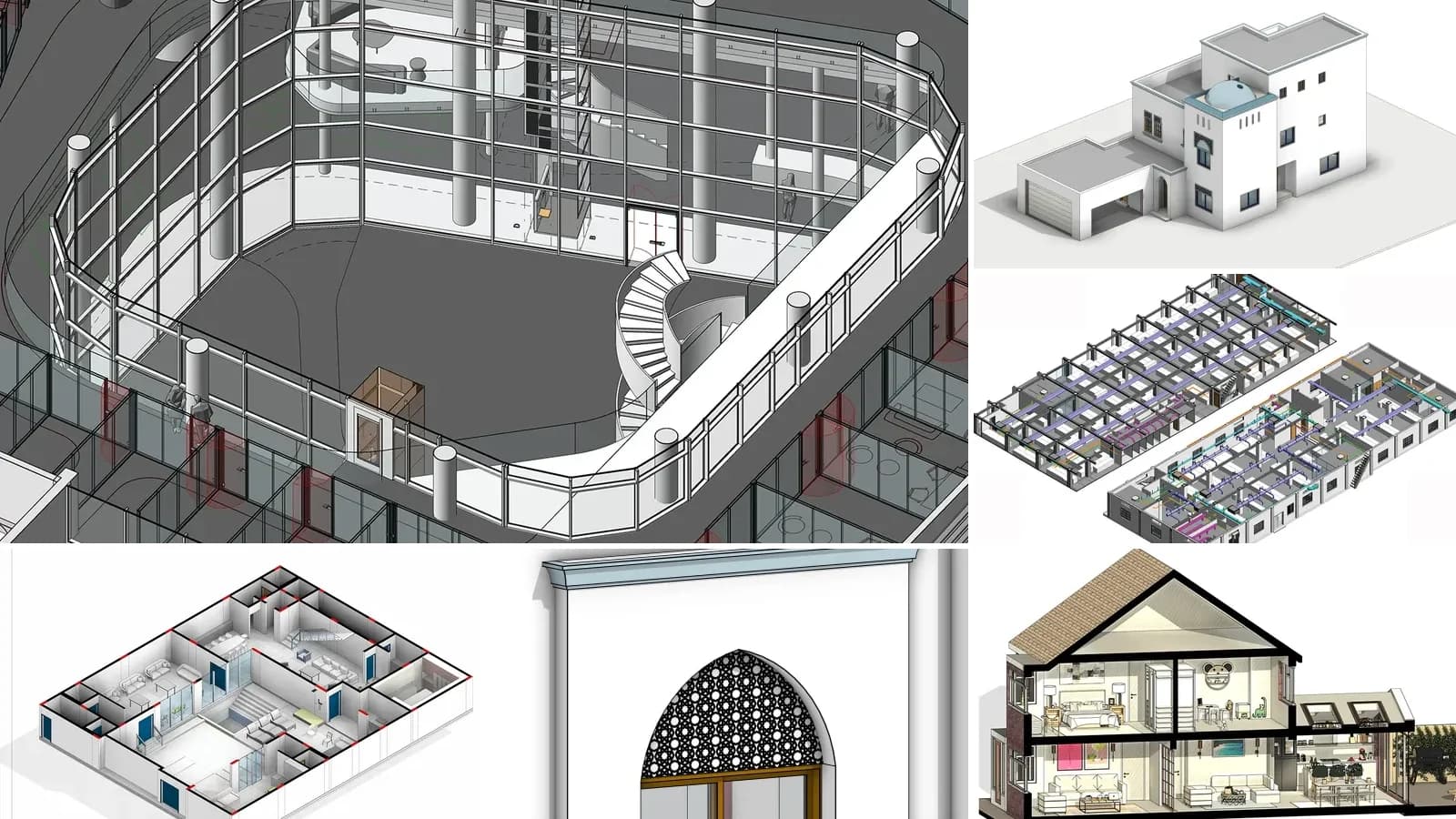
LOD in BIM means Level of Development: how far one element of a building information model has been developed, and so how much the rest of the team can rely on it. The scale runs LOD 100, 200, 300, 350, 400 and 500, from a symbol to a fabrication-ready object, with LOD 500 meaning "verified on site". It was defined by the American Institute of Architects (AIA) and is interpreted element by element in the free BIMForum LOD Specification, whose current edition is 2025.
Our articles are still written by humans!
Get human written articles in your Google feed.
That is the definition most guides stop at. This one goes further in three places. It quotes the 2025 specification rather than the 2013 one most articles still paraphrase. It draws the same wall at every level, using the inclusions the spec actually lists. And it measures the LOD our own AI-generated models reach, which is lower than we would like.
The short version
- LOD is about reliability, not detail. A beautifully detailed door in the wrong place is still LOD 200. Level of detail vs development.
- LOD belongs to elements, not models. "There is no such thing as an LOD ### model", in the spec's own words. Why that matters.
- LOD 300 does not mean "layers modelled". For a masonry wall it means one element with the right overall thickness and the planned openings. One wall at five levels.
- LOD 500 is not above LOD 400. It is a record of what was built. The levels.
- Our AI-generated models are mostly LOD 200. The walls reach LOD 300 geometry, but no element carries a type, a standard property set or a quantity. The audit.
What is LOD in BIM?
LOD answers one practical question: can I use this element for what I am about to do? A cost planner pricing a facade, a structural engineer checking a slab edge and a contractor ordering windows all read the same model, but each needs a different level of certainty. LOD gives every element a number that says how far it has been thought through, so nobody orders windows from a placeholder.
Level of Development (LOD), definition: a reference scale (LOD 100, 200, 300, 350, 400, 500) for how far the geometry and attached information of a single BIM model element have been developed, and therefore how far project participants may rely on it. Defined by the AIA, most recently in AIA E201-2022, and interpreted per building element in the BIMForum Level of Development Specification.
The idea is older than most BIM software in use today:
- 2008: the AIA published the first LOD definitions in its E202-2008 BIM Protocol Exhibit.
- 2013: the AIA reworked them into its Digital Practice documents (E203-2013, G201-2013 and G202-2013), and the BIMForum published the first Level of Development Specification, which illustrates what each level means for each building element and added LOD 350.
- 2022: the AIA's current BIM documents, E201-2022 and the G204-2022 Model Element Table, took over the definitions the specification quotes today, including LOD 350.
- 31 December 2025: BIMForum released the 2025 edition, the current one, which also maps each level to the aspects of ISO 7817-1.
In Europe and the UK the same job is increasingly done by Level of Information Need, covered below. The numbers 100 to 500 are still what most contracts, BIM execution plans and job adverts mean when they say "LOD".
The LOD levels: 100, 200, 300, 350, 400 and 500
The definitions in the first column are the AIA's, as quoted in the 2025 BIMForum specification. The other two columns are ours: what the level means in practice, and what you can safely use an element at that level for.
| Level | Official definition (AIA E201-2022) | In plain words | Safe to use for |
|---|---|---|---|
| LOD 100 | "May be graphically represented in the Model with a symbol or other generic representation, but does not satisfy the requirements for LOD 200." | The element exists, but not as a real shape. A symbol, a massing volume, a cost per square metre. | Area, early cost per m², feasibility |
| LOD 200 | "Generically and graphically represented within the Model with approximate quantity, size, shape, location, and orientation." | A recognisable 3D placeholder: a generic wall, a generic window. | Schematic design, rough quantities, early coordination |
| LOD 300 | "As designed, is graphically represented within the Model such that its quantity, size, shape, location, and orientation can be measured." | The element as designed, at its real size, in its real place. | Construction documents, measured quantities, design coordination |
| LOD 350 | As LOD 300, plus "interfaces with adjacent or dependent Model Elements can be measured." | Adds how it connects: lintels, anchors, supports, penetrations. | Construction-level coordination and clash detection between trades |
| LOD 400 | "Represented within the Model with detail sufficient for fabrication, assembly, and installation." | Shop-drawing level: the exact product, its fixings and profiles. | Fabrication, prefabrication, installation |
| LOD 500 | "A graphic representation of an existing or as-constructed condition developed through a combination of observation, field verification, or interpolation. The level of accuracy shall be noted or attached." | What was actually built or what already exists, with its accuracy stated. | Record models, facility management, renovation surveys |
Five rules from the specification change how you should read that table:
- The levels are minimums and they accumulate. An LOD 350 element meets everything LOD 300 asks for, plus its own inclusions. LOD 500 is the exception.
- Anything derived from LOD 100 or LOD 200 elements "must be considered approximate." That includes quantities, so a bill of quantities taken from an LOD 200 model is an estimate, however many decimal places it prints.
- Designers "rarely generate model elements higher than 300." LOD 350 usually needs craft knowledge, and LOD 400 is shop-drawing work, so "most models contain few if any LOD 400 elements."
- LOD 300 elements are "not necessarily clash-free." They are modelled at accurate size to reserve space, and clashes are resolved at LOD 350.
- LOD 500 "does not indicate a higher level than LOD 400." It describes where the geometry came from (observation instead of design), and BIMForum recommends stating its accuracy with the USIBD Level of Accuracy (LOA) specification.
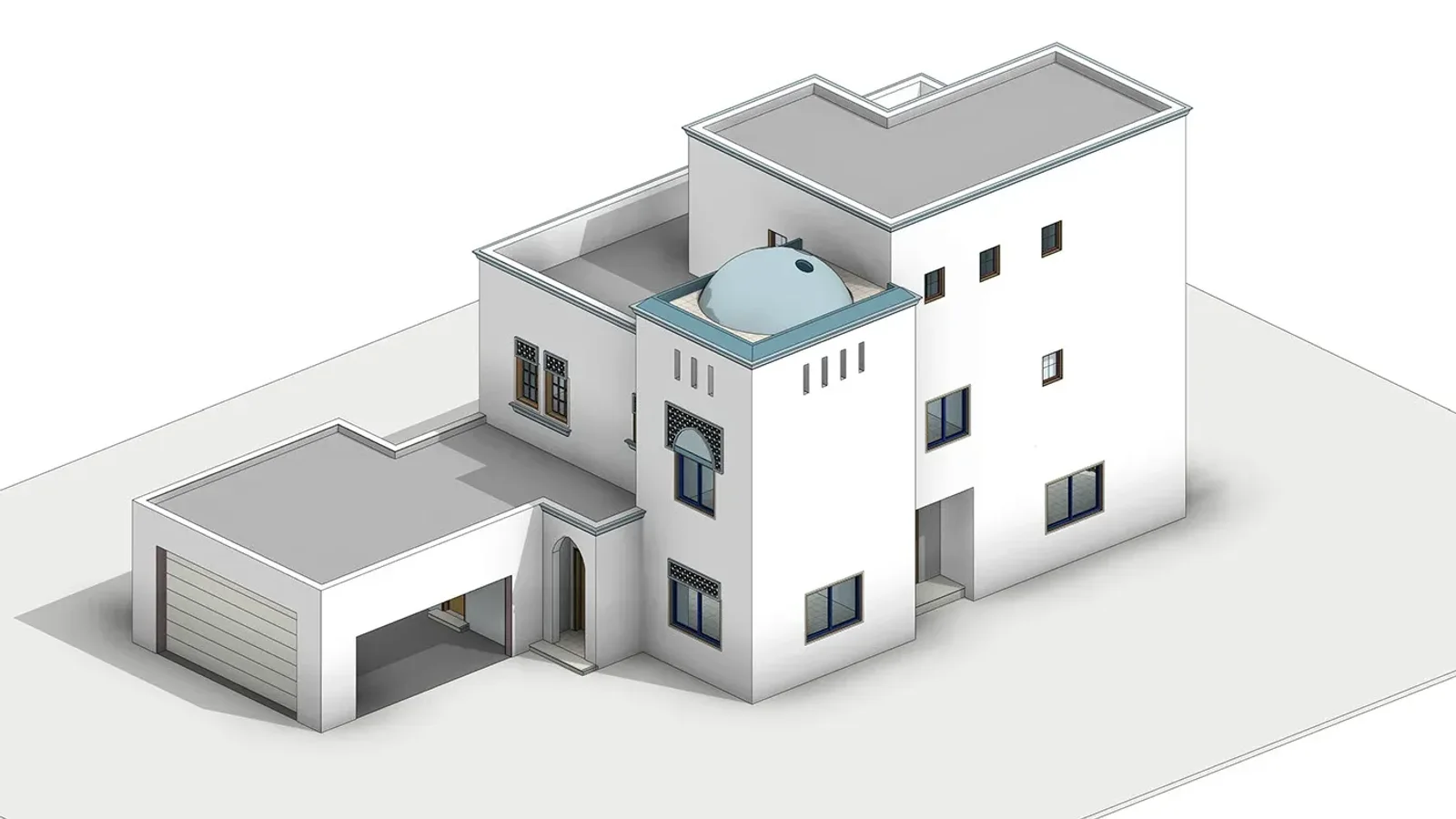
A villa model its author titled "LOD 300". From outside, an LOD 200 and an LOD 300 model can look identical; the difference is whether each wall, window and slab can be measured and relied on. Reference: Private Villa (LOD 300) by Khaled A. Mohsen on Behance.
Level of detail vs level of development
LOD is often expanded as "level of detail", and the two are not the same thing. The BIMForum specification draws the line in one sentence:
"Level of Detail is essentially how much detail is included in the model element. Level of Development is the degree to which the element's geometry has been thought through – the degree to which project team members may rely on the information when using the model."
The practical consequence is a rule most people find surprising: the spec says that if an element "is highly detailed and geometrically accurate but is not located accurately it can be no higher than LOD 200." A manufacturer's window family with every mullion modelled, dropped roughly where a window might go, is LOD 200. A plain box at exactly the right size and position can be LOD 300.
The confusion is partly historical. The UK's PAS 1192-2 used level of definition as the umbrella term, split into level of model detail (graphical, also abbreviated LOD) and level of model information (LOI, the non-graphical data). Some countries still say "level of detail" for what the BIMForum calls development. When a document says LOD, check which one it means.
LOD applies to elements, not to models
"We need an LOD 300 model" is the most common LOD request and, read literally, a meaningless one. The specification is blunt about it:
"There is no such thing as an 'LOD ### model.' … it is not logical to require an 'LOD 200 model' at the completion of the schematic design phase. Instead, the '100% SD Model' will contain modeled elements at various levels of development."
At the end of schematic design, a typical model has many elements at LOD 200, many at LOD 100, and a few at 300 or even 350, where a decision has already been fixed. The tool that captures this is the Model Element Table (MET): a spreadsheet listing every element type (exterior walls, windows, ductwork, and so on) against every milestone, with the required LOD and the Model Element Author (MEA) responsible for it. The AIA's version is G204-2022; the BIMForum's Part II is a free Excel workbook in a similar layout.
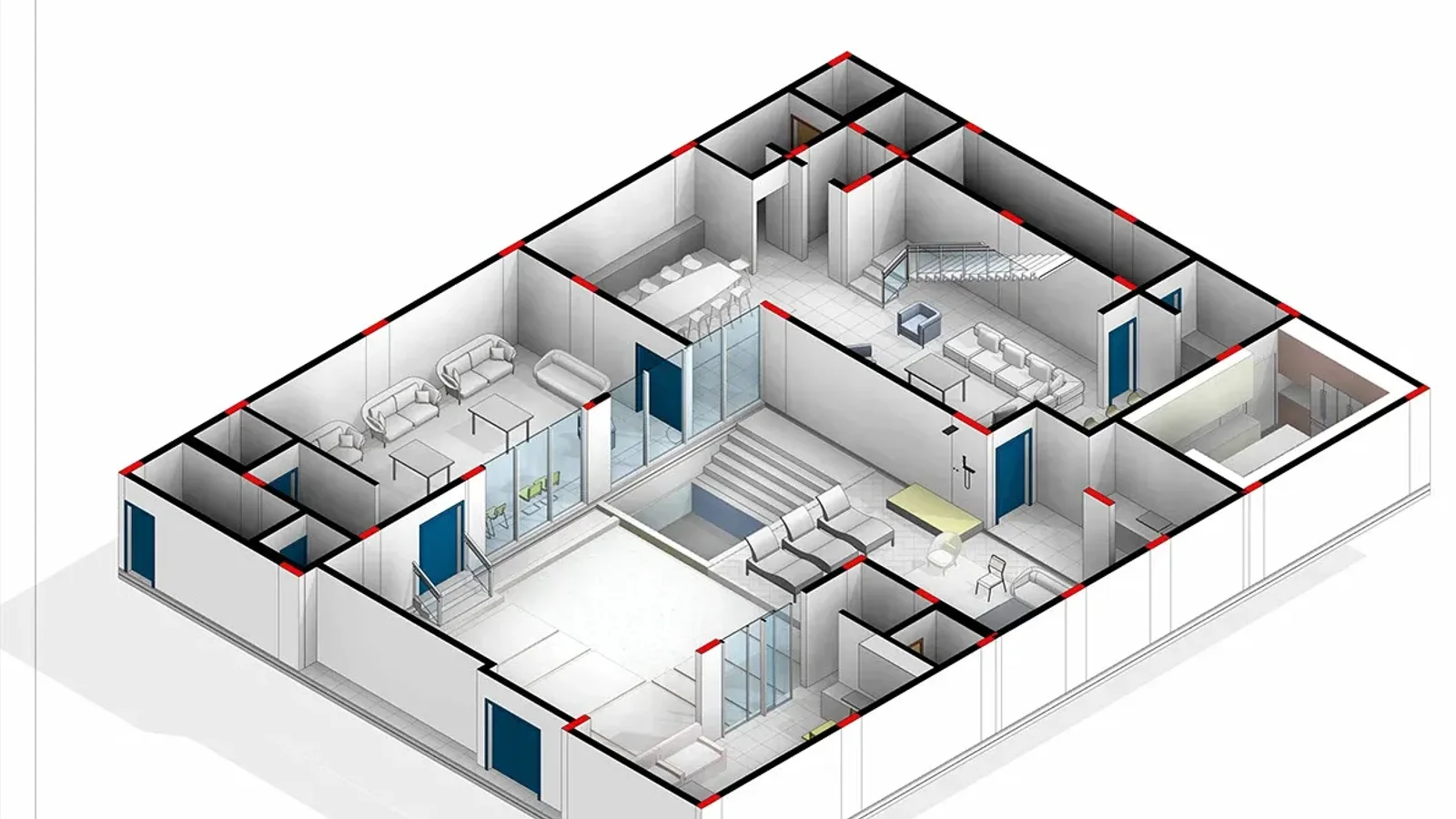
One model, many levels: the walls and openings of a villa developed far enough for coordination, next to furniture that is only there to show the rooms. A Model Element Table records which is which. Reference: Villa BIM Project, LOD 300 by Yahya Ibrahim on Behance.
One wall at five levels
Most LOD illustrations show a wall gaining layers as it goes from 200 to 400. That is not what the specification says. Here is a masonry external wall with a window, drawn with the inclusions the 2025 spec lists for exterior masonry walls (B2010.20.30) and operable windows (B2020.10):
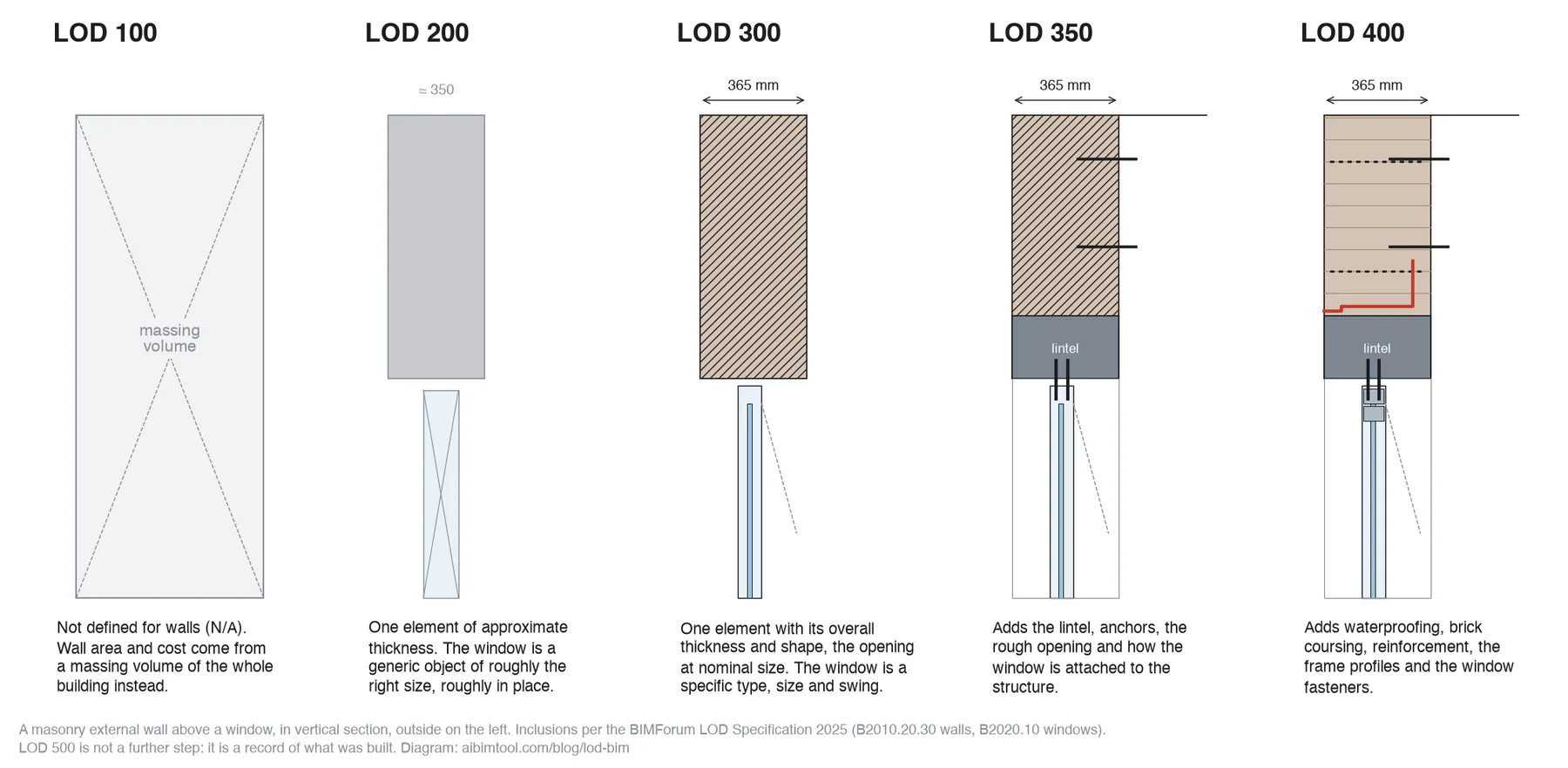
Inclusions per the BIMForum LOD Specification 2025, Part I. LOD 500 is not drawn: it is the same element checked against what was built.
What each step adds, in the spec's terms:
- LOD 100: not applicable to walls. The spec lists LOD 100 as N/A for exterior walls. Early wall area and cost come from a massing volume of the whole building.
- LOD 200: approximate thickness, represented by a single element. The window is a "generic window object".
- LOD 300: a "single model element with overall thickness and shape", with "planned openings at nominal dimensions". Note what is not required: the individual layers. A Revit compound wall with every layer is fine, but a single solid of the correct overall thickness also meets LOD 300. The window must now be a "specific type and size" with its "direction of opening".
- LOD 350: lintels, anchor elements, embeds, expansion joints, bond beams, and penetrations at rough-opening size. The window adds its "attachment elements … to structure". This is the level at which trades coordinate.
- LOD 400: waterproofing, coursing and reinforcement. The window adds "detailed frame extrusion profiles" and "fasteners".
Other elements follow the same pattern with their own lists. A cast-in-place concrete floor at LOD 300 needs its envelope, openings that require formwork, and slopes; LOD 350 adds penetrations, joints, embeds and post-tension anchors; LOD 400 adds all reinforcement, pour joints, chamfer and camber. The full lists for every element are in Part I of the spec, which is free and worth bookmarking.
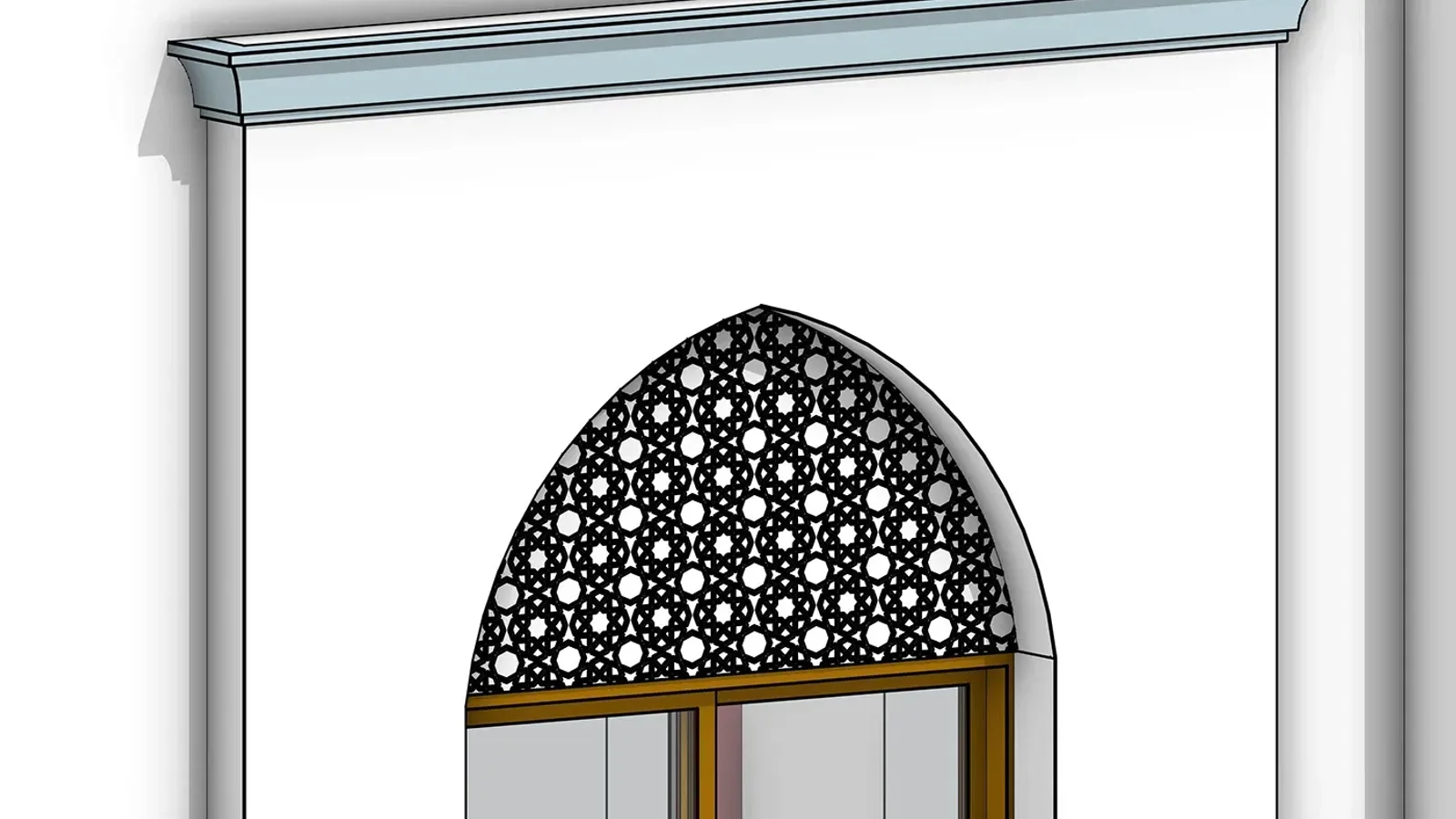
A specific window family with its frame, screen and cornice. Detail like this does not by itself make an element LOD 300; its exact size, position and opening direction do. Reference: Private Villa (LOD 300) by Khaled A. Mohsen on Behance.
What LOD do you need at each project stage?
The honest answer is that the specification refuses to say. "The LODs are not defined by design phases," it states. Milestones are defined by listing a level for each element, which is exactly what the Model Element Table is for.
Practice still has a typical pattern, and the spec itself confirms parts of it: the end of schematic design has "many elements at LOD 200", and the 2025 edition revised the LOD 300 definitions to match what is normally modelled by the end of construction documents. Treat the table below as a starting point for your own MET, not as a standard:
| Milestone | Most elements | Typical exceptions |
|---|---|---|
| Feasibility, concept | LOD 100 | Site and massing at 200 |
| Schematic design | LOD 200 | Fixed decisions (structural grid, cores) at 300 |
| Design development | LOD 200 to 300 | Facade and structure moving to 300 |
| Construction documents | LOD 300 | Elements needing trade coordination at 350 |
| Coordination, fabrication | LOD 350 to 400 | Usually modelled by contractors and fabricators |
| Handover, record | LOD 500 where surveyed | Accuracy stated per element |
Two things go wrong more often than any others. The first is over-specification: asking designers for LOD 400 elements they cannot reliably produce without fabricator input, then paying for detail nobody uses. The 2025 spec strengthened its own text specifically to help project teams push back on requests for excessive LOD. The second is under-specification of who models what. An LOD 350 duct run is only useful if the MET says whether the mechanical engineer or the installer is its author.
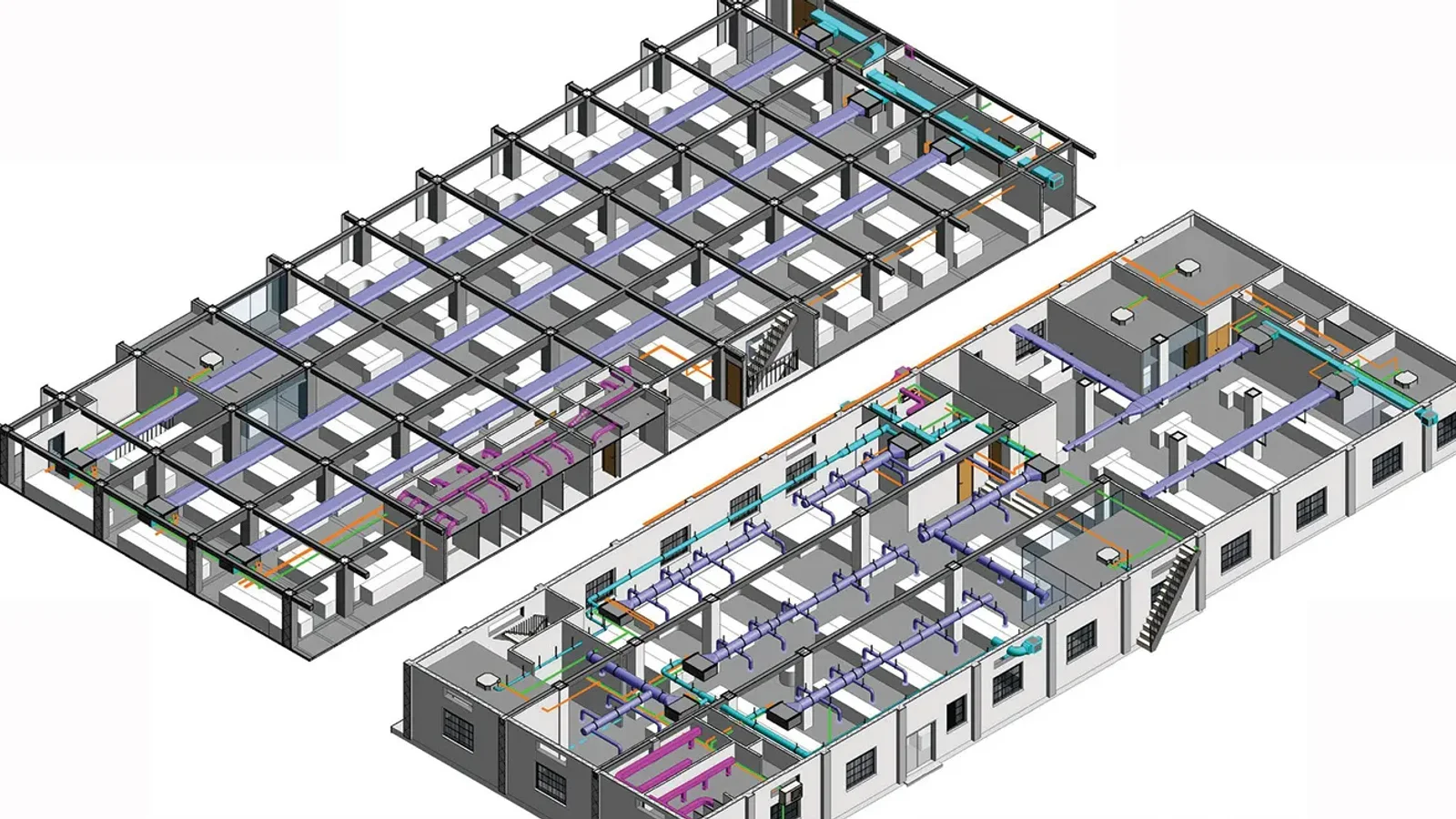
Ductwork, pipework and trays in an office model. Coordinating systems like these against the structure is the job LOD 350 exists for. Reference: Office Building, Revit Modelling by Tanya Garg on Behance.
LOD vs LOI, LOG and Level of Information Need
Outside North America, the LOD numbers are being replaced rather than refined:
- LOI (level of information) is the non-graphical side: properties, specifications, manufacturer data. PAS 1192-2 paired it with level of model detail.
- LOG (level of geometry) is an informal label for the geometric side, used in phrases like "LOD = LOG + LOI". No current standard defines it.
- Level of Information Need is the ISO 19650 concept, set out in ISO 7817-1:2024, which superseded EN 17412-1:2020. Instead of a single number, it defines for each purpose and milestone what geometry (detail, dimensionality, location, appearance, parametric behaviour), what alphanumeric information and what documentation is needed. The UK BIM Framework adds that the term "should not be abbreviated"; "LOIN" is common shorthand anyway.
The two systems are converging rather than competing. Since the 2025 edition, every BIMForum LOD definition lists its ISO 7817-1 aspects. LOD 300, for example, corresponds to "Detail: High", "Dimensionality: Accurate, 3D" and "Location: Accurate, absolute". If your client works under ISO 19650, you can still use LOD numbers as shorthand inside a level of information need, as long as the requirement for information is written down separately. The 2022 definitions dropped the old phrase "non-graphic information may also be attached", because information of any amount can sit on an element at any LOD; a number alone says nothing about it.
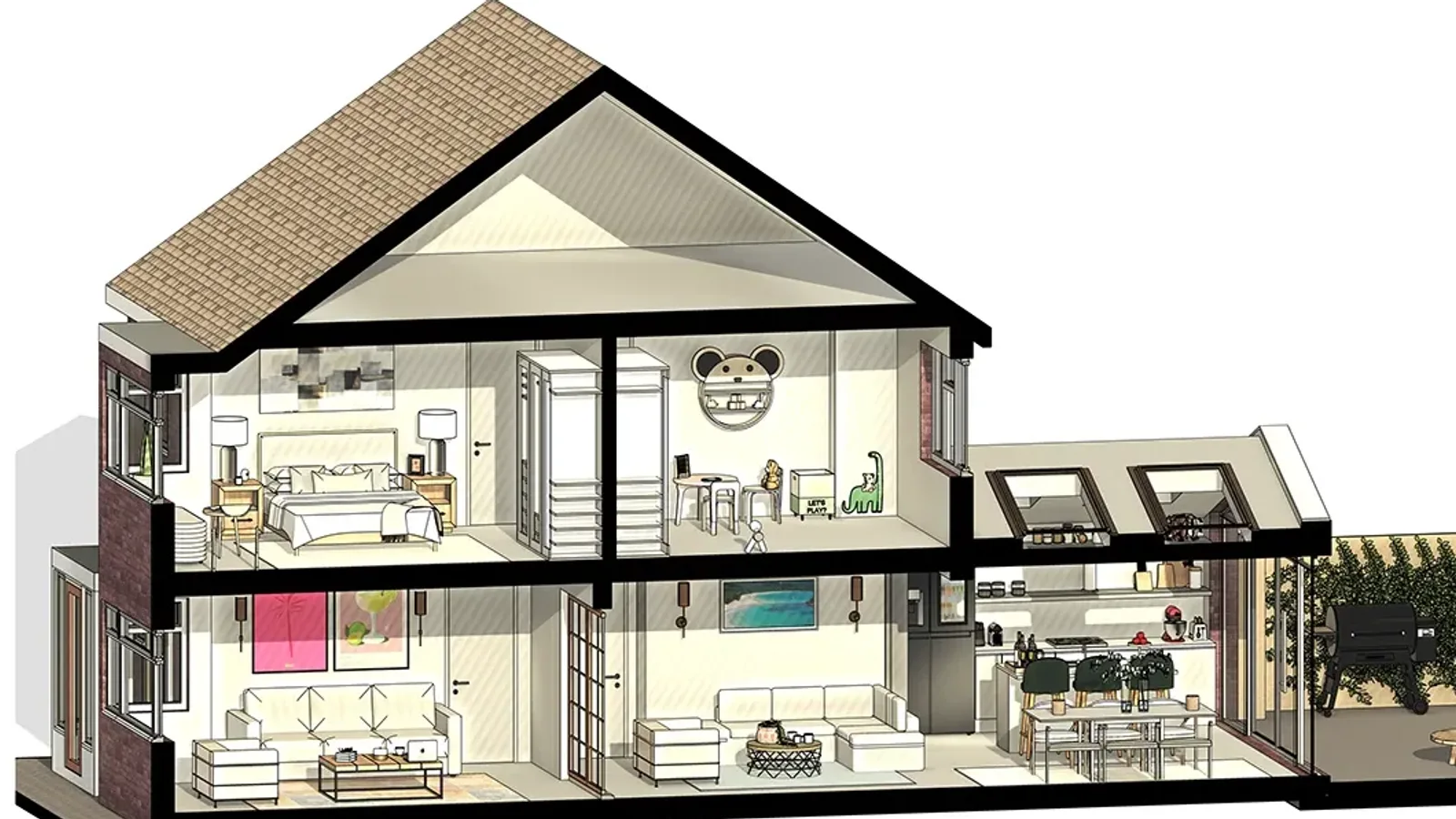
Geometry is only half the requirement. A model can look complete in section while carrying none of the properties a client's information requirements ask for. Reference: House extension and interior project, LOD 300 BIM by Sithum Dissanayaka on Behance.
What LOD does an AI-generated BIM model reach? Our audit
We make AIBIMTool, an AI agent that turns a written brief and a site into an IFC4 model, so we wanted to know where our own output sits on this scale. We read every building element in eight distinct models our engine exported between 24 and 26 October 2026, from a single-storey house to a six-storey office, using IfcOpenShell 0.9. That is 1,895 elements and 497 rooms.
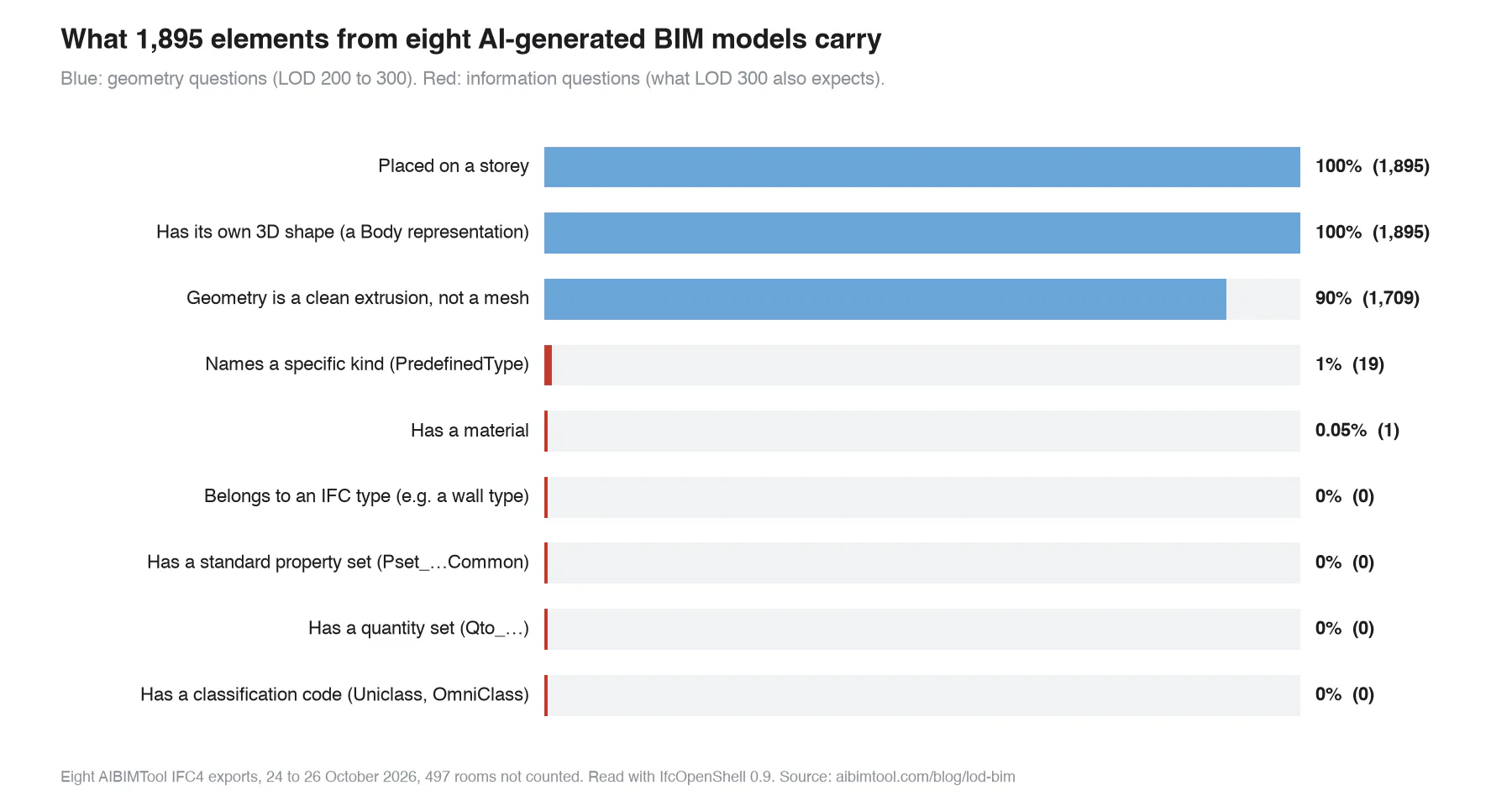
The geometry questions pass; the information questions mostly fail. Same files, same day, no cleaning.
Element by element, against the 2025 specification:
| Element | What our files contain | Honest LOD |
|---|---|---|
| Walls (695) | One extruded element each, at a fixed overall thickness, on a storey, with real openings cut (854 voids across the eight files) | Geometry meets the LOD 300 inclusions for a masonry wall. Nothing says what the wall is made of, so in practice: 200, with 300 geometry |
| Doors (445) | Frame, leaf, handles and threshold at real size, placed in an actual opening | 200. LOD 300 needs the door's "operation", and our doors do not record which way they swing |
| Windows (376) | Frame and glass at real size, in an actual opening | 200. LOD 300 needs a "specific type" and "direction of opening": neither is recorded |
| Slabs, columns (139) | Clean envelopes at true size and position | 200. The geometry would pass, but no engineer has sized them, and reliability is what LOD measures |
| Everything (1,895) | No IFC types, no Pset_…Common, no Qto_ quantities, no classification codes, one material | No LOD 350 or 400 elements, and the information a reviewer would expect alongside LOD 300 is missing |
So the fair summary is: an AI-generated model from our tool today is an LOD 200 model with some LOD 300 geometry, which is what schematic design needs and not what construction documents need. We would rather publish that than claim "LOD 300" in a headline, because anyone can open the IFC and check, the same way we did.
Two lessons apply to any model, not just ours:
- Geometry gets ahead of information. Every tool, AI or not, makes it easier to draw a convincing wall than to say what it is made of. If your MET asks for LOD 300, check the properties as well as the shapes.
- LOD is a claim about reliability, so who placed an element matters. An AI agent can place a column at the exact right size and position. It still has not done the structural engineering, so that column is a placeholder until someone who has signs it off.
The fixes are on our list, in this order: real IFC wall, door and window types; standard property sets (Pset_WallCommon with fire rating, load-bearing and external flags); door and window operation; and Qto_ quantities, so that a bill of quantities can be read from numbers rather than estimated. We will re-run this audit and update the table as each one ships.
Start at LOD 200 in minutes
- From brief to BIM. Describe the building and pick the site; the AI agent produces a room program, a massing and an editable IFC4 model.
- Real IFC elements. Walls, slabs, doors, windows and named rooms, on storeys, ready to take into Revit or Archicad for the LOD 300 work.
- Honest about its level. Everything in the audit above is what you get today.
How to specify LOD on a project without arguments later
- Never write "LOD 300 model" in a contract. Attach a Model Element Table instead: rows of element types, columns of milestones, an LOD and an author in each cell. BIMForum's Part II is a free template.
- Use the current spec and name the edition. "BIMForum LOD Specification 2025" removes a whole class of disputes. Older editions differ, for instance on how openings are modelled at LOD 300.
- Ask for LOD 350 only where trades must coordinate, and say who models it. Designers rarely can without the installer's knowledge.
- Write the information requirements separately. LOD covers geometry and its reliability. Properties, classification and documentation belong in the level of information need, or in a property list in the BIM execution plan.
- Check, do not trust. Open the IFC in a free viewer, click a few walls, doors and windows, and look for types, property sets and quantities. Our IFC file guide has a five-step check, and an Information Delivery Specification (IDS) file can automate it.
For the bigger picture of what a BIM model is and how the process works, our sister site MeltFlex has a plain-language introduction to BIM. If you are choosing the software to model in, see our comparison of BIM software.
How we made this guide
Definitions, quotations and element inclusions come from the BIMForum Level of Development Specification 2025, Part I, which we downloaded from bimforum.org on 27 October 2026 and read in full; the quoted AIA definitions appear in it by permission. Standards history was checked against the AIA, the UK BIM Framework, NBS and the sources listed below.
The audit reads eight IFC4 files exported by the AIBIMTool engine between 24 and 26 October 2026, one per distinct project, with IfcOpenShell 0.9.0. Repeated exports of the same project were excluded. The wall diagram and the chart were drawn with matplotlib from those readings and from the specification; the script is in our repository as scripts/blog-lod-bim-figures.py.
The other pictures are published BIM work by architects on Behance, credited under each image, cropped to fit the page and otherwise unedited. Where a caption mentions an LOD, it is the level the author gave the project, not one we verified.
Search demand for these topics was checked in Ahrefs Keywords Explorer (US and global) on 27 October 2026. We make AIBIMTool, so weigh what we say about it accordingly.
Sources
- BIMForum, Level of Development (LOD) Specification 2025, Part I (PDF), and the LOD Specification resource page with Part II.
- BIMForum, 2025 LOD Specification now available.
- AIA Contract Documents, 2022 Digital Practice documents: E201-2022, G203-2022 and G204-2022.
- Construction Management, New level of information need standard published: ISO 7817-1:2024 superseding EN 17412-1:2020.
- UK BIM Framework, Guidance Part D: Developing information requirements (PDF).
- NBS, Level of detail (LOD) and digital plans of work.
- Designing Buildings Wiki, Level of definition: the PAS 1192-2 terms.
Frequently asked questions
What is LOD in BIM?
LOD in BIM stands for Level of Development: how far a single model element has been developed, and therefore how much the rest of the team can rely on its geometry and information. The scale runs LOD 100, 200, 300, 350, 400 and 500. It comes from the American Institute of Architects and is interpreted element by element in the free BIMForum LOD Specification, whose current edition is 2025.
What are the LOD levels in BIM?
LOD 100 is a symbol or other generic representation. LOD 200 is a generic placeholder with approximate size, shape, location and orientation. LOD 300 is the element as designed, with quantity, size, shape, location and orientation that can be measured. LOD 350 adds measurable interfaces with neighbouring elements. LOD 400 has enough detail for fabrication, assembly and installation. LOD 500 records an existing or as-built condition, verified in the field.
What is the difference between LOD 300 and LOD 400?
LOD 300 is the element as designed: its size, shape and position can be measured, which is what construction documents need. LOD 400 is the element as it will be made: it adds fabrication and installation detail such as reinforcement, fasteners, coursing or frame profiles. Designers rarely model beyond LOD 300; LOD 400 is usually the work of a fabricator or trade contractor, and the BIMForum spec notes that most models contain few if any LOD 400 elements.
Is LOD 500 the highest level of development?
No. The BIMForum LOD Specification says LOD 500 does not indicate a higher level than LOD 400. It means the element's geometry comes from observing something that exists, by survey, field verification or interpolation, rather than from designing something new. The definition also requires the accuracy to be stated, for which BIMForum recommends the USIBD Level of Accuracy specification.
Is there such a thing as an LOD 300 model?
Strictly, no. The BIMForum specification says there is no such thing as an LOD ### model, because every model contains elements at different levels: at the end of schematic design, many elements are at LOD 200, many at LOD 100 and some at 300 or higher. When a contract says LOD 300 model, ask for a Model Element Table that sets a level for each element type at each milestone.
What is the difference between level of detail and level of development?
In the BIMForum's words, level of detail is how much detail is included in the model element, while level of development is the degree to which the element's geometry has been thought through, the degree to which project team members may rely on it. A highly detailed object can still be LOD 200: the spec says an element that is detailed and geometrically accurate but not located accurately can be no higher than LOD 200.
What LOD is required for construction documents?
LOD 300 for most elements is the usual target, and the 2025 BIMForum spec revised its LOD 300 definitions to match what is normally modelled by the end of construction documents. The spec deliberately does not tie levels to phases, so the requirement should be written element by element in a Model Element Table, with LOD 350 for elements that need construction-level coordination.
Is the BIMForum LOD Specification free?
Yes. BIMForum publishes the LOD Specification free of charge at bimforum.org/lod. Part I, the element definitions, is a PDF under a Creative Commons BY-NC-ND 4.0 licence, and Part II, the Model Element Table, is an Excel workbook under CC BY-NC 4.0. The current edition is the 2025 one.
What is LOIN in BIM?
LOIN is the informal abbreviation of Level of Information Need, the approach of ISO 19650 and ISO 7817-1:2024, which replaced EN 17412-1:2020. Instead of one LOD number, it asks for each purpose and milestone what geometry, alphanumeric information and documentation is needed. It is the European and UK successor to the older LOD and LOI labels from PAS 1192-2.







Revit Price 2026: What Revit Really Costs in the US, UK and EU
Revit costs $3,005 a year ($251 a month billed yearly) or $380 a month in the US, €3,106 a year in Germany and £2,712 in the UK. Every Revit, Revit LT, AEC Collection and Flex price checked on Autodesk's own pages, plus when each plan is the cheaper one and how to spend less.
Best BIM Software in 2026: 8 Tools Ranked, Plus the Best AI BIM Tools
The best BIM software in 2026, ranked: AIBIMTool, Revit, Archicad, Snaptrude, Vectorworks, Allplan, Tekla and Bonsai, plus the six AI BIM tools worth trying, with prices, free plans, real screenshots and who each one is for.
What Is an IFC File? How to Open, Edit and Check One
An IFC file is the open BIM format defined in ISO 16739. What is inside one, free ways to open and edit it, and the export mistakes we found in our own files.