
What Is an IFC File? How to Open, Edit and Check One

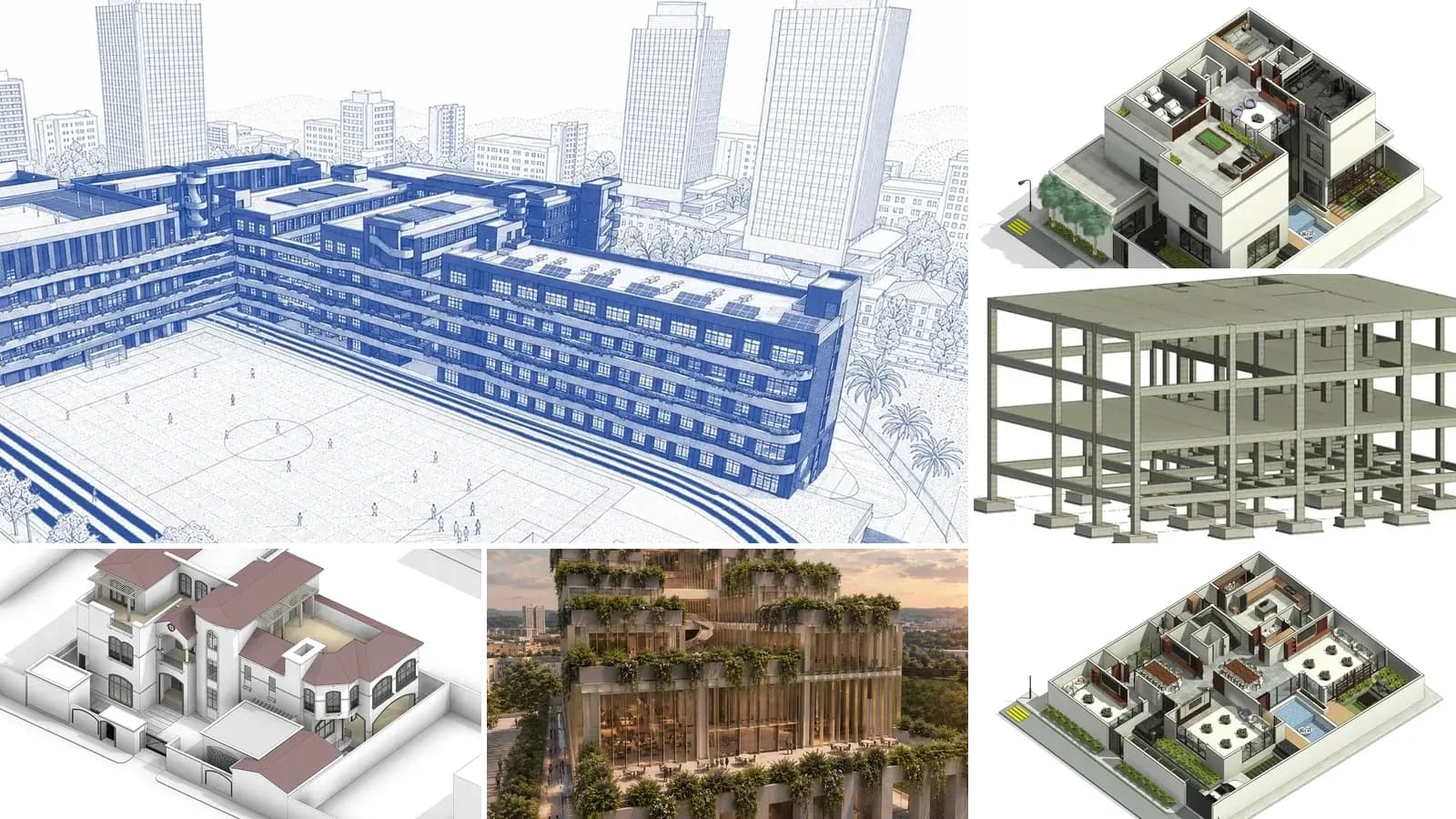
An IFC file is an open, vendor-neutral file for building models, defined by buildingSMART and published as the international standard ISO 16739. It stores a building as a list of real things, such as walls, doors, windows, rooms and storeys, together with their 3D shape and how they relate to each other, so Revit, Archicad, Tekla, Vectorworks and free viewers can all read the same model. The file extension is .ifc, and the file itself is plain text you can open in any editor.
Our articles are still written by humans!
Get human written articles in your Google feed.
That is the short answer. The rest of this guide shows a real IFC file line by line, the free ways to open and edit one, and an honest audit of the IFC files our own product exports, because writing them every day taught us more about what goes wrong than any spec did.
The short version
- IFC is a text file, not a black box. Every line is one object with a number, and the numbers point at each other. A real file, line by line.
- Export IFC4 unless the receiver says otherwise. IFC2x3 for older software, IFC4.3 only for infrastructure. Versions compared.
- You do not need Revit to open one. BIMvision, Open IFC Viewer and Bonsai are free. Viewers compared.
- Most IFC problems are missing data, not broken geometry. Our own files had zero property sets until we checked. The audit.
What is an IFC file?
IFC stands for Industry Foundation Classes. The idea goes back to 1994, when Autodesk set up an industry consortium to agree on shared classes for building software; that group became the International Alliance for Interoperability and, in 2005, buildingSMART, which still maintains the standard. Because buildingSMART publishes it through ISO, no single vendor owns IFC, and that is the whole point: it is the format you use when a model has to leave the program it was made in.
IFC file (definition): a building information model saved in the Industry Foundation Classes schema (ISO 16739), usually as a .ifc text file in the STEP format (ISO 10303-21), that describes building elements, spaces, their geometry, their properties and the relationships between them.
What makes IFC different from a mesh format like OBJ or FBX is meaning. An OBJ file knows it has a few thousand triangles. An IFC file knows that a particular set of geometry is an IfcWall on the ground floor named "W-S", that it has two IfcWindow objects sitting in openings cut into it, and that the room behind it is an IfcSpace called "Living / Dining / Kitchen". That is why IFC is the exchange format for BIM and OBJ is not.
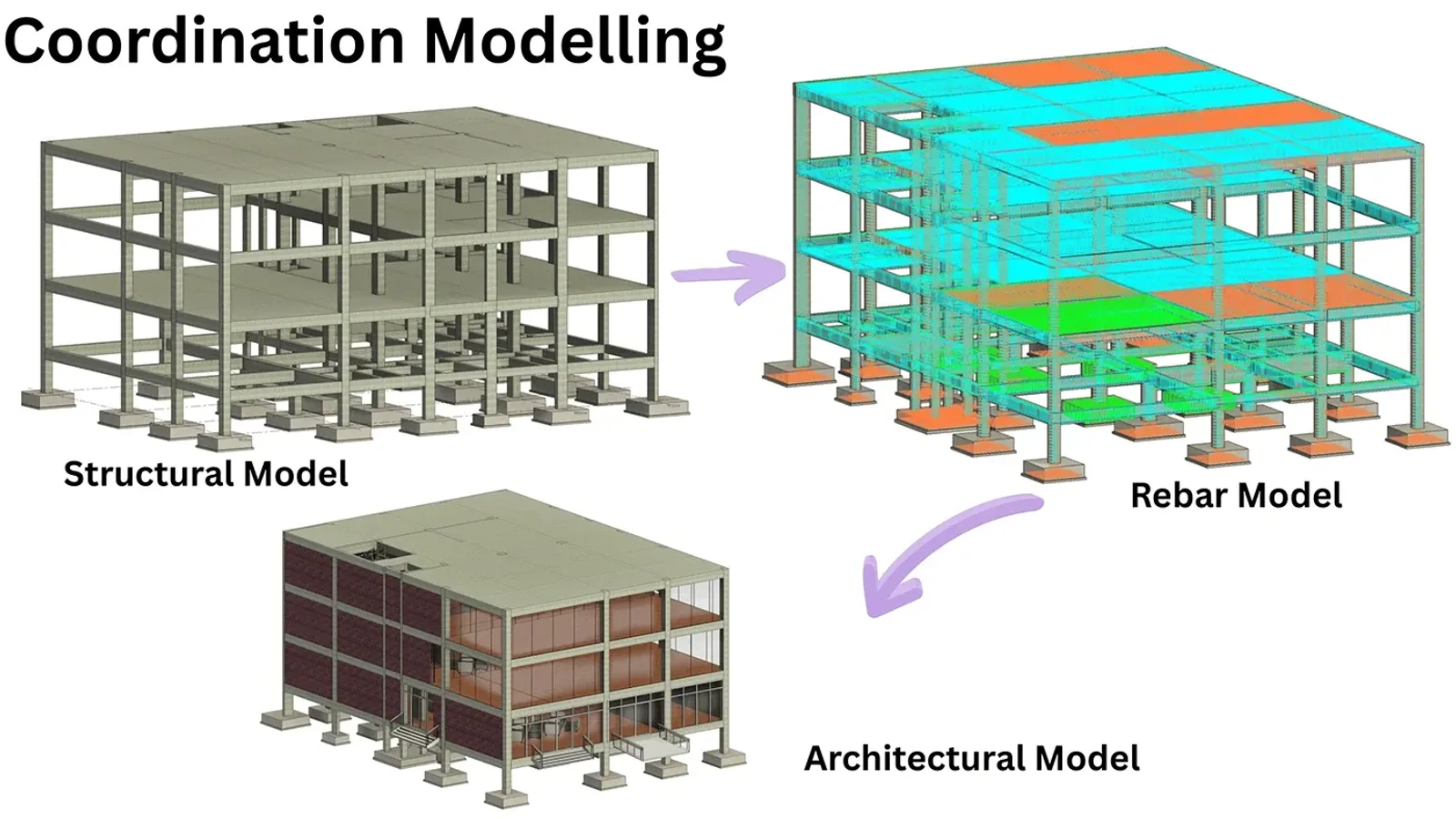
One building, three discipline models: structure, rebar and architecture. IFC is how models like these meet when the teams work in different software. Reference: BIM Portfolio by Hemant Pratap Singh on Behance.
It also explains IFC's reputation. The format can carry a lot of information, but nothing forces the software that writes it to fill that information in. A file that opens fine can still be nearly useless to the engineer who receives it. More on that in the audit below.
What is inside an IFC file? A real one, opened line by line
The best way to understand the IFC file format is to read one. This is a complete, valid IFC4 file exported by our engine at the very start of a project, before the AI agent had placed a single wall. It is 24 lines and 1 KB:
ISO-10303-21;
HEADER;
FILE_DESCRIPTION(('ViewDefinition [CoordinationView]'),'2;1');
FILE_NAME('','2026-10-24T16:34:35',(''),(''),'IfcOpenShell 0.9.0post1+b5e509b','IfcOpenShell 0.9.0post1+b5e509b','');
FILE_SCHEMA(('IFC4'));
ENDSEC;
DATA;
#1=IFCPROJECT('3VSrl5Knb4JQV5IErMtkMS',$,'AI BIM demo',$,$,$,$,(#10),#5);
#2=IFCSIUNIT(*,.LENGTHUNIT.,$,.METRE.);
#3=IFCSIUNIT(*,.AREAUNIT.,$,.SQUARE_METRE.);
#4=IFCSIUNIT(*,.VOLUMEUNIT.,$,.CUBIC_METRE.);
#5=IFCUNITASSIGNMENT((#4,#2,#3));
#6=IFCCARTESIANPOINT((0.,0.,0.));
#7=IFCDIRECTION((0.,0.,1.));
#8=IFCDIRECTION((1.,0.,0.));
#9=IFCAXIS2PLACEMENT3D(#6,#7,#8);
#10=IFCGEOMETRICREPRESENTATIONCONTEXT($,'Model',3,1.E-05,#9,$);
#11=IFCGEOMETRICREPRESENTATIONSUBCONTEXT('Body','Model',*,*,*,*,#10,$,.MODEL_VIEW.,$);
#12=IFCSITE('2j814J4LT6$QsAvfI$F4Vm',$,'Site',$,$,$,$,$,$,$,$,$,$,$);
#13=IFCBUILDING('3_DYn31i105Azs_AmzYWjh',$,'Building',$,$,$,$,$,$,$,$,$);
#14=IFCRELAGGREGATES('0MQtheVvDCkRCOyI8Mqxyv',$,$,$,#1,(#12));
#15=IFCRELAGGREGATES('3qD5juIAbEAgTBheJml0v$',$,$,$,#12,(#13));
ENDSEC;
END-ISO-10303-21;
Here is how to read it:
- The HEADER says which schema the file uses (
IFC4), which program wrote it and when.FILE_SCHEMAis the line to check first when a program refuses to open a file: an IFC2x3-only tool will reject anIFC4header outright. - The DATA section is one object per line.
#1,#2and so on are line numbers that other lines point to.#5collects the units from lines#2to#4, and the project on line#1points at#5, so the whole model is in metres. - The 22-character strings such as
'3VSrl5Knb4JQV5IErMtkMS'are GlobalIds: compressed GUIDs that stay with an object for its whole life. They are how clash reports, BCF issues and model comparisons recognise "the same wall" across two versions of a file. $means "not set" and*means "derived". Count the$signs on theIFCSITEline: the site has no address, no coordinates and no elevation. That is legal IFC, and it is also the first sign of a thin export.- The two
IFCRELAGGREGATESlines build the spatial tree: the project contains the site, and the site contains the building. In a full model the chain continues to storeys, and every wall, door and room is attached to a storey.
A full model just adds more lines of the same kind. The single-storey house below is 1,798 lines. Two of them, unchanged from the file:
#240=IFCDOOR('2GmS4H_J5DyO$DHCGStD61',$,'Front door',$,$,#325,#314,$,$,$,$,$,$);
#1837=IFCSPACE('1v6TlARDbA6eP_s4aHgByw',$,'Living / Dining / Kitchen \X2\00B7\X0\ 57.7 m\X2\00B2\X0\',$,$,#1855,#1844,$,$,$,$);
The \X2\00B7\X0\ is how STEP stores characters outside basic ASCII, here a middle dot and a superscript 2. Every IFC reader decodes it, but it is why a plain text search for "m²" inside an IFC file finds nothing.
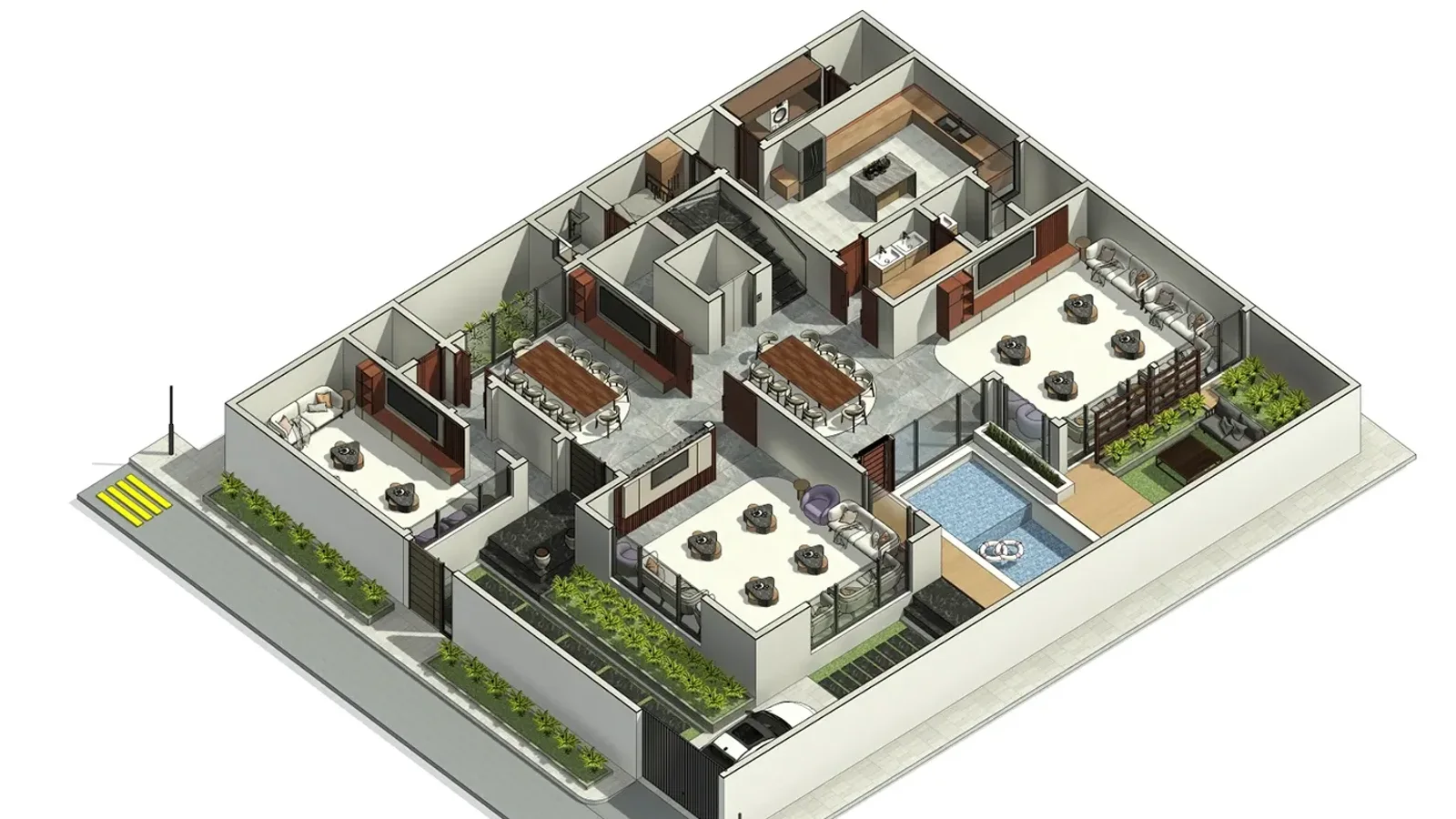
Exported to IFC, every wall, door, window, stair and piece of furniture in a model like this becomes its own line with its own GlobalId, the same way the front door does above. Reference: Villa Design in KSA by Omar Alaa on Behance.
The rooms are in there too. Drawing only the IfcSpace, IfcWall, IfcDoor and IfcWindow entities from that file, top down, gives you a floor plan without any drawing ever having been exported:
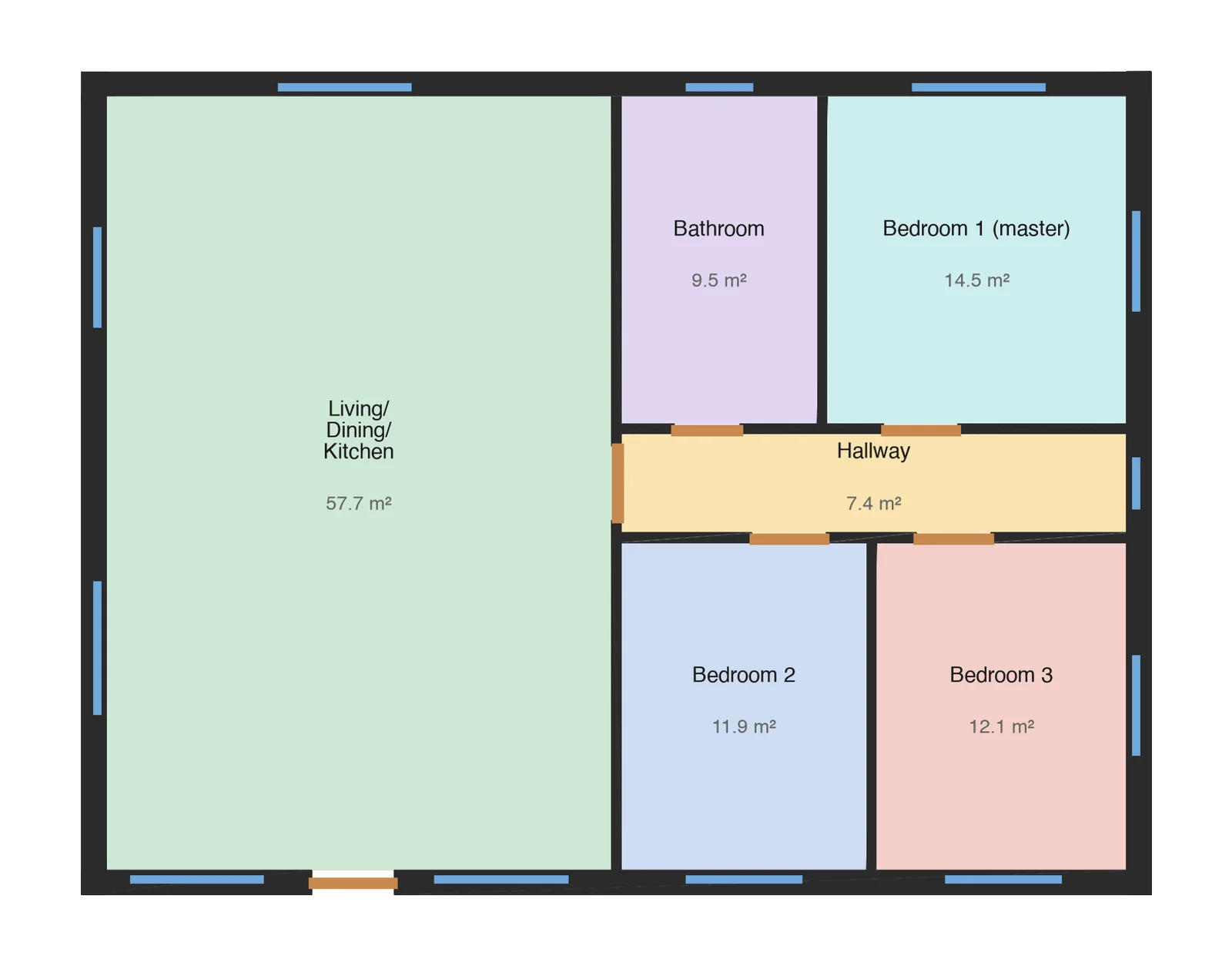
Six IfcSpace rooms, 113.1 m² in total, plotted from the IFC with about 40 lines of Python. The names and areas come straight from the file. We cut a full plan, elevation and section from the same house in our guide to architectural drawings.
IFC file type and format versions
"IFC file" covers several schema versions and a few file encodings. The version matters much more than the encoding: it decides which programs can read the file at all.
| Version | Released | ISO number | What it is for today |
|---|---|---|---|
| IFC2x3 (TC1) | 2006, corrigendum 2007 | none | The lowest common denominator. Still requested by older tools and by contracts written around Coordination View 2.0. |
| IFC4 | 2013 | ISO 16739:2013 | Better geometry, better property handling. The sensible default for building projects. |
| IFC4 ADD2 TC1 | 2017 | ISO 16739-1:2018 | The IFC4 most software actually implements when it says "IFC4". |
| IFC4.3 ADD2 | 2024 | ISO 16739-1:2024 | Adds roads, rail, bridges, ports and waterways. Pick it for infrastructure, not for a house. |
IFC4.1 and IFC4.2 were interim releases on the way to 4.3 and have been withdrawn, so if a tool offers them, skip them.
Inside each version, a Model View Definition (MVD) says which part of the schema a particular exchange should contain. For IFC2x3 that is almost always Coordination View 2.0. IFC4 replaced it with the Reference View, for one-way coordination where you send change requests back to the author, and the Design Transfer View, for handing over a model the receiver will keep editing. When someone says "send me IFC", the useful follow-up question is "which version and which view?"
The file extension tells you the encoding:
| Extension | What it contains | When you will see it |
|---|---|---|
.ifc | Plain text in STEP format (ISO 10303-21) | 99% of the time. Readable in a text editor. |
.ifcXML | The same model as XML (ISO 10303-28) | Rarely. Much larger than .ifc for the same model. |
.ifcZIP | A zipped .ifc or .ifcXML | Emailing or uploading large models. Most viewers open it directly. |
| ifcJSON, IFC-RDF | Experimental encodings for web and linked-data use | Developer tools, not day-to-day exchange. |
Why IFC files get so big: two of our exports compared
IFC has two very different ways to store a shape. An extrusion says "take this 2D outline and push it up 2.7 metres": a few lines for a whole wall. A mesh lists every triangle. Rectangular buildings export as extrusions. Curved facades, domes and anything the exporting program cannot describe parametrically end up as meshes, and that is where file size goes.
We measured this on two models our engine produced this week, reading every entity with IfcOpenShell 0.9:
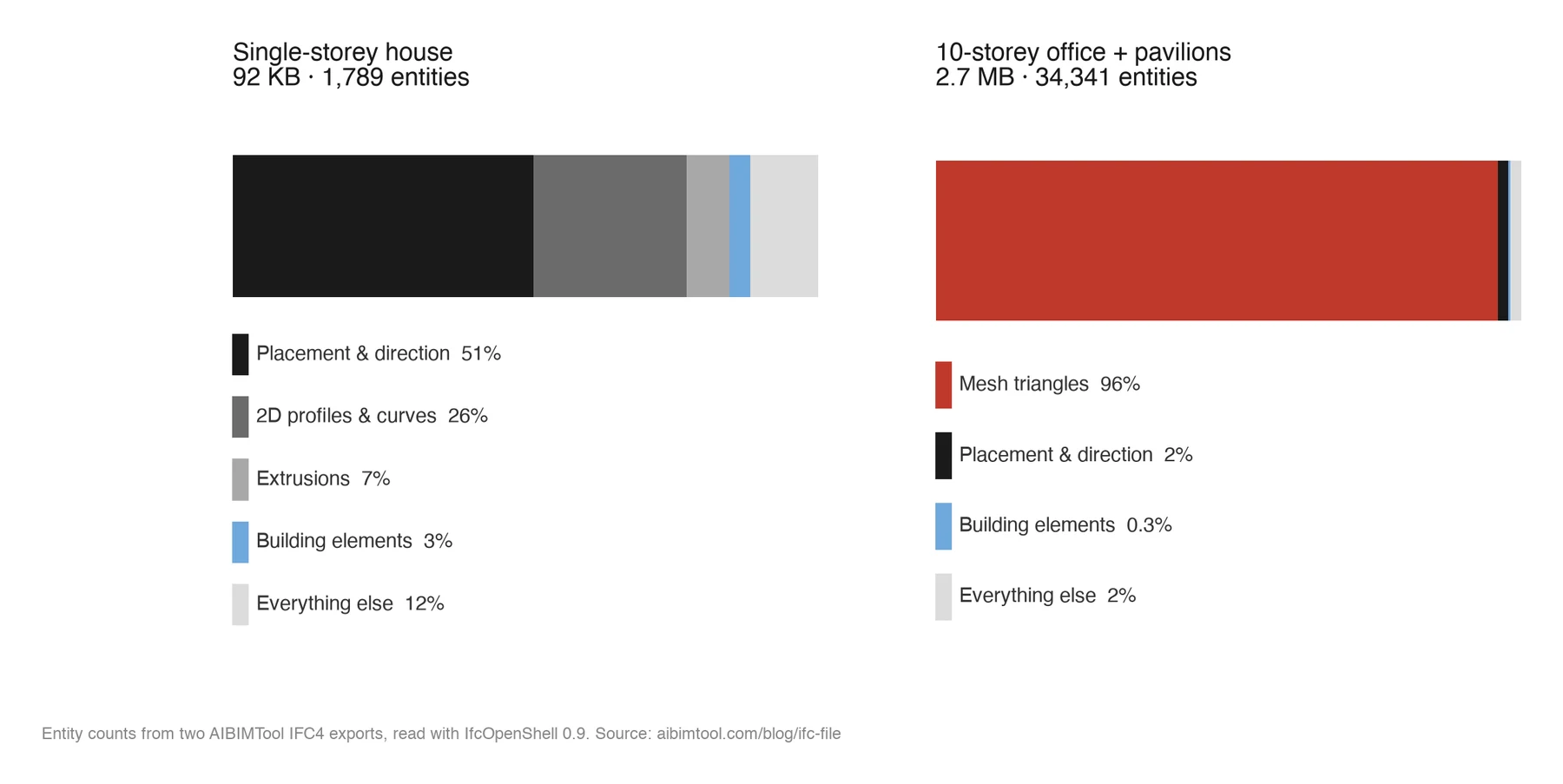
The house is built from extrusions; the office is mostly triangles. Same exporter, same schema, 30 times the file size.
| Single-storey house | Ten-storey office and two pavilions | |
|---|---|---|
| File size | 92 KB | 2.7 MB |
| Lines (entities) | 1,798 (1,789) | 34,350 (34,341) |
| Building elements | 62 | 115 |
| Size per element | about 1.5 KB | about 24 KB |
Mesh triangles (IfcIndexedPolygonalFace) | 22 | 32,948 (96% of the file) |
Zipped as .ifcZIP | 18 KB (81% smaller) | 544 KB (81% smaller) |

Planters, curved slab edges and fins: the kind of facade that most often leaves an exporter as triangles rather than extrusions, and makes the IFC heavy. Reference: BIM Portfolio by Dheekshika Mahesh on Behance.
The practical lesson: a big IFC file is rarely "a lot of building". It is usually a few complicated shapes stored as triangles. If a model is too heavy to email, zip it first, and if it is still too heavy, look at which elements are meshes before you start deleting rooms.
How to open an IFC file
You do not need Revit or Archicad to look at an IFC file. These are the tools worth knowing, checked against each vendor's own pages in October 2026:
| Tool | Price | Platforms | Good for | Watch out for |
|---|---|---|---|---|
| AIBIMTool IFC Viewer (ours) | Free, no sign-up | Any browser | Opening a file in seconds, properties, CSV element list; nothing is uploaded | View only: no measuring, editing or clash checks |
| BIMvision | Free | Windows | Quick viewing, properties, plugins | Windows only |
| Open IFC Viewer (Open Design Alliance) | Free | Windows, Mac | Local viewing, IFC2x3 to 4.3, measuring, IDS checks | Desktop install |
| BIMcollab Zoom | Free mode, paid licence | Windows, Mac | Viewing plus BCF issues | Clash detection and quantity lists are paid |
| Bonsai for Blender | Free, open source | Windows, Mac, Linux | Viewing and native editing | Blender's interface is a learning curve |
| FreeCAD 1.0 | Free, open source | Windows, Mac, Linux | Native IFC editing built in | Its own docs still call Native IFC a work in progress |
| Solibri Anywhere | Free build frozen at 25.12.0 | Windows, Mac | Model checking previews | A legacy product since April 2026: no new free versions |
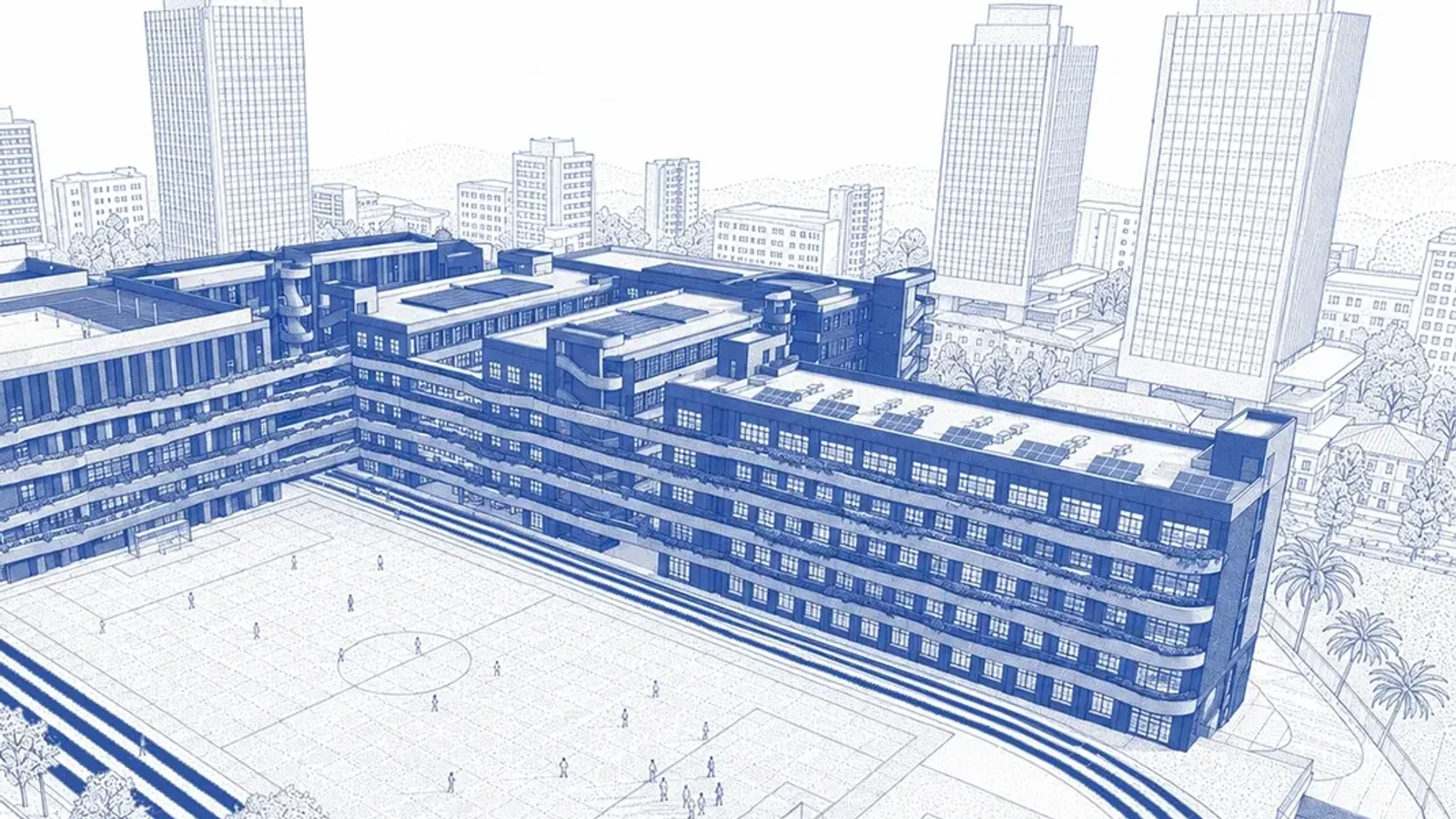
A school BIM model in a styled 3D view. A free IFC viewer shows the same elements without the styling, and lets you click each one to read its class and properties. Reference: School Project, KAITECH BIM Diploma by Mohamed Fayed on Behance.
If you only need to look at a model someone sent you, Open IFC Viewer is the one we would install first: free, local (nothing uploaded anywhere) and it reads every schema version in the table above. If you also need to fix something, go straight to Bonsai.
How to open an IFC file in Revit
Revit offers two routes, and picking the wrong one causes most "my IFC came in wrong" threads:
- File > Open > IFC creates a brand new Revit model from the IFC, using your default template. Use it when you want to keep working on the model in Revit.
- Insert > Link IFC keeps the IFC as a reference inside your existing project. Revit converts it into an intermediate model and links that, so it reloads when the consultant sends a new version. Since Revit 2024.1 a new link processor is the default, with better geometry at some cost in speed.
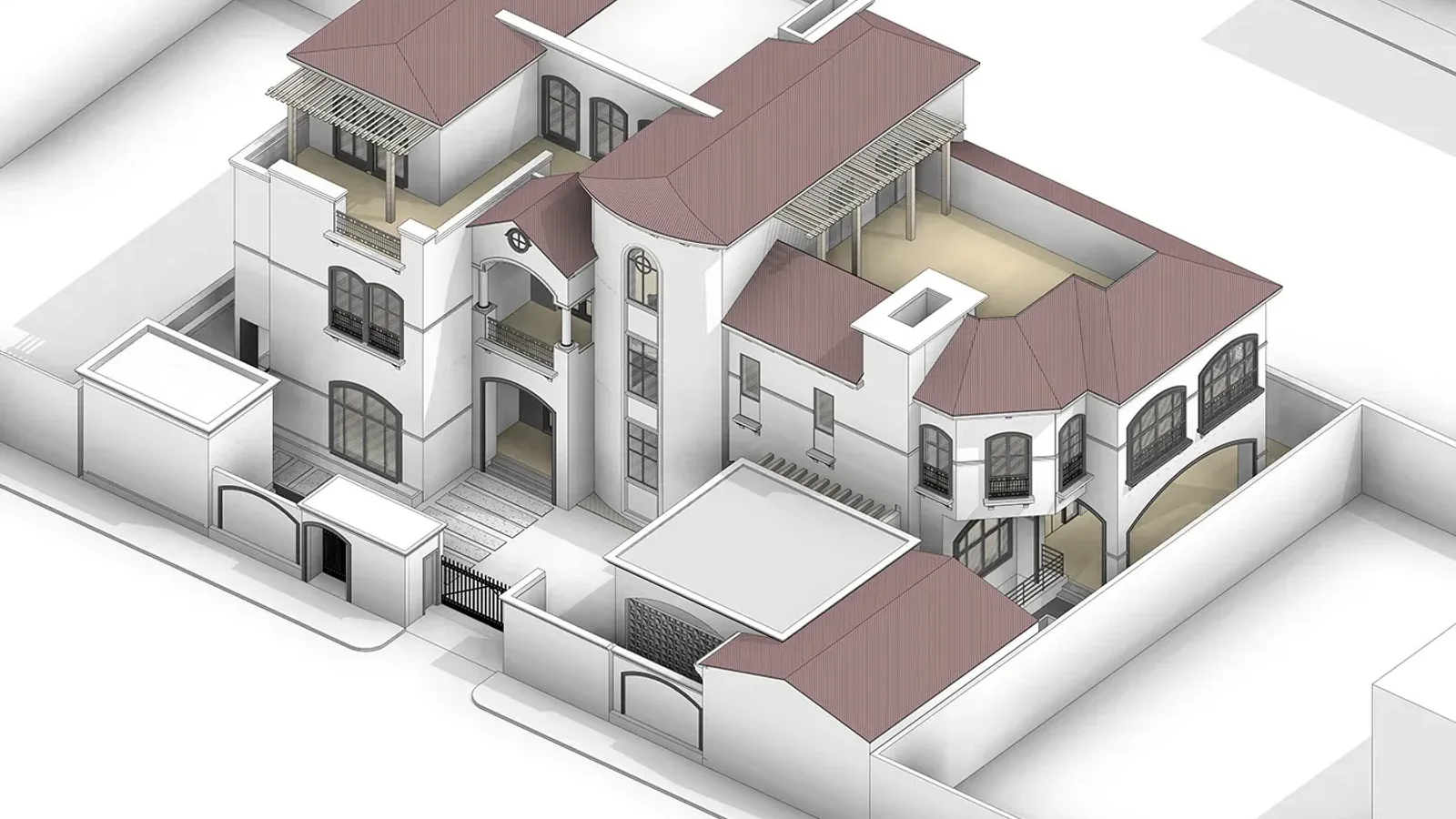
A villa modelled for a working drawing set. Opened from IFC in Revit, a model like this comes in as walls, roofs and windows, but not as the families and constraints it was built with. Reference: LB Villa, architectural working drawings by Mohamed Fayed on Behance.
Either way, Revit writes a log file next to the IFC, named like model.ifc.log. When elements go missing, read that log before blaming the file.
Can you edit an IFC file?
Yes, with the right tool. There are three honest levels:
- Native IFC editors such as Bonsai and FreeCAD 1.0 change the IFC itself and keep GlobalIds intact, so your edits do not break the receiver's issue tracking.
- Scripting with IfcOpenShell, the open-source library under Bonsai and under our own engine. This is how we produced every number in this article:
import collections, ifcopenshell

model = ifcopenshell.open("model.ifc")
print(model.schema)                                   # IFC4
print(len(list(model)))                               # every entity in the file
print(collections.Counter(e.is_a() for e in model.by_type("IfcProduct")))
print(len(model.by_type("IfcPropertySet")))           # 0 in our exports, see below
- Import and re-export through Revit or Archicad. This works, but it is a translation, not an edit: the output is a new IFC written by a different exporter, often with new GlobalIds and different geometry.
If you have never done the import route, watch it once before your first project that depends on it. Tekla's own introduction, from the vendor's official channel, covers the three steps you meet when a consultant sends you an IFC: importing it as a reference model, filtering it down to the parts you need, and converting IFC objects into native ones. It is shown in Tekla Structures, but Revit and Archicad follow the same logic under different menu names.
Introduction to Working with IFC Files, by Tekla Software on YouTube, 16 minutes 50 seconds. The player only loads when you press play.
Opening the file in a text editor is possible, since it is plain text, but treat it as read-only. Changing a name is safe; deleting a line that other lines reference breaks the model in ways most viewers will not explain.
How to check an IFC file before you send it: our own audit
Here is the uncomfortable part. When we ran the script above on our own exports, the geometry and spatial structure were fine, and the data was thin. This is the same audit we would run on anyone's file:
| Check | What a good IFC has | Our exports in October 2026 |
|---|---|---|
| Schema in the header | Matches what the receiver asked for | IFC4: correct |
| Spatial tree | Project, site, building, storeys, with every element attached to a storey | Present, 1 storey in the house and 10 in the office: correct |
Rooms as IfcSpace | Every room is a space with a name | 6 named spaces in the house: correct |
| Correct classes | Walls are walls, slabs are slabs | Mostly. The office has 28 IfcBuildingElementProxy objects, the IFC way of saying "something", and a parapet cornice exported as an IfcWall. |
Property sets (Pset_WallCommon and so on) | Fire rating, load-bearing, external or internal | 0 property sets. Not good enough. |
| Quantities | Areas and volumes in Qto_ sets that schedules can read | Room areas sit in the room name ("57.7 m²"), so no schedule can use them as numbers. |
| Materials | Every element has a material | None assigned, only display colours. |
| MVD label | Matches the content | The header says Coordination View, an IFC2x3 view, on an IFC4 file. Harmless to viewers, but strict checkers flag it. |
None of these stop the file opening, and that is exactly the problem: a viewer shows a perfect building, and the structural engineer receives walls that do not say whether they are load-bearing. We are publishing the table as it is rather than waiting until it looks better, and we will update it whenever the exporter changes.
For your own files, the five checks that catch most problems:
- Schema and view. Read
FILE_SCHEMAin the header and confirm it with the receiver. - Storeys. Every element should sit on a storey, and storey elevations should match the drawings.
- Proxies. Count
IfcBuildingElementProxy. A handful is normal; dozens means the exporter did not know what things were. - Properties. Open three random walls in a free viewer and look for
Pset_WallCommon. If it is empty, so is every wall. - Requirements. If your client has published an IDS file (Information Delivery Specification, a buildingSMART standard since June 2024), run it in a checker such as Open IFC Viewer before sending. It turns "the model is incomplete" into a list of exactly which objects fail which rule.
Where our IFC files come from
- From brief to BIM. AIBIMTool turns a written brief and a site into a room program, a massing and an editable IFC4 model.
- Real IFC classes. Walls, slabs, doors, windows, roofs and named rooms, not a mesh in a BIM wrapper.
- Exports to Revit and Archicad, and to Rhino with an IFC plug-in, through IFC, with the honest caveats listed in the audit above.
Is IFC good enough to replace native formats?
Not yet, and anyone who says it is has not round-tripped a model. IFC is excellent at what it was designed for: handing over a model so that someone else can see it, coordinate against it, check it and take quantities from it, in any software, decades from now. It is weak at the one thing native formats do best, which is carrying the design intent: the constraints, families and parametric rules that let you change a wall type and have every wall update.

The same school project as the blue model above, rendered. The render is for people; the IFC is what other software receives. Reference: School Project, KAITECH BIM Diploma by Mohamed Fayed on Behance.
So use it the way most practices do. Design in whatever tool you like, keep the native file as the master, and treat IFC as the published, checkable version of the model. The quality of that published version is entirely up to the exporter and the person pressing export, which is why the checks above matter more than the choice of BIM program.
How we made this guide
Every file excerpt and number in this article comes from three IFC4 files exported by the AIBIMTool engine on 24 October 2026: an empty project (1 KB), a single-storey three-bedroom house (92 KB) and a ten-storey office with two pavilions (2.7 MB). We read them with IfcOpenShell 0.9.0, drew the floor plan with matplotlib directly from the IfcSpace and IfcWall entities, and built the entity chart from the same counts. Compression was measured with zip at maximum compression.
The other pictures are published BIM work by architects on Behance, credited under each image, cropped to fit the page and otherwise unedited. They illustrate the kind of model an IFC file carries; they are not the files we measured.
Standards dates and ISO numbers come from buildingSMART and the sources below. Viewer prices and licence terms were checked on each vendor's site on 25 October 2026 and change often, so check again before you rely on them.
Sources
- buildingSMART International, IFC 4.3 approved as a final standard (ISO 16739-1:2024).
- Industry Foundation Classes, Wikipedia: history, version list and file encodings (ISO 10303-21 and 10303-28).
- buildingSMART, Information Delivery Specification (IDS): approved as a final standard in June 2024.
- Graphisoft Archicad Help, Model View Definitions: IFC4 Reference View and Design Transfer View.
- Autodesk Revit Help, Link an IFC File and Open an IFC File.
- Solibri Help, Solibri Anywhere availability and next steps.
- FreeCAD Wiki, Native IFC.
Frequently asked questions
What is an IFC file used for?
An IFC file is used to hand a building model from one BIM program to another without either side owning the format. Architects send IFC to structural and MEP engineers, contractors use it for clash detection and quantity take-off, and many public clients require IFC as a deliverable. It carries the 3D geometry plus what each element is: a wall, a door, a room, a storey.
How do I open an IFC file for free?
Drop it onto a browser viewer such as our free IFC viewer at aibimtool.com/ifc-viewer, which opens IFC2x3, IFC4 and IFC4.3 without uploading the file, or install a free desktop viewer. On Windows, BIMvision and the Open Design Alliance's Open IFC Viewer both open IFC2x3 and IFC4 files at no cost; Open IFC Viewer also runs on Mac. BIMcollab Zoom has a free mode, and Blender with the free Bonsai add-on can open and edit IFC on any operating system. You do not need Revit or Archicad just to look at an IFC model.
Can I open an IFC file in Revit?
Yes, in two ways. File > Open > IFC turns the IFC into a new Revit model built on your default template. Insert > Link IFC keeps it as a reference inside an existing project and updates when the IFC changes. Revit writes a log next to the file (model.ifc.log) listing anything it could not convert, which is the first thing to read when elements go missing.
What is the difference between IFC and RVT?
RVT is Autodesk's native Revit format: closed, versioned with each Revit release, and fully parametric. IFC is an open ISO standard that any software can read and write, but it describes the result of the design rather than the parametric rules behind it. Use RVT inside a Revit team and IFC whenever the model leaves it.
Should I export IFC2x3 or IFC4?
Ask the receiver, then default to IFC4. IFC4 is the current ISO standard, handles curved and complex geometry far better and is what newer viewers and checkers expect. IFC2x3 is still the safest choice for older software and for clients whose requirements were written around Coordination View 2.0. IFC4.3 adds roads, rail, bridges and ports and only matters for infrastructure work today.
Why is my IFC file so large?
Usually because curved or complex shapes were exported as triangle meshes instead of extrusions. In our own exports, a single-storey house with extruded walls is 92 KB, while a ten-storey office with curved facades and two glass pavilions is 2.7 MB, and 96% of its entities are mesh triangles. Zipping the file as .ifcZIP cut both of ours by about 81%.
Can you edit an IFC file?
Yes. Bonsai (the Blender add-on formerly called BlenderBIM) and FreeCAD 1.0 edit IFC natively, and IfcOpenShell lets you change one with a short Python script. You can also open the file in a text editor, since it is plain text, but changing references by hand breaks it easily. Revit and Archicad import IFC and convert it, which is not the same as editing the original.
What does IFC stand for?
IFC stands for Industry Foundation Classes. It is maintained by buildingSMART International and published as ISO 16739; the current version, IFC 4.3, is ISO 16739-1:2024.







LOD in BIM: Level of Development 100 to 500, Explained with Real Models
LOD in BIM is the Level of Development of each model element, from LOD 100 to 500. What every level means in the 2025 BIMForum spec, LOD vs level of detail and LOIN, and the LOD our own AI-generated models reach.
Revit Price 2026: What Revit Really Costs in the US, UK and EU
Revit costs $3,005 a year ($251 a month billed yearly) or $380 a month in the US, €3,106 a year in Germany and £2,712 in the UK. Every Revit, Revit LT, AEC Collection and Flex price checked on Autodesk's own pages, plus when each plan is the cheaper one and how to spend less.

Best BIM Software in 2026: 8 Tools Ranked, Plus the Best AI BIM Tools
The best BIM software in 2026, ranked: AIBIMTool, Revit, Archicad, Snaptrude, Vectorworks, Allplan, Tekla and Bonsai, plus the six AI BIM tools worth trying, with prices, free plans, real screenshots and who each one is for.