
NWD File: What It Is, How to Open It Free, and NWD vs NWC vs NWF

An NWD file is a published Navisworks model: the geometry of every model combined in Navisworks, plus the viewpoints, clash results, redlines and comments, in one compact file you can send to anyone. You open it for free with Navisworks Freedom on Windows or Autodesk Viewer in any browser, including on a Mac. Most "NWD won't open" problems come from three things: the file is really an NWC, it has a password or an expiry date, or it was saved by a newer Navisworks than yours. We checked every statement below on Autodesk's own support and help pages on 5 November 2026.
Our articles are still written by humans!
Get human written articles in your Google feed.
The short version
- Someone sent you an .nwd: Navisworks Freedom on Windows, or Autodesk Viewer in the browser. Both free. How.
- You got an .nwc or .nwf instead: Freedom will not open it. Use Autodesk Viewer (NWC), or ask for an NWD. Why.
- On a Mac: Autodesk Viewer. Navisworks is Windows-only. Details.
- It will not open: password, expiry date or a newer version. Checklist.
- You need IFC, RVT or DWG from it: Navisworks cannot export IFC. Ask for the source model. The options.
Key facts about NWD files (5 November 2026)
- NWD is one of three native Navisworks formats, next to NWC and NWF. It is the only one that holds both the geometry and the review data in a single file.
- Saving an NWD needs a Navisworks licence (Manage or Simulate). Opening one does not.
- Navisworks Freedom 2027 is the current free viewer. It opens NWD, DWF/DWFx/W2D and ReCap point clouds, but not NWC or NWF.
- Autodesk Viewer opens NWD and NWC in the browser, with a free Autodesk account.
- Revit links NWD or NWC as a coordination model, a reference for coordination, not editable Revit elements.
- Navisworks has no built-in IFC export. Its exports are DWF/DWFx, FBX and KML.
- A published NWD can carry a password, an expiry date and a block on re-saving, all set by the person who published it.
- Navisworks, Freedom included, runs only on 64-bit Windows 10 and 11.
What is an NWD file?
NWD stands for Navisworks Document. Navisworks is Autodesk's software for combining models from different programs, such as the architect's Revit model, the engineer's MicroStation model and the fabricator's AutoCAD drawings, into one federated model to walk through, check for clashes and simulate construction. When that combined model is finished for a review, it is saved or published as an NWD.
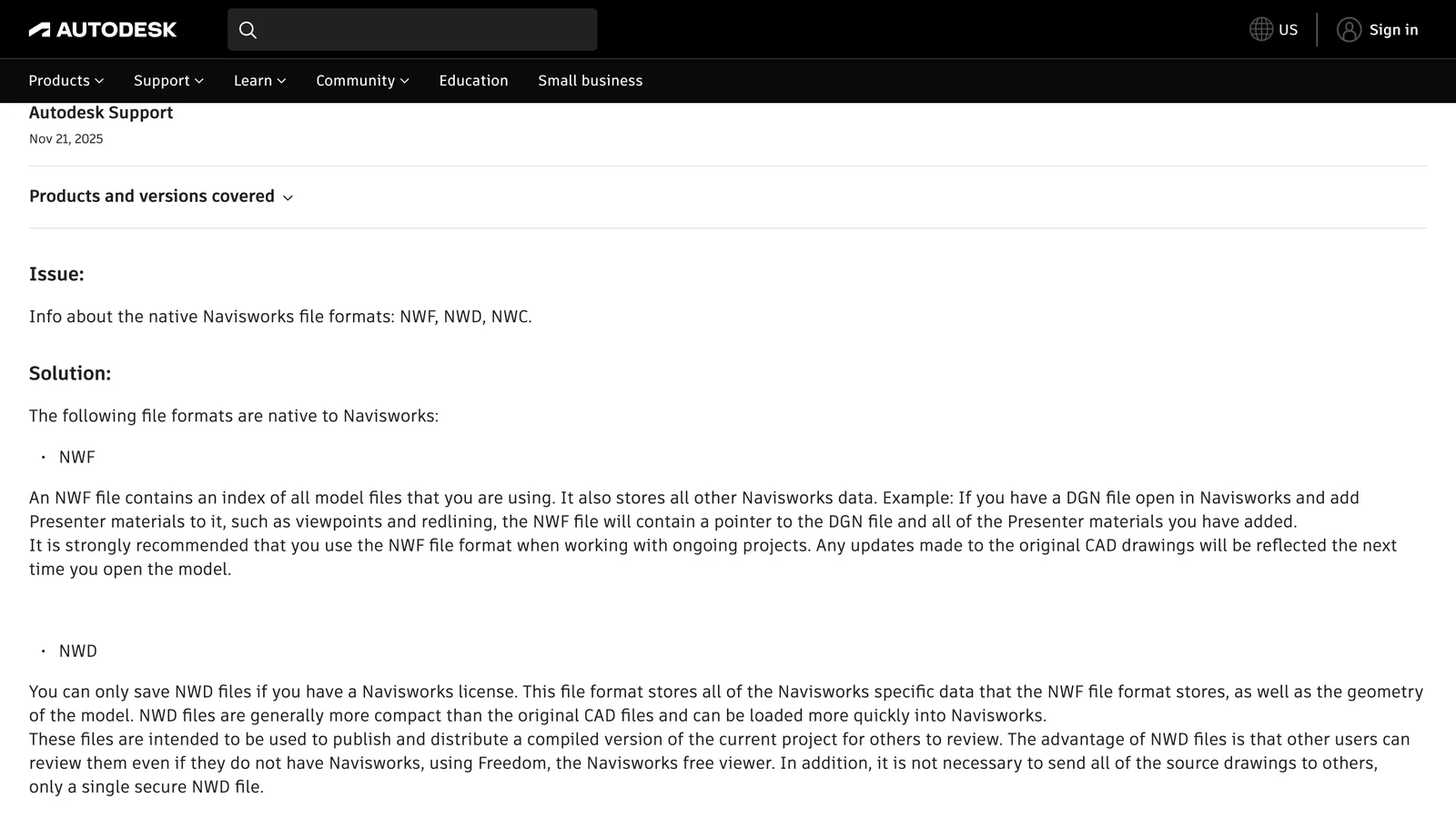
Autodesk's own definition of the native Navisworks formats, from its support article (screenshot 5 November 2026).
In Autodesk's words, an NWD "stores all of the Navisworks specific data that the NWF file format stores, as well as the geometry of the model", and it is "intended to be used to publish and distribute a compiled version of the current project for others to review". Three practical consequences follow:
- It is a snapshot. An NWD does not update when the Revit or AutoCAD model changes. For a new version, someone has to publish a new NWD.
- It is self-contained. You do not need the source files, and nobody has to send you their Revit or DWG models.
- It is for reviewing, not editing. You can walk through it, read object properties, see viewpoints and redlines, and in Navisworks Manage run clash tests. You cannot edit the walls in it.
In a typical project, the BIM coordinator publishes a weekly NWD of the federated model, the clash results and the agreed viewpoints, and the architect, engineers and client open it in Freedom before the coordination meeting.
NWD vs NWC vs NWF: which file do you have?
All three files open in Navisworks Manage and Simulate, but they are very different files, and the free tools treat them differently.
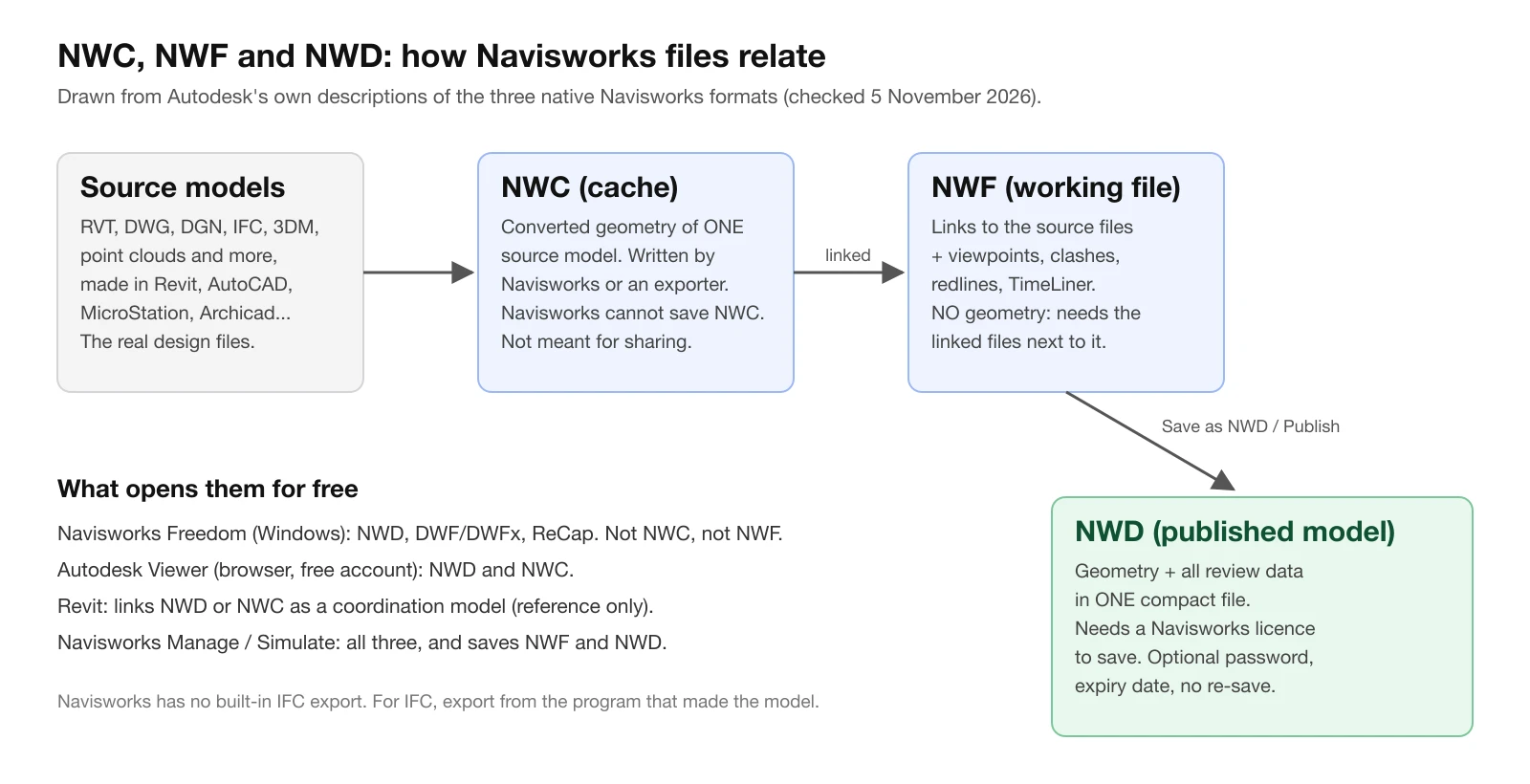
Our diagram, drawn from Autodesk's descriptions of the three formats and of what Freedom, Autodesk Viewer and Revit open.
| NWC | NWF | NWD | |
|---|---|---|---|
| What it is | Cache of one converted source model | Working file: links + review data | Published model: geometry + review data |
| Geometry inside | Yes, of one model | No | Yes, of all models |
| Viewpoints, clashes, redlines | No | Yes | Yes |
| Who writes it | Navisworks, or an NWC exporter in Revit, AutoCAD, MicroStation, Archicad, 3ds Max | Navisworks Manage, Simulate | Navisworks Manage, Simulate |
| Updates when the source changes | Only when it is exported or converted again | Yes, on the next open | No, it is a snapshot |
| Opens in Navisworks Freedom | No | No | Yes |
| Opens in Autodesk Viewer | Yes | Not listed | Yes |
| Use it to | Bring a model into Navisworks | Run an ongoing project | Send the model for review |
NWC files are, in Autodesk's words, "not intended for general use". They are created automatically when Navisworks opens a native file such as a DWG or RVT, so that it loads faster next time, or written by the free Navisworks NWC Export Utility, which adds an NWC export to Revit, AutoCAD, MicroStation, Archicad and 3ds Max. Teams often send each other NWCs because the exporter is free, but the person receiving them still needs Navisworks Manage or Simulate, or Autodesk Viewer, to look at them.
NWF is the file a coordinator works in day to day. Autodesk recommends it "when working with ongoing projects", because it only points to the source files and picks up their changes. That is also why an NWF sent on its own is close to useless: it holds no geometry.
NWD is the one to send. If someone asks you for "the Navisworks model", they almost always mean an NWD.
How to open an NWD file for free
1. Navisworks Freedom (Windows)
Navisworks Freedom is Autodesk's free NWD viewer for Windows. According to Autodesk's download page, it opens NWD and 3D DWF files, shows the model hierarchy, object properties and embedded review data (viewpoints, animations, redlines and comments), and includes the walk, fly, orbit and turntable navigation tools.
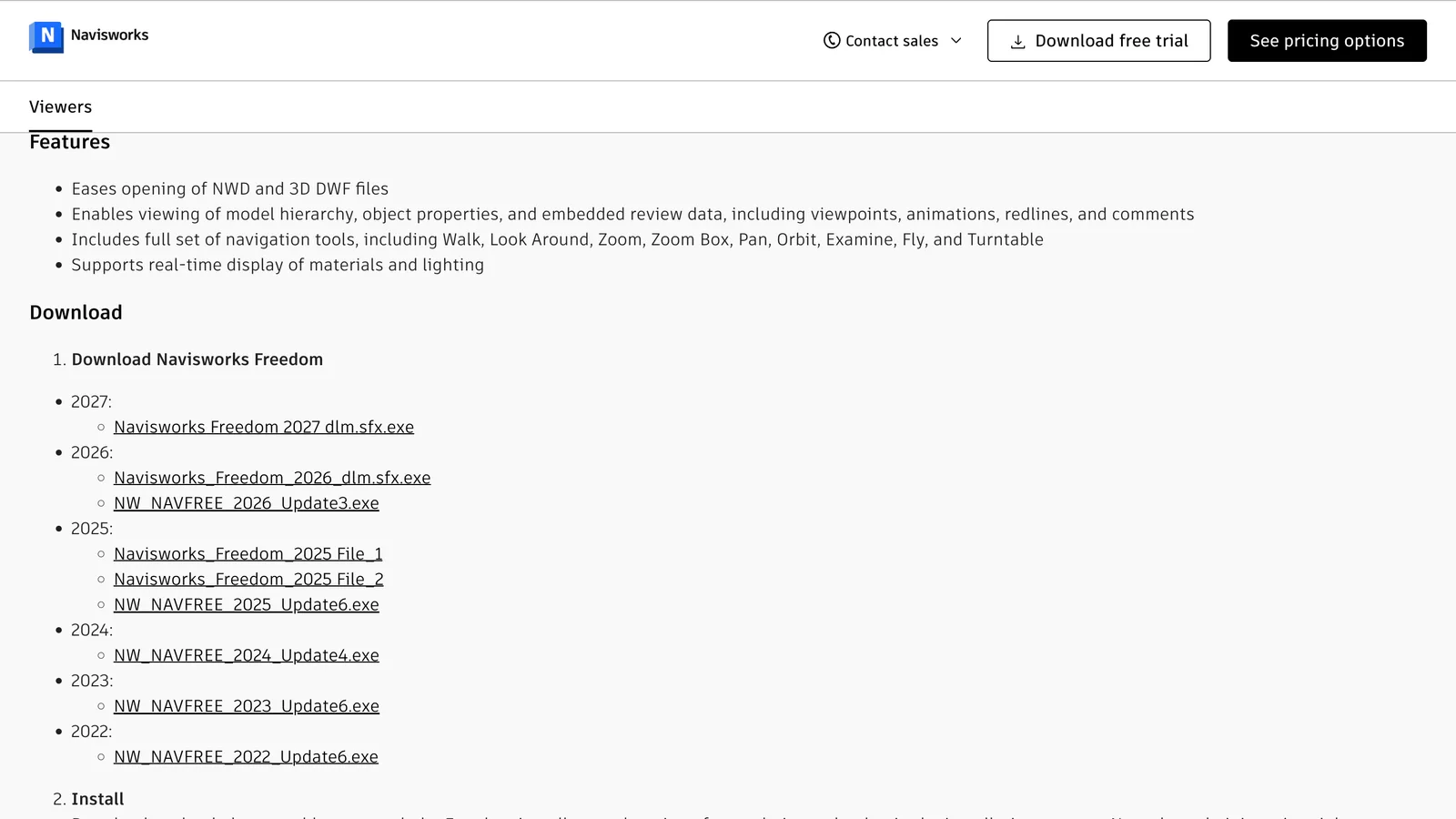
The Navisworks Freedom download list on Autodesk's site, with versions from 2022 to 2027 (screenshot 5 November 2026).
- Go to Autodesk's Navisworks 3D viewers page (linked in the sources) and download Navisworks Freedom 2027, the newest version.
- Run the downloaded file. It unpacks the installer and starts the installation; Autodesk notes that administrator rights are needed.
- Open Freedom and use Open to load the .nwd file, or double-click the file.
Install the newest version, not the one that matches the sender's. A newer Freedom opens NWD files saved by older Navisworks releases, while an older Freedom can fail on a file saved by a newer release.
What Freedom will not do: it cannot open NWC or NWF files, cannot save, and cannot export to any other format. Autodesk lists the formats it opens as NWD, DWF (DWF, DWFX, W2D) and Autodesk ReCap (RCS, RCP).
2. Autodesk Viewer (any browser, including Mac)
Autodesk Viewer (viewer.autodesk.com) is a free online viewer that needs an Autodesk account. Its list of supported file types includes both NWD and NWC, along with RVT, IFC, DWG and more than 70 other formats.
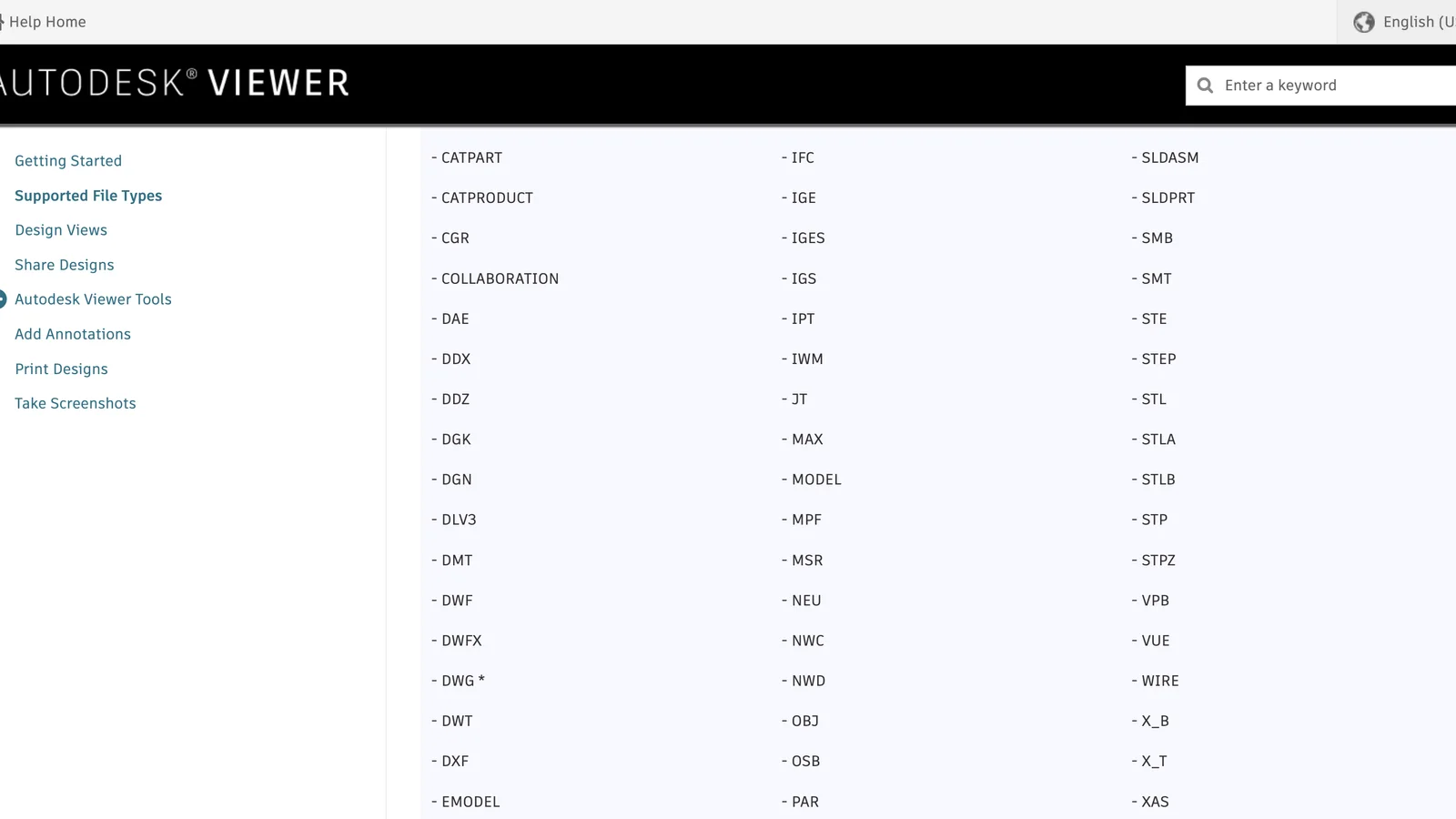
Autodesk Viewer's supported file types, with NWC and NWD in the middle column (screenshot 5 November 2026).
It is the quickest way to look at an NWD you were emailed, and the only official way on a Mac. Keep in mind that the file is uploaded to Autodesk's cloud, so check your project's rules before uploading a client's model. For files stored in Autodesk Docs or BIM 360, Autodesk notes that an NWD can only be displayed in the browser if it was published with the May be re-saved option switched on.
3. Revit: link it as a coordination model
If you work in Revit and need the NWD as a background for your own model, for example the structural or MEP model from a team that does not use Revit, link it as a coordination model: Insert tab > Link panel > Coordination Model > Local, select the .nwd or .nwc file, and choose Origin to Internal Origin or By Shared Coordinates.
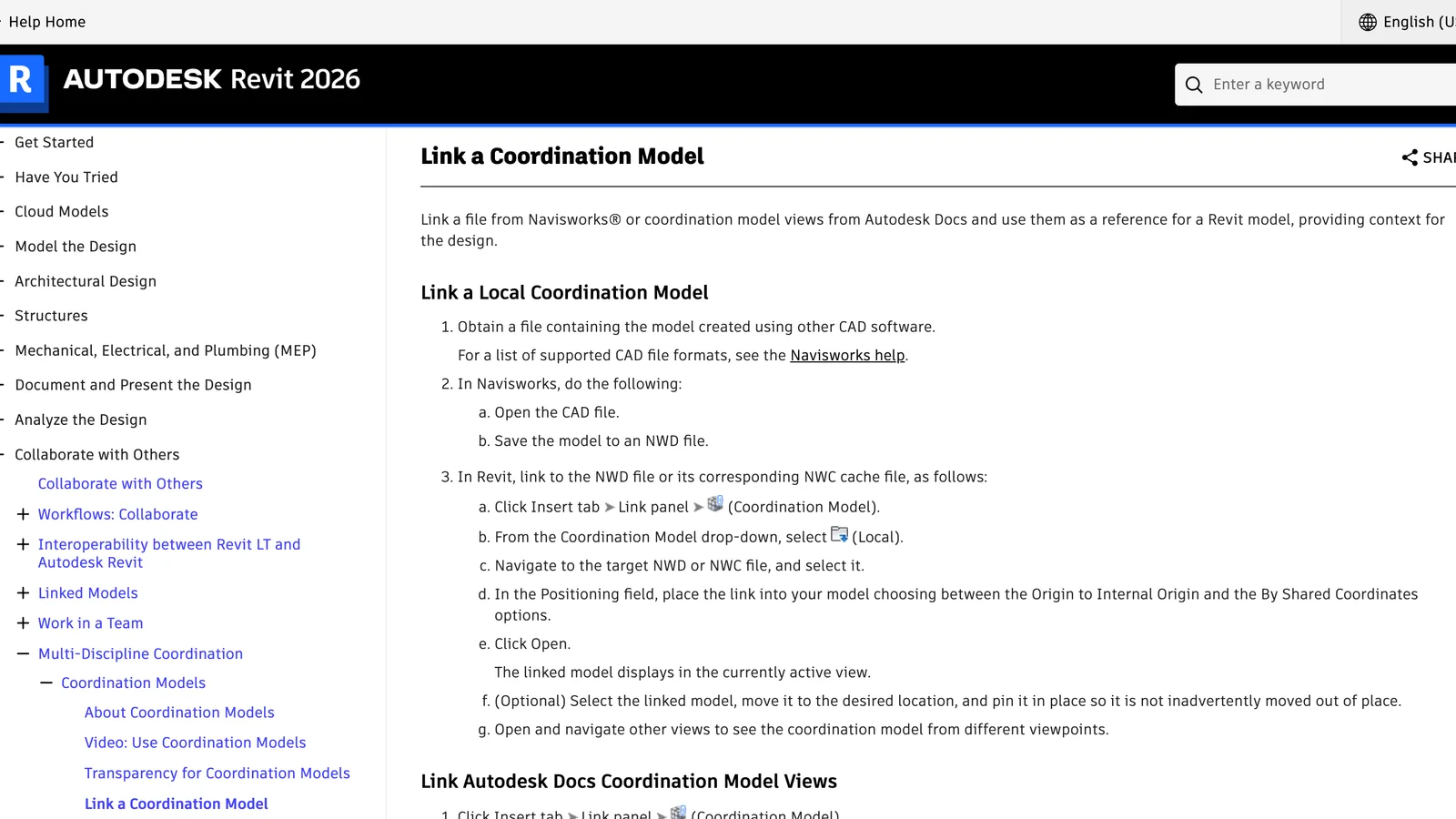
Revit 2026's help on linking an NWD or NWC as a coordination model (screenshot 5 November 2026).
This is a reference, not an import. Autodesk describes it as a way to compare your Revit model with a non-Revit model. The linked model behaves as one element that you can show, make transparent, pin and reload. You cannot select its walls as Revit walls or schedule its objects.
4. Navisworks Manage or Simulate
If you need to run clash tests, add your own viewpoints and redlines or save a new NWD, you need Navisworks Manage (with clash detection) or Simulate. Both open NWD, NWF and NWC, and both have a free trial on Autodesk's site.
Opening an NWD file on a Mac
There is no Navisworks for Mac. Autodesk's system requirements for the 2027 products, which cover Manage, Simulate, Freedom and the file exporters, list 64-bit Windows 11 and Windows 10 as the only operating systems. On a Mac you have two options:
- Autodesk Viewer in Safari or Chrome: free, nothing to install, opens NWD and NWC. The best option for looking at a file.
- Navisworks Freedom in a Windows virtual machine, such as Parallels Desktop on an Apple silicon Mac. Use it if you need Freedom's own tools or cannot upload the file. Our guide to Revit on a Mac explains the virtual machine setup, which works the same way for Navisworks.
NWD won't open? Check these five things
- Is it really an NWD? If the extension is .nwc or .nwf, Freedom will not open it. An NWC opens in Autodesk Viewer. An NWF needs its linked files, so ask the sender for an NWD.
- Does it ask for a password? A publisher can protect an NWD with a password. Autodesk's help warns that a forgotten password cannot be recovered from the file. Only the sender can help.
- Has it expired? The publisher can set an expiry date, and after that date the file cannot be opened. NWDs published from an evaluation copy of Navisworks expire with the trial. The sender has to publish it again.
- Was it saved by a newer Navisworks? Install the latest Navisworks Freedom. If you are stuck on an older full Navisworks, ask the sender to save the file in your version; Autodesk's help notes that you can save a file "as that version type" for earlier releases.
- Is it in Autodesk Docs or BIM 360 and shows "Processing error"? Autodesk says the file was published without May be re-saved. Once re-saving has been prevented, it cannot be switched back on; the author has to publish a new NWD from the source files.
Those settings come from Navisworks' Publish dialog, which also lets the author embed textures and ReCap point clouds, embed database properties, and prevent the export of object properties from the original CAD files to protect intellectual property. So if an NWD opens but shows no properties, that may be deliberate.
Can you convert an NWD to IFC, Revit or DWG?
Not with Autodesk's own tools, and this is the part most guides leave out. Autodesk's support article is direct: "Navisworks does not have a built-in option to export IFC files."
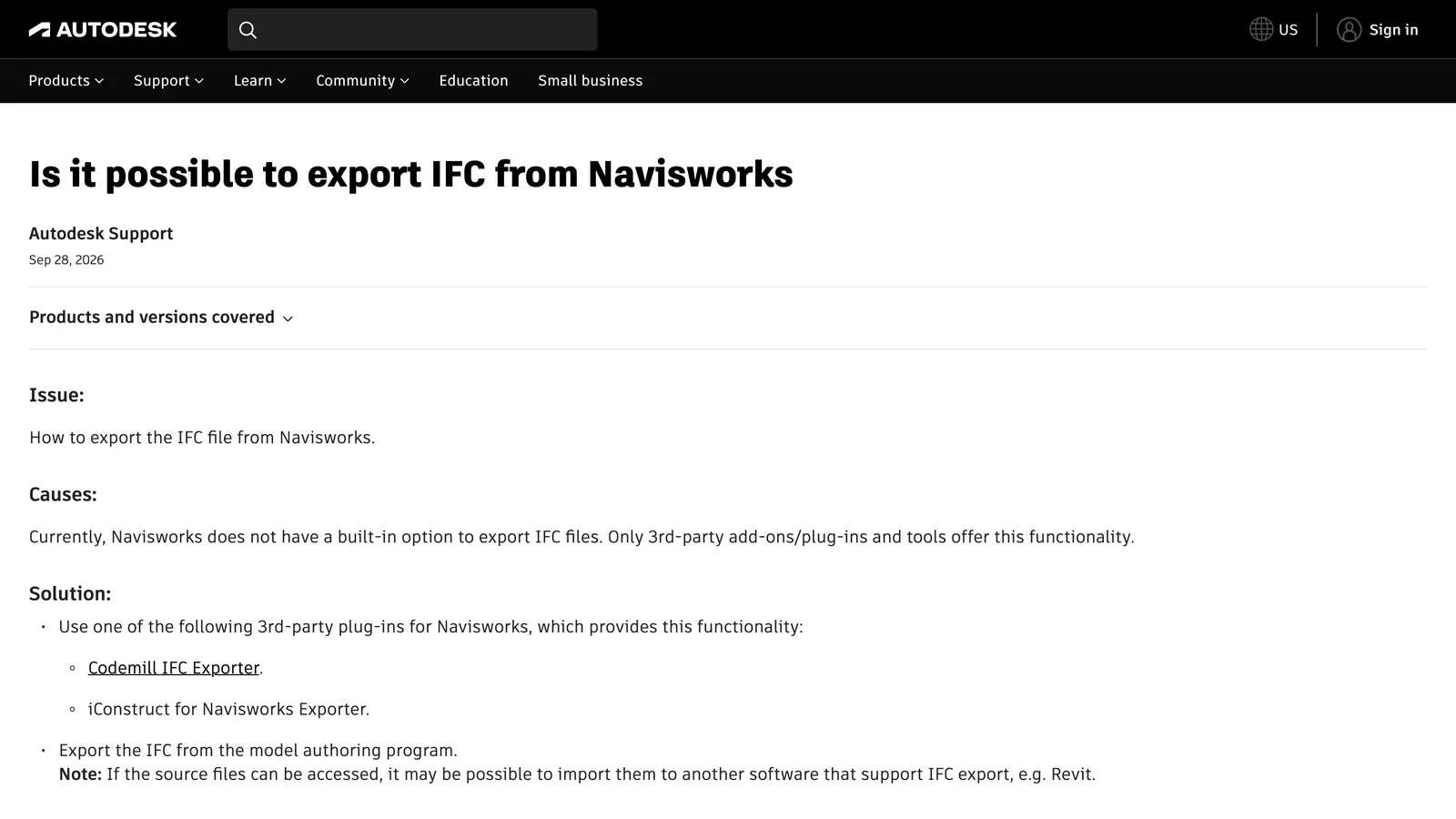
Autodesk's answer to "Is it possible to export IFC from Navisworks" (screenshot 5 November 2026).
What is possible:
- IFC: only with third-party add-ins for Navisworks, which Autodesk names as the Codemill IFC Exporter and iConstruct. Autodesk's own recommendation is to export the IFC from the program that made the model.
- FBX, DWF/DWFx and KML: Navisworks Manage and Simulate export these. Freedom exports nothing. FBX keeps the geometry for visualisation tools, but not the BIM data a Revit or Archicad user expects.
- Revit (RVT): no conversion. Link the NWD as a coordination model, as above.
- DWG: not built in. Autodesk points to third-party converters such as iConstruct, or to exporting from the authoring software.
The honest answer is usually to ask for the source. The NWD was made from native models, and whoever published it has them. Ask for the IFC export from the authoring program: IFC keeps walls, slabs, doors and their properties as BIM objects and opens in Revit, Archicad, BricsCAD and, conversely, in Navisworks itself. Our guide to IFC files explains what an IFC keeps and loses, and our free IFC viewer opens it in the browser without uploading it.
What Navisworks costs
Freedom is free. To save NWD files you need one of the paid products. On Autodesk's US store on 5 November 2026:
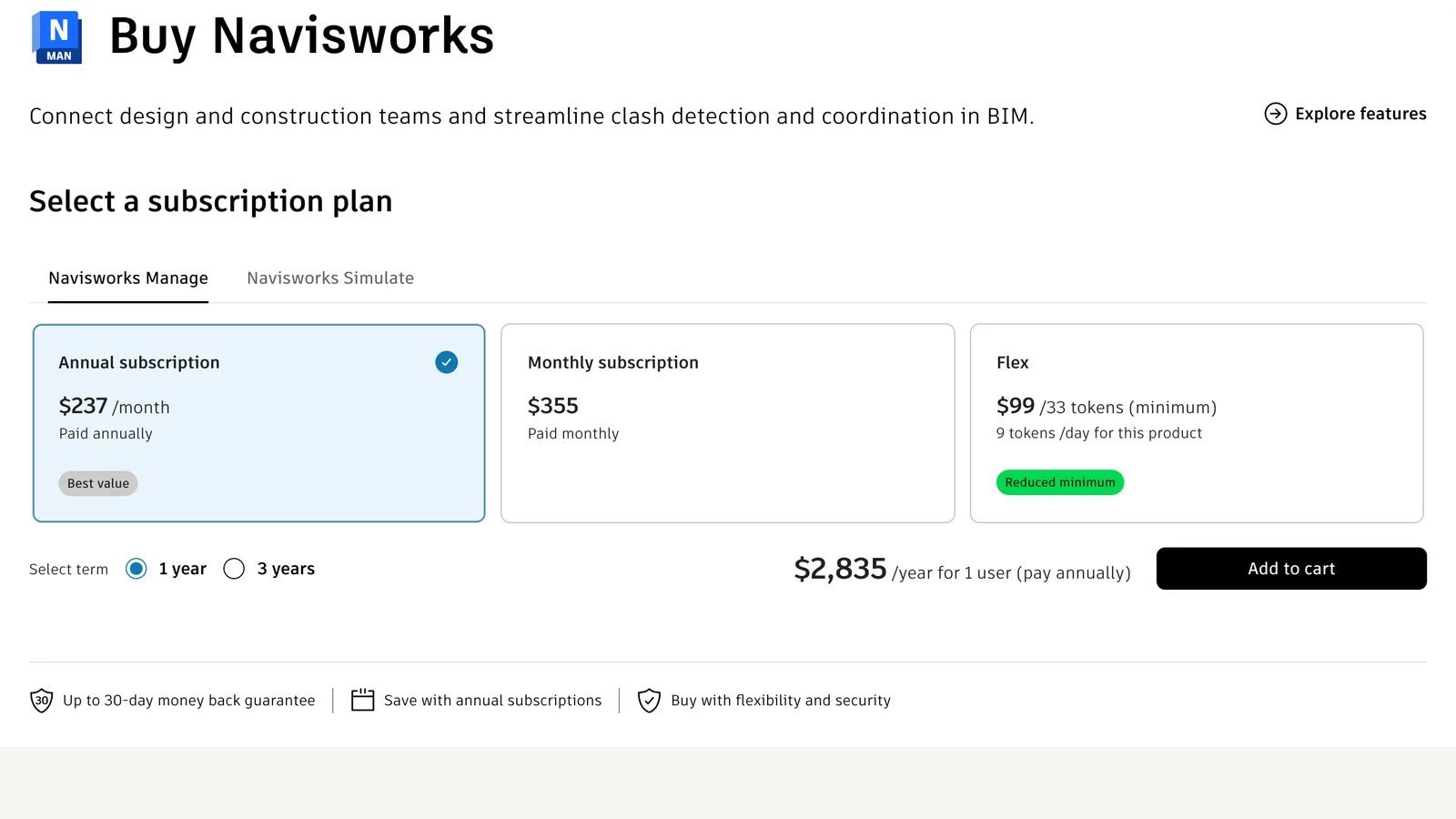
Navisworks Manage on Autodesk's US store (screenshot 5 November 2026).
| Product | Annual (paid yearly) | Monthly | Flex | What it adds |
|---|---|---|---|---|
| Navisworks Manage | $2,835 a year | $355 a month | 9 tokens a day | Clash Detective, plus everything in Simulate |
| Navisworks Simulate | $1,145 a year | $145 a month | 4 tokens a day | Review, 4D TimeLiner, NWD publishing |
| Navisworks Freedom | Free | Free | — | Viewing NWD only |
Navisworks Manage is also part of Autodesk's AEC Collection, which many firms already have. For occasional use, Flex (Autodesk's pay-per-day tokens, from $99 for 33 tokens) can be cheaper than a subscription; our Revit price guide explains when Flex pays off.
Where AIBIMTool fits, and where it does not
AIBIMTool is our product, so read this with that in mind. It does not open NWD files. NWD is a closed Autodesk format, and the browser viewers that open it, such as Autodesk Viewer, run on Autodesk's own conversion service.
Where it connects to this workflow is IFC. AIBIMTool models the first version of a building from a written brief and a real site and exports it as IFC4. Navisworks Manage and Simulate open IFC files, so an early AIBIMTool model can be appended into a Navisworks federated model next to the site survey or the neighbours' models, and published as an NWD like anything else. And when someone sends you an IFC instead of an NWD, our free IFC viewer opens it on any computer, Mac included, without uploading it anywhere.
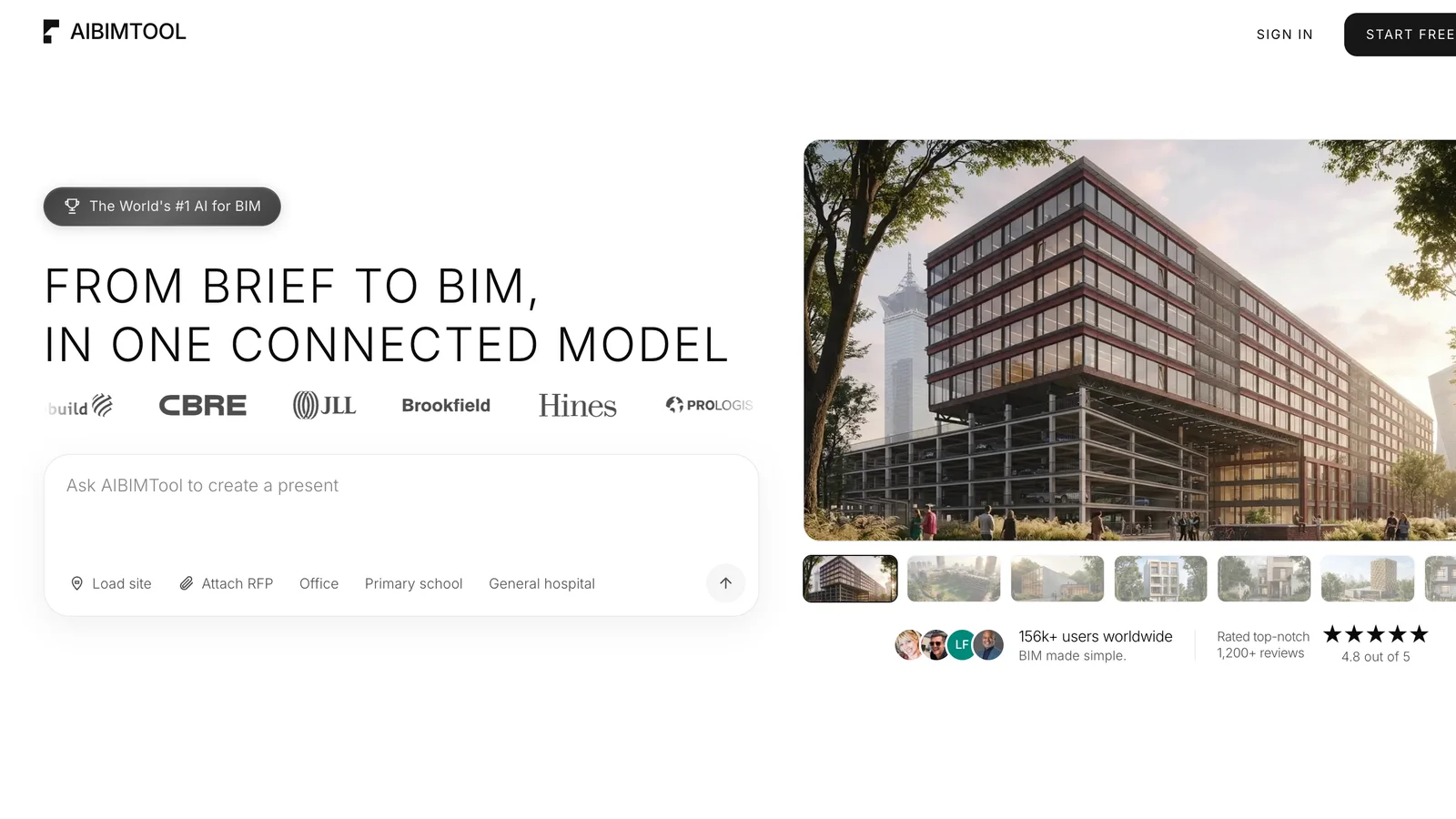
AIBIMTool at aibimtool.com: a brief and a site in, an IFC4 model out, which Navisworks can open.
Got an IFC instead of an NWD?
- Open it free in the browser with our IFC viewer, on Windows or Mac.
- Nothing is uploaded: the file is read on your computer.
- Need a model to start from? AIBIMTool turns a brief and a site into an IFC4 model.
Our verdict
If someone sent you an NWD, you do not need to buy anything. Install Navisworks Freedom 2027 on Windows, or use Autodesk Viewer on a Mac or when you cannot install software. If you were sent an NWC or NWF, ask for an NWD, because that is the format meant for sharing. If you need the model in Revit, Archicad or IFC, do not look for an NWD converter: ask for the IFC export from the program that made the model, which keeps the BIM data an NWD never had a way to give back.
Sources
- Autodesk, File formats (NWF NWD NWC) in Navisworks.
- Autodesk, Free Navisworks viewers: Navisworks Freedom and the NWC Export Utility downloads.
- Autodesk, Can't open NWC file in Navisworks Freedom: the formats Freedom opens.
- Autodesk Viewer, Supported File Types.
- Revit 2026 Help, Link a Coordination Model, and Publish to NWC.
- Navisworks 2026 Help, Publish Dialog Box: password, expiry date, May be re-saved and property export.
- Autodesk, Is it possible to export IFC from Navisworks.
- Autodesk, How to export NWC, NWF or NWD to another format in Navisworks.
- Autodesk, "Processing Error" displayed for NWD file in Autodesk Docs or BIM 360.
- Autodesk, System requirements for Autodesk Navisworks 2027 products.
- Navisworks Help, Save, Rename, and Publish Files: saving for earlier versions.
- Autodesk, Buy Navisworks: US prices for Manage and Simulate.
Frequently asked questions
What is an NWD file?
An NWD file is a Navisworks document: a single file that holds the geometry of every model appended in Navisworks together with the review data, such as viewpoints, clash results, redlines, comments and animations. Autodesk describes it as the format for publishing and distributing a compiled version of a project for others to review. NWD files are generally more compact than the original CAD files, and you need a Navisworks Manage or Simulate licence to save one.
How do I open an NWD file for free?
On Windows, install Navisworks Freedom, Autodesk's free viewer, which opens NWD files with their viewpoints, redlines and properties. On a Mac or any computer with a browser, upload the file to Autodesk Viewer (viewer.autodesk.com) with a free Autodesk account; it supports NWD and NWC. In Revit you can link an NWD as a coordination model, which shows it as a reference but does not turn it into Revit elements.
What is the difference between NWD, NWC and NWF?
NWC is a cache file with the converted geometry of one source model, written by Navisworks or by an NWC exporter in Revit, AutoCAD, MicroStation, Archicad or 3ds Max; Navisworks cannot save to NWC. NWF is a working file that links to the source models and stores the review data but no geometry, so it needs the linked files next to it. NWD stores the geometry and the review data in one file, which is why it is the format you send to others.
Can Navisworks Freedom open NWC or NWF files?
No. According to Autodesk, Navisworks Freedom opens native Navisworks NWD files, DWF files (DWF, DWFX, W2D) and Autodesk ReCap point clouds (RCS, RCP). For an NWC file, ask the author for an NWD, open it in Navisworks Manage or Simulate and save it as NWD, or view it in Autodesk Viewer, which supports NWC. An NWF holds no geometry, so it is only useful with the files it links to.
Why won't my NWD file open?
The usual reasons are: the file was published with a password; it was published with an expiry date that has passed; it was saved by a newer Navisworks release than the one you have, so install the latest Navisworks Freedom (2027 at the time of writing); or it is not an NWD at all but an NWC or NWF. In Autodesk Docs or BIM 360, Autodesk says an NWD published without the May be re-saved option shows a Processing error and cannot be displayed in the browser.
Can I convert an NWD file to IFC, Revit or DWG?
Not with Autodesk's tools. Autodesk states that Navisworks has no built-in option to export IFC and points to third-party add-ins such as the Codemill IFC Exporter and iConstruct, or to exporting IFC from the program that made the model. Navisworks Manage and Simulate export DWF and DWFx, FBX and KML; Navisworks Freedom exports nothing. Revit can link an NWD as a coordination model, but not convert it into editable Revit elements. The reliable route is to ask the author for an IFC or the native file.
Is there an NWD viewer for Mac?
Navisworks, including the free Navisworks Freedom, runs only on 64-bit Windows 10 and 11. On a Mac, use Autodesk Viewer in the browser, which opens NWD and NWC files with a free Autodesk account, or run Navisworks Freedom in a Windows virtual machine.
How much does Navisworks cost?
On Autodesk's US store on 5 November 2026, Navisworks Manage cost $2,835 a year or $355 a month, and Navisworks Simulate $1,145 a year or $145 a month, for one user. Both are also available with Flex tokens (9 tokens a day for Manage, 4 for Simulate). Navisworks Freedom, the viewer, is free.








What Is an IFC File? How to Open, Edit and Check One
An IFC file is the open BIM format defined in ISO 16739. What is inside one, free ways to open and edit it, and the export mistakes we found in our own files.
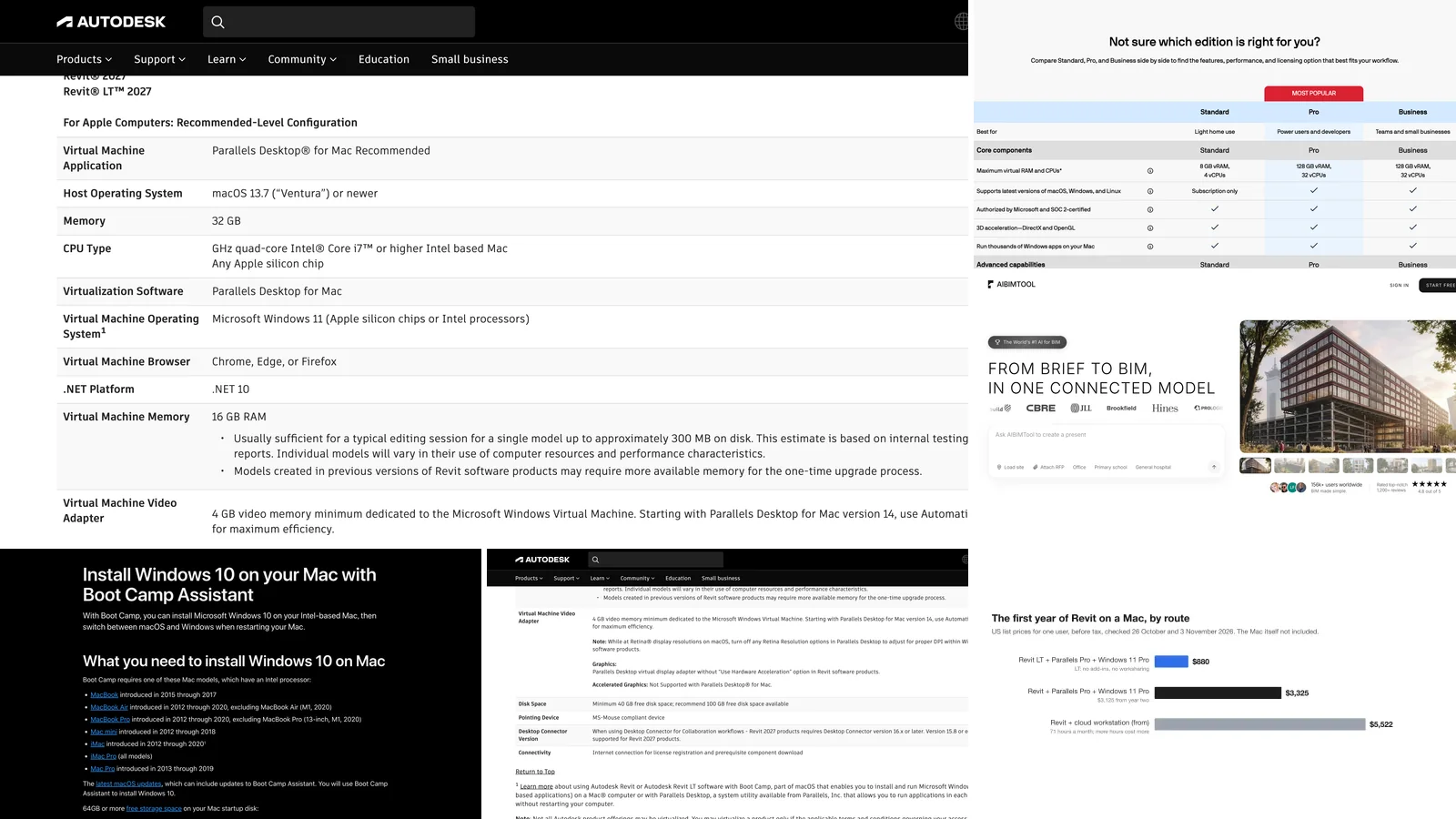
Revit for Mac in 2026: What Autodesk Supports, What It Costs and What Breaks
There is no Revit for Mac, and Autodesk says there won't be. The one route Autodesk recommends is Parallels Desktop on a 32 GB Mac with 16 GB for Windows, which rules out Parallels Standard. Every route checked on Autodesk's, Apple's and Parallels' own pages, with first-year costs.
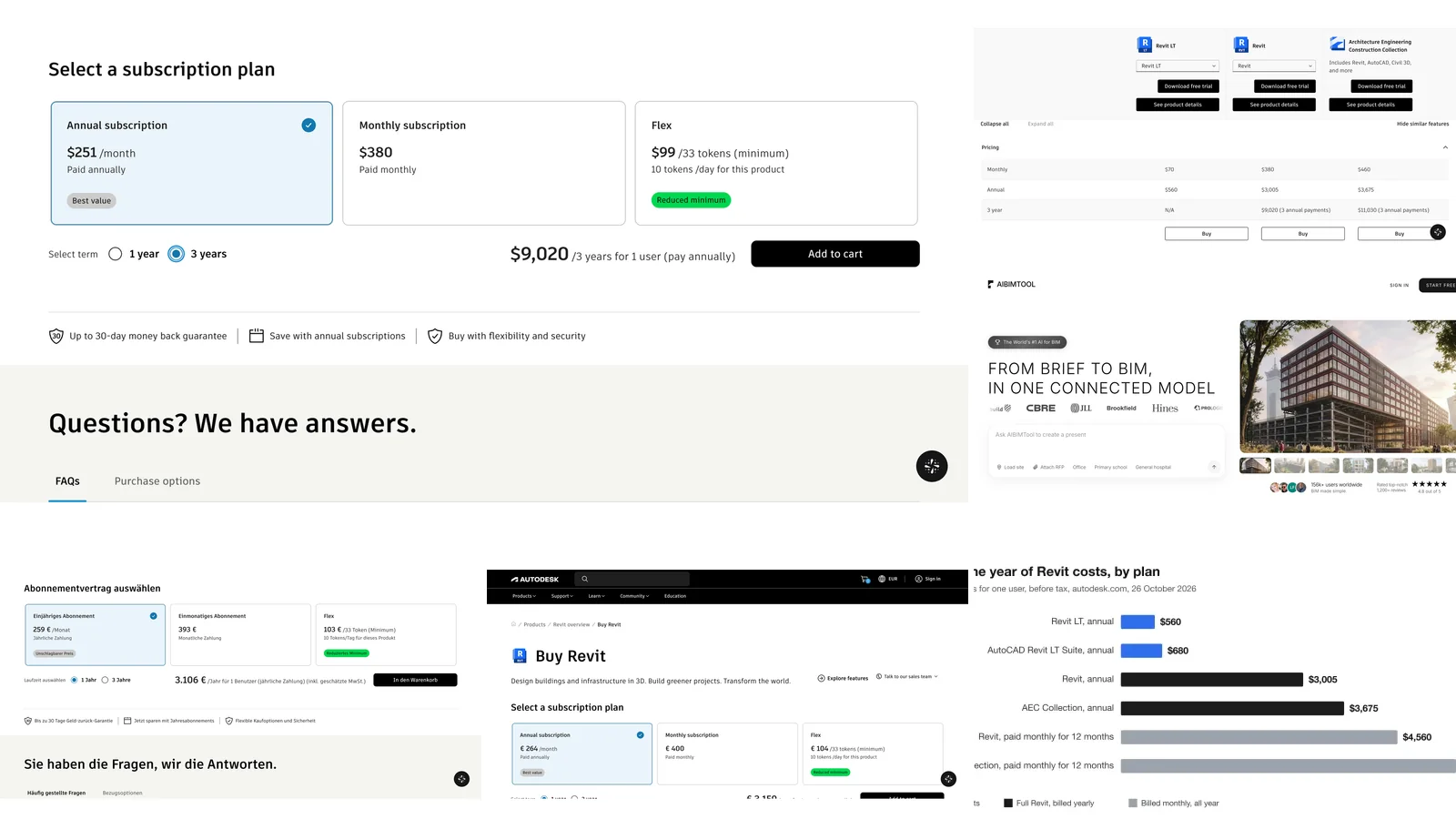
Revit Price 2026: What Revit Really Costs in the US, UK and EU
Revit costs $3,005 a year ($251 a month billed yearly) or $380 a month in the US, €3,106 a year in Germany and £2,712 in the UK. Every Revit, Revit LT, AEC Collection and Flex price checked on Autodesk's own pages, plus when each plan is the cheaper one and how to spend less.