
How to Connect Claude to Rhino for BIM: Rhino MCP, Grasshopper and IFC

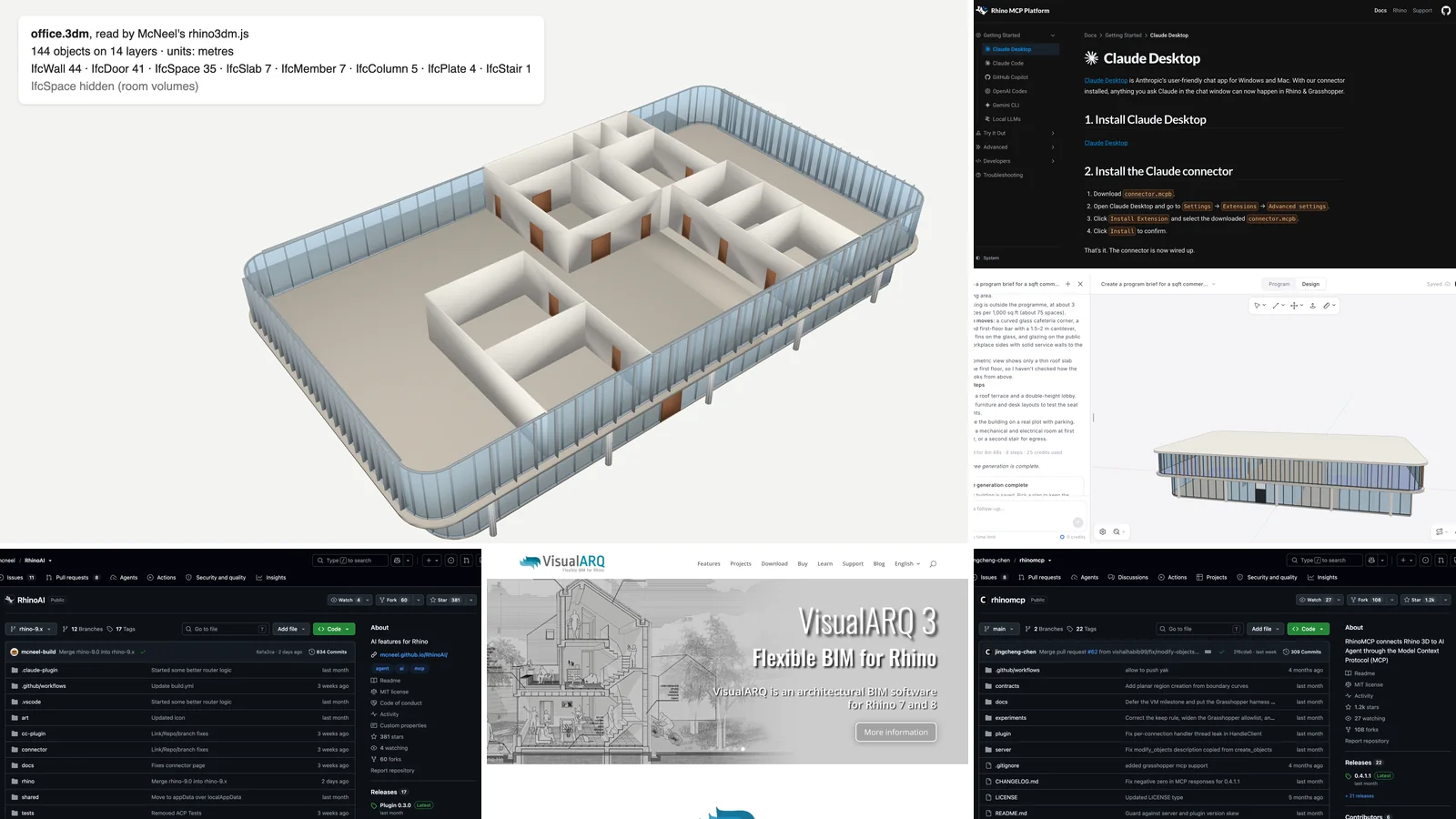
To connect Claude to Rhino, install McNeel's free Rhino MCP connector in Claude Desktop and the Rhino-MCP-Platform plugin in Rhino 8. Claude can then model, read and edit your Rhino document and build Grasshopper definitions. What it does not give you is BIM, because Rhino has no walls, doors, rooms or IFC of its own. This guide covers both halves: the setup, step by step, and how to get a real BIM model into Rhino. That includes a free IFC-to-Rhino script we tested on a building generated by AIBIMTool.
Our articles are still written by humans!
Get human written articles in your Google feed.
Need a whole building, not a box? Try AIBIMTool free
- AIBIMTool is online, with a free version. It is an AI BIM tool built on Claude: describe the building and load the site in your browser, and it models walls, slabs, doors, stairs and named rooms.
- Real numbers from our test: a one-line office brief became a two-storey, 2,300 m² IFC4 model in about five minutes, using 28 of the 100 free credits.
- Then bring it into Rhino with the method below, and keep working on it with Claude.
We make AIBIMTool, so weigh what we say about it accordingly. The Rhino plug-ins and servers in this guide are other people's work, and nobody paid to be in it. Our sister site MeltFlex has a general Claude-and-Rhino guide with an interior-design test. This one is for architects who need BIM.
The short version
- Connect Claude to Rhino 8: McNeel's Rhino MCP Platform, one extension file in Claude Desktop. Official, free, MIT licensed.
- Prefer more modelling tools and do not mind a config file: rhinomcp, the most-starred community server.
- Rhino is not BIM on its own: it has no native IFC import. Use VisualARQ for BIM objects, or our free IFC-to-3dm script.
- Need a building to start from: generate it in AIBIMTool (free plan), bring the IFC4 into Rhino, then refine it with Claude.
Key facts about Claude and Rhino (October 2026)
- McNeel publishes an official Rhino MCP server, the Rhino MCP Platform: connector 0.1.6 (15 September 2026) for Claude Desktop and plugin 0.3.0 (30 September 2026) for Rhino 8.19 and later, on Windows and macOS, MIT licensed.
- McNeel's server has 18 Rhino tools plus 12 for Grasshopper 1 and 12 for Grasshopper 2, including running any Rhino command, Python or C# inside Rhino.
- rhinomcp, the most popular community server, had about 1,200 GitHub stars on 26 October 2026, targets Rhino 8 and has more than 70 tools.
- Rhino has no native IFC import or export. BIM in Rhino comes from plug-ins: VisualARQ 3 (€795 commercial licence, IFC 2x3 and IFC4) or IFC plug-ins such as GeometryGym and BEAM.
- A free route from IFC to Rhino exists: McNeel's rhino3dm library plus IfcOpenShell. Our script turned a 2,300 m² office from AIBIMTool into a .3dm with 144 objects on 14 layers.
- AIBIMTool generates the BIM model itself, from a brief and a site, as IFC4. It is an online AI BIM tool built on Claude, with a free plan.
What connecting Claude to Rhino gives you, and what it does not
Claude talks to Rhino through the Model Context Protocol (MCP). A small server exposes Rhino as a set of tools, such as "list objects", "capture the viewport", "run a Rhino command" or "place a Grasshopper component". Claude picks a tool, the server passes the call to a plugin running inside Rhino, and the result comes back into the chat. Rhino has to be open on the same computer as Claude Desktop.
Rhino MCP (definition): a Model Context Protocol server for Rhinoceros 3D that lets AI assistants such as Claude create, read and edit geometry in an open Rhino document, run Rhino commands and scripts, and build Grasshopper definitions. McNeel's official version is the Rhino MCP Platform; rhinomcp is the best-known community version.
What you get is a capable modelling and scripting assistant inside Rhino. What you do not automatically get is BIM. Rhino's objects are curves, surfaces, solids and meshes. A box Claude draws is a box, not a wall with a type, a fire rating and a storey. That matters for architects, because the questions they ask of a model are BIM questions: how many doors are on this floor, what is the room area, which walls are external. Most of this guide is about closing that gap.
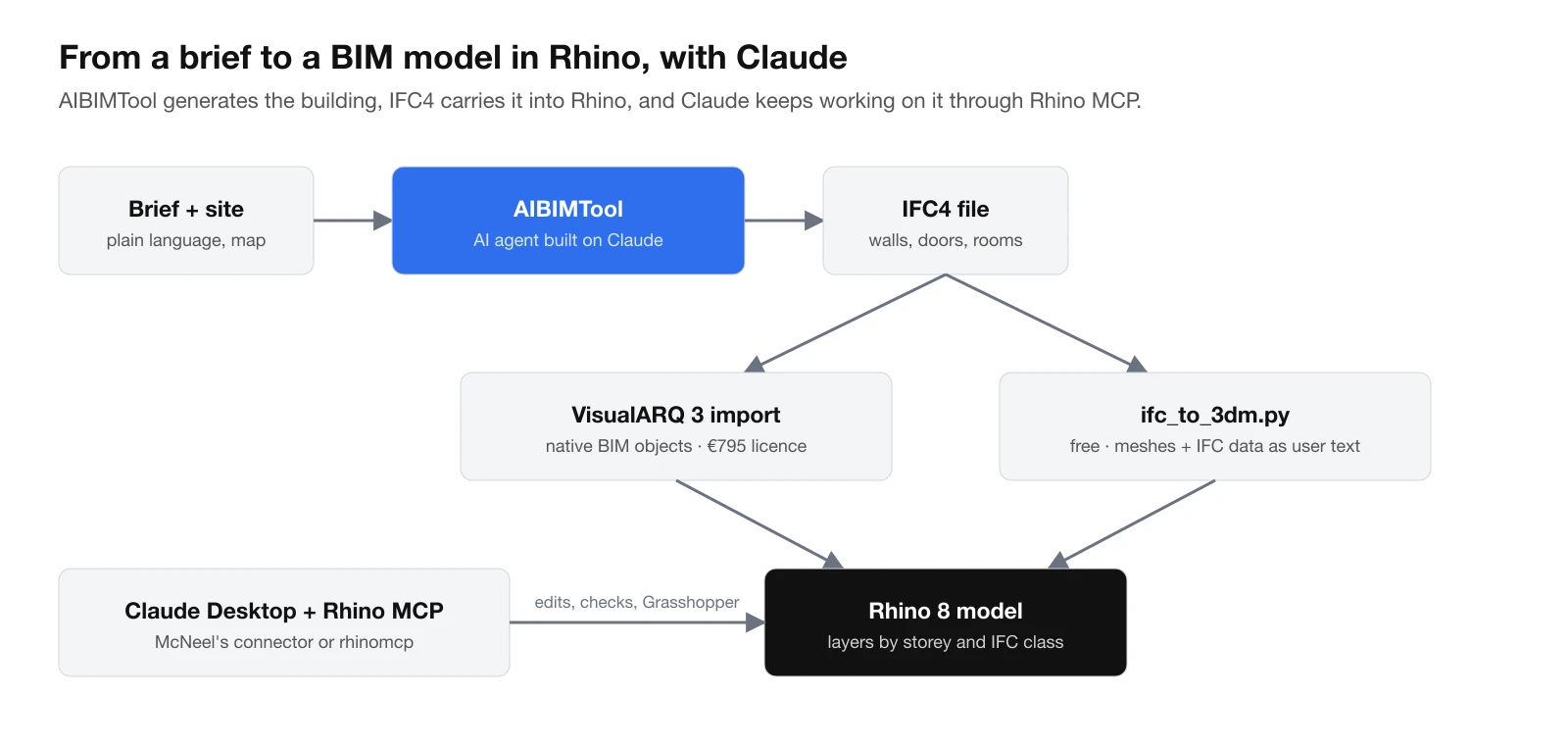
The workflow this guide sets up: AIBIMTool generates the building, IFC4 carries it into Rhino, and Claude keeps working on it through Rhino MCP.
Which Rhino MCP server should you use?
| McNeel Rhino MCP Platform | rhinomcp | |
|---|---|---|
| Made by | McNeel (official) | Jingcheng Chen and contributors |
| Rhino versions | 8.19 and later, plus Rhino 9 builds | Rhino 8 |
| Platforms | Windows, macOS | Windows, macOS |
| Install in Claude Desktop | One .mcpb extension file | JSON config, needs uv |
| Start in Rhino | Connector can launch Rhino for you | Type mcpstart every session |
| Tools | 18 Rhino, 12 Grasshopper 1, 12 Grasshopper 2 | 70+ (dedicated modelling tools, Grasshopper) |
| Runs code in Rhino | Python, C#, any Rhino command | Python, C#, any Rhino command |
| Licence | MIT | MIT |
| GitHub stars, 26 Oct 2026 | 381 | about 1,200 |
Our recommendation: start with McNeel's. It comes from the company that makes Rhino, installs as a single file, and is the one that will keep up with Rhino 9. Try rhinomcp if you want its dedicated modelling tools. Never run both at once, because they compete for the same Rhino session.
What you need before you start
- Rhino 8 (8.19 or later for McNeel's server), on Windows or macOS, licensed. A trial works.
- Claude Desktop from claude.com/download, signed in. Claude Code also works, but it needs a paid Claude plan.
- For rhinomcp only: uv, the Python package manager.
- For BIM: an IFC plug-in such as VisualARQ, or Python for the free script below.

Claude Desktop is the client both servers are set up for. Download page, 26 October 2026.
Option A: McNeel's Rhino MCP Platform (recommended)
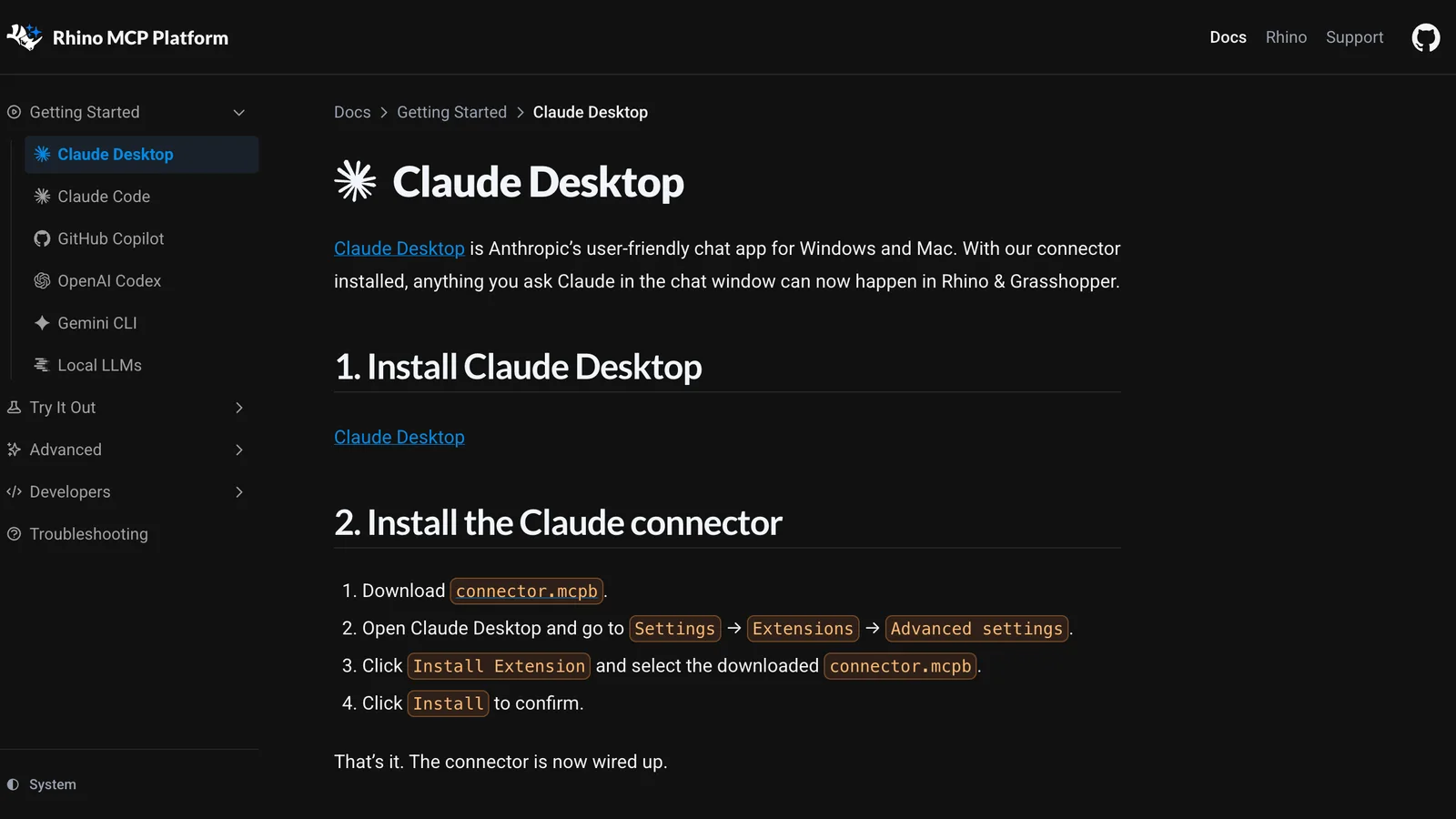
McNeel's own setup page for Claude Desktop, mcneel.github.io/RhinoAI, 26 October 2026.
Set it up
- Install Claude Desktop and sign in.
- Download
connector.mcpbfrom the RhinoAI releases page (connector 0.1.6). - In Claude Desktop, open Settings → Extensions → Advanced settings, click Install Extension, pick
connector.mcpband confirm with Install. It is an extension, so do not look for it under Connectors. The "Add custom connector" option there only takes web addresses. - Install the Rhino plugin. In Rhino 8, run
PackageManager, search for Rhino-MCP-Platform, install it and restart Rhino. You can also ask Claude to do it: the connector can run Rhino'syakpackage tool,yak install Rhino-MCP-Platform, for you. - Check the plugin by running
MCPStartin Rhino. - Test it. Start a new chat in Claude Desktop and ask: "Open a fresh Rhino document and make me a 10 by 10 by 3 metre box." Approve the tool calls when Claude asks.
On Rhino 9, open the connector's settings in Claude Desktop and change Rhino Version from 8 to 9 (or WIP). Otherwise Claude keeps launching Rhino 8. On a slow machine, or when a licence dialog appears at startup, raise the startup timeout from its default 120 seconds.
What it can do
From McNeel's source code on 26 October 2026, the server has 18 Rhino tools:
- Reading the model:
list_objects,get_context,get_selectionandget_viewport_image, which shows Claude the viewport so it can check its own work. - Acting on the model:
run_command(any Rhino command string, plug-in commands included),run_pythonandrun_csharp, plusset_layer_material,set_selectionand camera and zoom tools. - Documents: opening, saving and closing files.
It also has 12 Grasshopper tools each for Grasshopper 1 and Grasshopper 2: searching, placing and wiring components, setting sliders, solving the definition and reading back the canvas. McNeel's Grasshopper example shows it building a definition from a description.
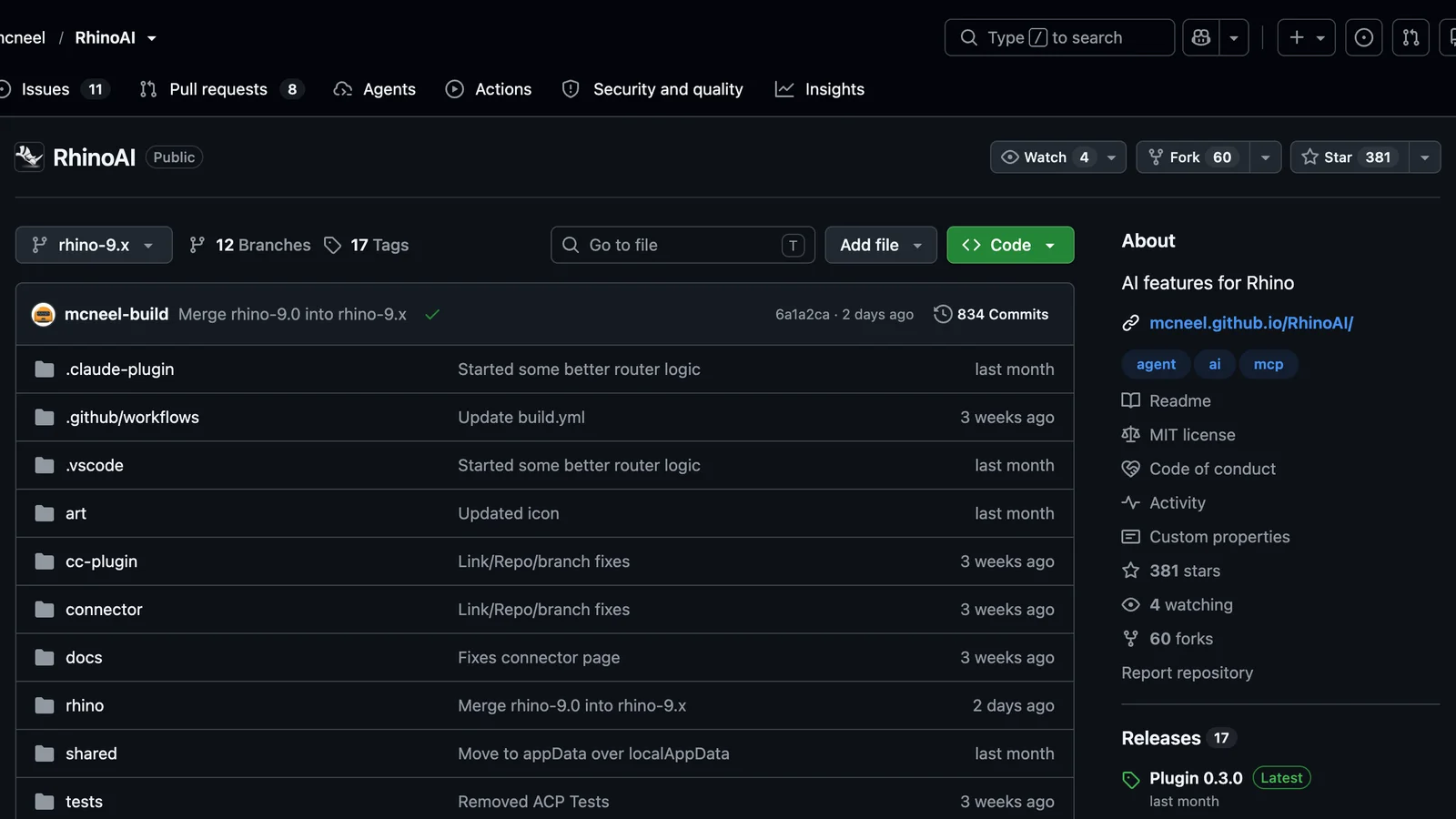
McNeel's RhinoAI repository on GitHub, 26 October 2026: 381 stars, MIT licence, 17 releases.
Watch it working
The clearest short video we found that connects Claude to Grasshopper with McNeel's server, and uses it for BIM-style work, is from ThinkParametric. It covers connecting Claude to Grasshopper through the Rhino MCP server, then treating the model as a database: asking questions of it, a delay analysis, and a quantity take-off in plain language sent to Google Sheets. The full exercise is in their paid course, so read the video as a demonstration rather than a complete tutorial.
Rhino & AI: How to Connect Grasshopper to Claude (MCP Tutorial), by ThinkParametric on YouTube, 6 minutes 55 seconds, published 21 October 2026. The player only loads when you press play.
Option B: rhinomcp, the community server
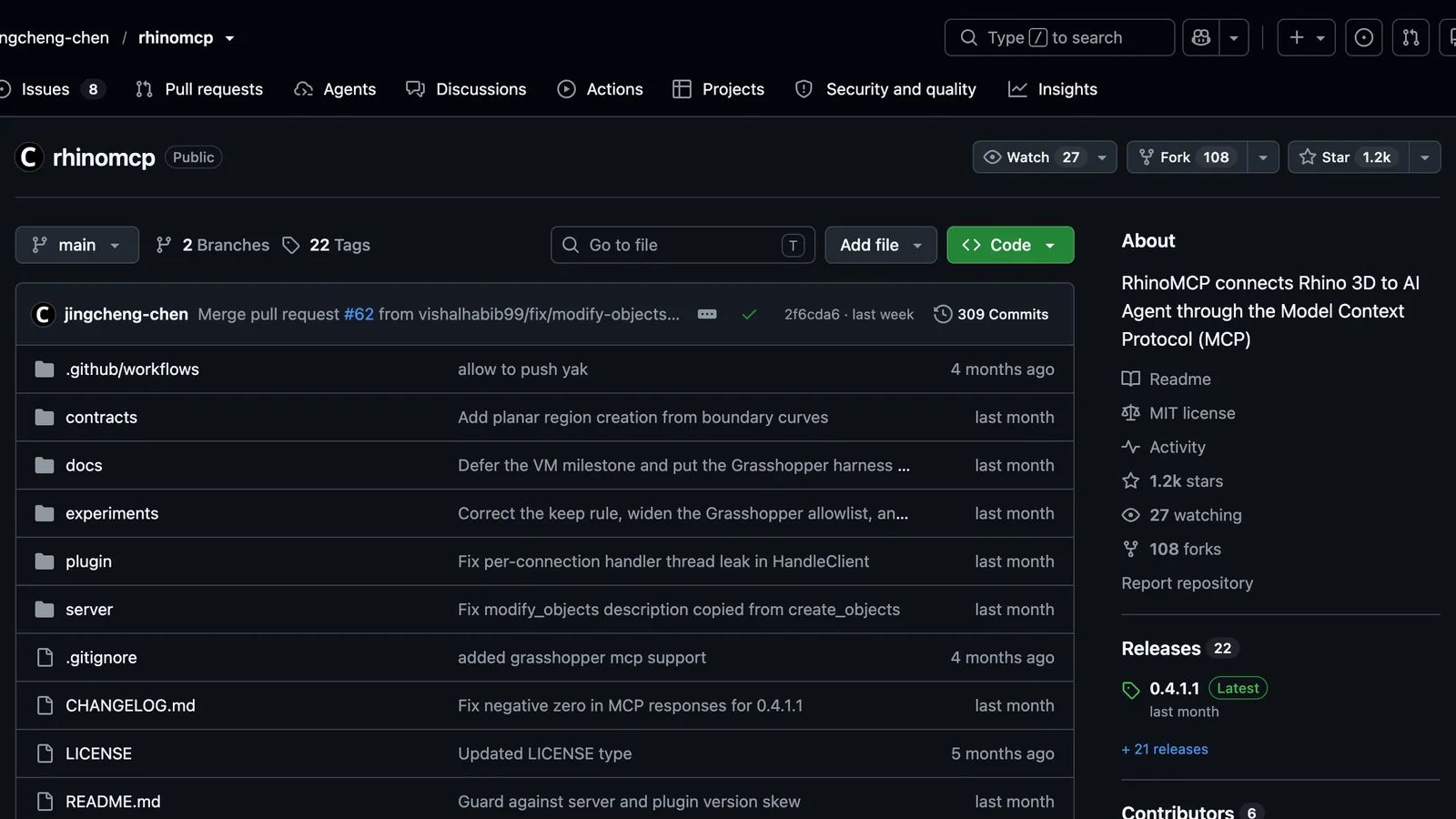
The rhinomcp repository on GitHub, 26 October 2026: about 1,200 stars, MIT licence, release 0.4.1.1.
- In Rhino 8, open Tools → Package Manager, search for rhinomcp, install it and restart Rhino.
- Install uv:
brew install uvon a Mac, or on Windowspowershell -c "irm https://astral.sh/uv/install.ps1 | iex". - Add it to Claude Desktop through Settings → Developer → Edit Config:
{
  "mcpServers": {
    "rhino": {
      "command": "uvx",
      "args": ["rhinomcp@latest"],
      "env": { "RHINO_MCP_HOST": "127.0.0.1" }
    }
  }
}
- Fully quit and reopen Claude Desktop.
- In Rhino, type
mcpstart. You have to do this in every Rhino session, and forgetting it is the most common reason "nothing happens".
With Claude Code, step 3 is one line: claude mcp add rhino -- uvx rhinomcp@latest. Keep @latest in the command so the server updates with the plugin. The two are versioned separately, and the server warns in its log when they drift apart.
Rhino is not BIM. Here is how to get BIM into it
This is the part most Claude-and-Rhino guides skip. Rhino has no native IFC import or export. McNeel's own forum says so, and points users to plug-ins. So, before Claude can answer "how many doors are on the first floor", the model in Rhino has to carry that information. There are three ways to get it there.
1. VisualARQ: real BIM objects in Rhino
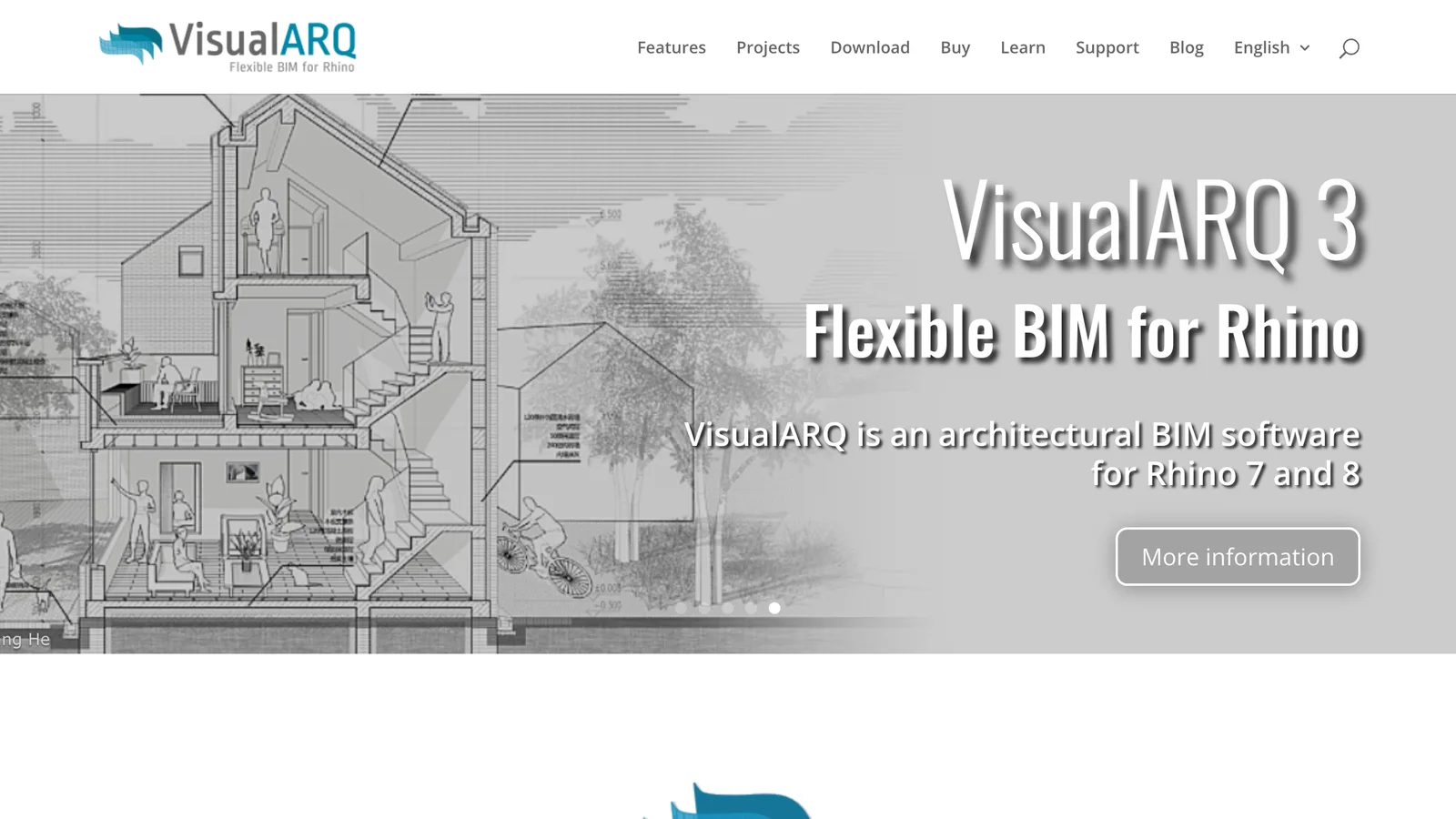
VisualARQ 3 by Asuni, the BIM plug-in for Rhino 7 and 8, 26 October 2026.
VisualARQ turns Rhino into an architectural BIM tool. Imported IFC elements become VisualARQ objects with their data, and you can document them in plans and sections. Because McNeel's run_command tool can run any Rhino command, Claude can in principle drive VisualARQ's commands too. We have not tested that, so expect to guide it step by step. If the IFC import option is missing in Rhino 8, enable the IFC plug-in under Options → Plug-ins, a fix users report on McNeel's forum.
2. Other IFC plug-ins
GeometryGym's ggRhinoIFC is in Rhino's Package Manager, including on macOS. BEAM IFC from MKS DTECH handles IFC 2x3 and IFC4, and its free version limits exports but not imports. Users report it runs on Windows only.
3. Free: convert IFC to a Rhino file with a script
If you only need to see, check and measure an IFC model in Rhino, you do not need a licence. McNeel's open-source rhino3dm library writes .3dm files without Rhino, and IfcOpenShell reads IFC. The script below is the one we wrote and ran for this guide. It puts every element on a layer named after its storey and IFC class (for example First floor::IfcDoor). It also keeps the element's name, IFC GlobalId, class and storey as user text, which Claude can read later through the Rhino MCP server.
"""Convert an IFC file to a Rhino .3dm: one mesh per element, one layer per storey
and IFC class, the element's name, GlobalId, class and storey kept as user text.

Usage: python ifc_to_3dm.py model.ifc model.3dm
Needs: pip install ifcopenshell rhino3dm
"""
import sys

import ifcopenshell
import ifcopenshell.geom
import ifcopenshell.util.element
import rhino3dm

src, dst = sys.argv[1], sys.argv[2]
ifc = ifcopenshell.open(src)

settings = ifcopenshell.geom.settings()
settings.set("use-world-coords", True)  # place every element where it sits in the building

model = rhino3dm.File3dm()
model.Settings.ModelUnitSystem = rhino3dm.UnitSystem.Meters
layers = {}
SKIP = {"IfcOpeningElement", "IfcVirtualElement"}  # voids and helpers, not things to draw


def storey_of(element):
    """The storey an element sits on: walls are contained in it, rooms are aggregated under it."""
    parent = element
    while parent is not None and not parent.is_a("IfcBuildingStorey"):
        parent = ifcopenshell.util.element.get_container(parent) or ifcopenshell.util.element.get_aggregate(parent)
    return parent


def layer_index(path):
    """Index of a nested layer such as 'Level 1::IfcWall', creating it on first use."""
    if path not in layers:
        parent = None
        for depth, name in enumerate(path.split("::")):
            full = "::".join(path.split("::")[: depth + 1])
            if full not in layers:
                layer = rhino3dm.Layer()
                layer.Name = name
                if parent is not None:
                    layer.ParentLayerId = model.Layers[parent].Id
                layers[full] = model.Layers.Add(layer)
            parent = layers[full]
    return layers[path]


count = 0
it = ifcopenshell.geom.iterator(settings, ifc)
if it.initialize():
    while True:
        shape = it.get()
        element = ifc.by_id(shape.id)
        if element.is_a() in SKIP:
            if not it.next():
                break
            continue
        geo = shape.geometry
        mesh = rhino3dm.Mesh()
        v, f = geo.verts, geo.faces
        for i in range(0, len(v), 3):
            mesh.Vertices.Add(v[i], v[i + 1], v[i + 2])
        for i in range(0, len(f), 3):
            mesh.Faces.AddFace(f[i], f[i + 1], f[i + 2])
        mesh.Normals.ComputeNormals()
        mesh.Compact()

        storey = storey_of(element)
        storey_name = (storey.Name if storey else None) or "Site"
        attrs = rhino3dm.ObjectAttributes()
        attrs.LayerIndex = layer_index(f"{storey_name}::{element.is_a()}")
        attrs.Name = element.Name or element.is_a()
        attrs.SetUserString("IfcGlobalId", element.GlobalId)
        attrs.SetUserString("IfcClass", element.is_a())
        attrs.SetUserString("IfcStorey", storey_name)
        model.Objects.AddMesh(mesh, attrs)
        count += 1
        if not it.next():
            break

model.Write(dst, 8)
print(f"{count} elements on {len(layers)} layers -> {dst}")
Run it with pip install ifcopenshell rhino3dm, then python ifc_to_3dm.py model.ifc model.3dm, and open the result in Rhino. You do not have to type any of this yourself: give the script to Claude (in Claude Code, or in Claude Desktop with a file-system connector) and ask it to convert your IFC file and adapt the script, for example to copy every IFC property set into user text.
What it is not: the result is meshes with data attached, not editable BIM objects. A wall stays a wall-shaped mesh on the IfcWall layer. You cannot change its type or thickness the way you could in VisualARQ. That is fine for checking, measuring, presenting and using as context in Grasshopper, and it is the wrong tool if you need to keep developing the model as BIM in Rhino.
Our test: an AIBIMTool building, opened as a Rhino file
To check that this works, and not just that it should, we ran the whole path on 26 October 2026.
Step 1: generate the building. In AIBIMTool's free generation, we typed one line: "Create a program brief for a sqft commercial office with functions like cafeteria, lobby, conference rooms and lounge areas. Include ancillary programs to support primary functions." The agent noticed that the area was missing and asked three questions: total area (we chose about 25,000 sq ft), workplace model (open plan, activity-based) and how to organise the shared amenities (a glazed ground-floor plinth). It then built a two-storey IFC4 model with a gross floor area of 2,300 m² (24,760 sq ft). That took 21 seconds for the questions and 4 minutes 48 seconds for the model, and used 28 of the 100 free credits. In its summary, it also told us which part it had not checked: how the roof looks from above.
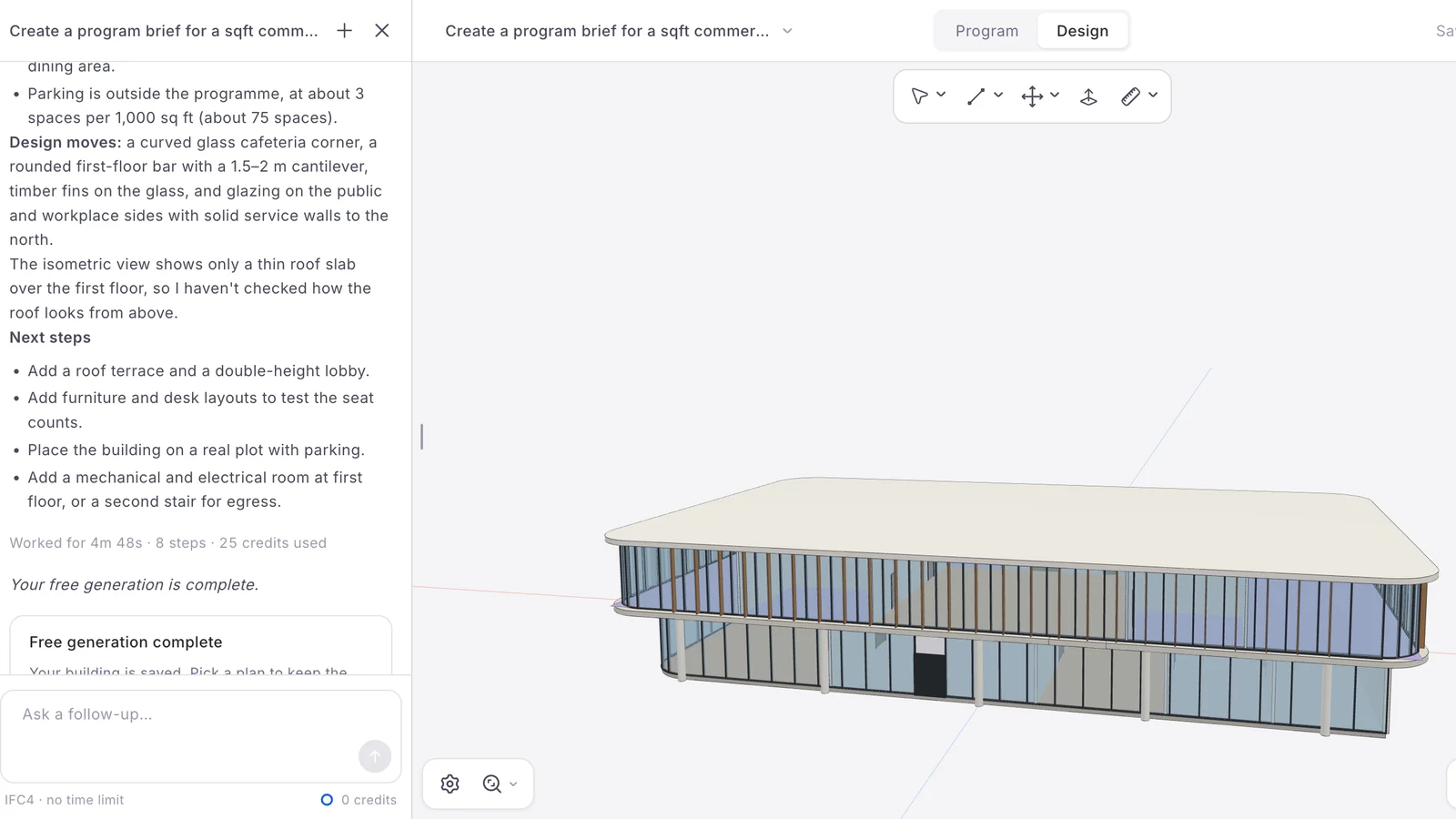
The generated office in AIBIMTool, at the end of the free generation: 4 minutes 48 seconds, 8 steps, 25 credits for the model (plus 3 for the questions). Screenshot from aibimtool.com, 26 October 2026.
Step 2: convert it. We downloaded the IFC4 file (about 650 KB) and ran the script above with IfcOpenShell 0.9.0 and rhino3dm 8.35. It took a few seconds on a MacBook. The .3dm file has 144 objects on 14 layers, in metres: 44 walls, 41 doors, 35 rooms (IfcSpace), 7 slabs, 7 members, 5 columns, 4 plates and 1 stair. The 37 opening elements were left out on purpose, because they are voids. Every room keeps its name, such as "Cafeteria & dining · 148.6 m²", and sits on its storey's layer.
Step 3: open it. Rhino is not installed on the Mac we used, so we opened the .3dm with McNeel's own rhino3dm.js library in a three.js viewer, with the room volumes hidden and the roof slab cut away.
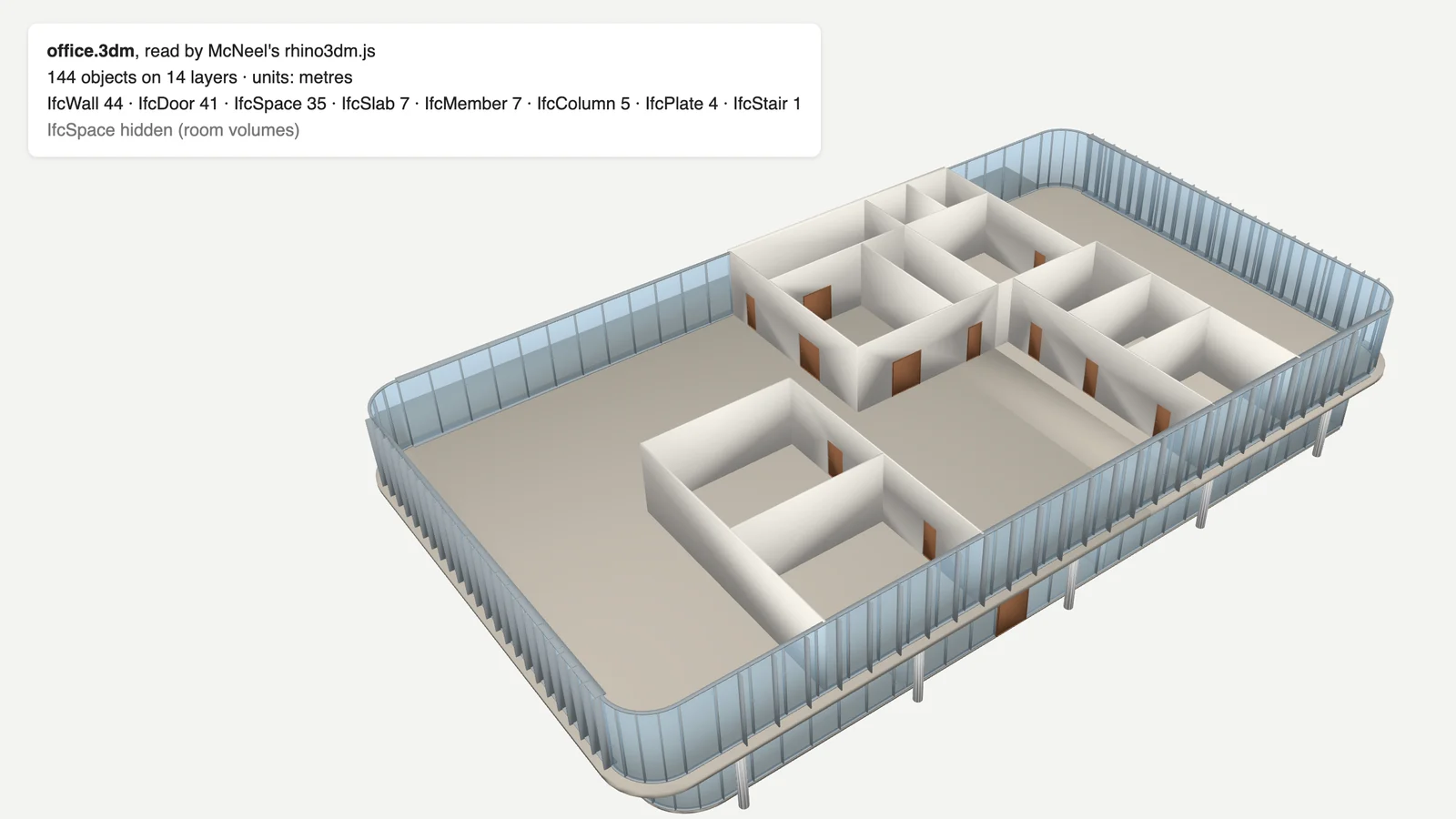
The same building as a Rhino .3dm file, read by McNeel's rhino3dm.js: walls, doors and glazing on layers by storey and IFC class, with the room volumes hidden and the roof cut away.
What we found while testing, including our own mistakes: the first version of the script exported the 37 IFC opening elements as solid boxes, which would have filled every doorway in Rhino. It also put all the rooms on a "Site" layer, because rooms hang under their storey by aggregation, not containment. The script above fixes both. And a caveat on our side: we did not open the file in desktop Rhino or run either MCP server live, so the Rhino-side steps come from McNeel's and rhinomcp's documentation.
Prompts that work for BIM in Rhino
Once the model is in Rhino and Claude is connected, the IFC layers and user text make BIM questions possible. With McNeel's server, Claude answers most of these with list_objects or a short run_python script:
- "List the layers and count the objects on each one, as a table by storey."
- "Select every object whose IfcClass user text is IfcDoor on the First floor layer and give me their widths from the bounding boxes."
- "Read the room names on the IfcSpace layers and total the areas per storey."
- "Hide every layer except IfcWall and IfcSlab and capture the viewport from the south-east."
- "Build a Grasshopper definition that takes every IfcWall mesh, computes its area and outputs the total per storey."
- "Find walls whose bounding box is less than 0.15 m thick and colour them red."
Keep prompts short and specific: name the layer, the class and the output you want, and check the result in the viewport before the next request.
Security and cost
- Both servers can run any code in Rhino with your user's file access, through Rhino commands, Python and C#. Keep per-tool approval on in Claude Desktop rather than "always allow", and work on copies of office files.
- Both listen only on your own machine. McNeel's runs on port 10500 by default, and rhinomcp connects to Rhino over 127.0.0.1, as set in the config above. Do not expose either to a network.
- Sessions use a lot of tokens. Viewport images and every connected server's tool list go into the conversation. Disconnect the servers you are not using and ask one thing at a time.
- Model data goes to Anthropic. Layer names, object names and anything else Claude reads are part of the conversation, so check your office's policy.
Troubleshooting
| Symptom | Likely cause and fix |
|---|---|
| Connector not visible in Claude | It was added under Connectors. Install connector.mcpb under Settings → Extensions → Advanced settings instead. |
| Claude opens Rhino 8 when you use Rhino 9 | Set Rhino Version to 9 or WIP in the connector's settings. |
MCPStart is unknown | The plugin is not installed or not loaded: reinstall Rhino-MCP-Platform from the Package Manager and restart Rhino. |
| rhinomcp connects but does nothing | mcpstart was not run in this Rhino session, or two Rhino MCP servers are running at once. |
| Claude says it modelled something you cannot see | Another Rhino window, a hidden layer, or geometry far from the origin: run Zoom Extents. |
| No IFC import in Rhino 8 | Rhino has none built in. Install VisualARQ, ggRhinoIFC or BEAM, or use the script above. |
The no-setup alternative: let AIBIMTool build the BIM model
Claude in Rhino models element by element, and you steer every step. That is ideal for form-finding, Grasshopper and editing. It is a slow way to get a complete building with storeys, walls, doors, stairs and named rooms, and Rhino will not give that building BIM data on its own anyway.
AIBIMTool does that part. It is an online AI BIM tool whose agent runs on Anthropic's Claude. You describe the project, load the real site from the map or attach an RFP, and it models the building, checks its own work and exports IFC4. As our test shows, the result comes into Rhino through VisualARQ or the free script. It also opens directly in Revit and Archicad.
| Claude in Rhino through MCP | AIBIMTool | |
|---|---|---|
| What you need | Rhino 8 licence, plugin, Claude Desktop | A browser, on Windows, Mac or Linux |
| Builds a whole building from a brief | Element by element, with your guidance | Yes, storeys, walls, slabs, doors, stairs, roof and named rooms |
| BIM data (IFC classes, rooms, storeys) | Only with VisualARQ or an IFC plug-in | Built in, exported as IFC4 |
| Knows the site | No | Yes, plot and neighbouring buildings from the map |
| Free to try | Rhino trial, Claude free plan | Free plan: one AI generation and the IFC4 download |
| Best at | Form-finding, Grasshopper, editing and checking | Brief and site to a first BIM model in minutes |
Where AIBIMTool is better: it builds the first BIM model in minutes, runs in any browser, needs no plug-ins or config, and its IFC4 carries real classes, storeys and rooms. Where it is not, and we say so plainly: it is for concept and schematic design, not freeform or parametric geometry, which is what Rhino and Grasshopper are for. It produces no construction drawings, and its output is IFC4, not a native .3dm, so getting it into Rhino takes the extra step above. The two work best together: AIBIMTool for the building, Rhino and Claude for the form and the details.
Start the BIM model with AI, finish it in Rhino
- Online and free to try, nothing to install.
- Brief and site in, IFC4 out, with walls, doors, stairs, rooms and storeys.
- Into Rhino with VisualARQ or the free script in this guide.
Using Revit as well? Our guide to connecting Claude to Revit covers Autodesk's official Revit MCP server, and what an IFC file is explains the format that links these tools.
Is it worth it? Our honest take
For Rhino users, yes. Connecting Claude to Rhino is easier than connecting it to Revit: McNeel's connector is one file, it is free, and Rhino runs on a Mac. It is genuinely useful for scripting, Grasshopper, repetitive edits and checking a model. Do not expect it to make Rhino a BIM tool, though. BIM data has to come in from somewhere, through VisualARQ, an IFC plug-in or a converted IFC file. The fastest source of a full building with that data is to generate it in AIBIMTool, bring it into Rhino and let Claude take it from there.
How we made this guide
We read McNeel's Rhino MCP Platform documentation and the source code of mcneel/RhinoAI and jingcheng-chen/rhinomcp on 26 October 2026. The tool counts come from the tool definitions in McNeel's source (rhinomcp's is approximate). Versions, release dates and stars come from GitHub. VisualARQ's prices are from visualarq.com. The statement that Rhino has no native IFC support comes from McNeel's forum. Search volumes are from Ahrefs Keywords Explorer (US, October 2026): "rhino mcp" about 200 a month, keyword difficulty 6.
The test is our own: a real AIBIMTool free generation on 26 October 2026, converted with the script printed above (IfcOpenShell 0.9.0, rhino3dm 8.35) and read back with rhino3dm in Python and rhino3dm.js in the browser. We did not run Rhino or either MCP server live, because the Mac we used has no Rhino licence. AIBIMTool is our product, its agent runs on Claude (as our privacy policy states), and we listed where Rhino and VisualARQ are the better tools as plainly as where AIBIMTool is.
Sources
- McNeel, Rhino MCP Platform: Claude Desktop setup and mcneel/RhinoAI on GitHub (connector 0.1.6, plugin 0.3.0).
- jingcheng-chen/rhinomcp on GitHub: quick start and tool reference.
- VisualARQ 3: features, IFC support and prices.
- McNeel Forum, Import .ifc from Rhino 8 and Can't import IFC with Rhino 8 and VisualARQ 3.
- McNeel, rhino3dm and IfcOpenShell: the libraries the conversion script uses.
- ThinkParametric, Rhino & AI: How to Connect Grasshopper to Claude (YouTube, 21 October 2026).
- MeltFlex, How to Connect Claude to Rhino: our sister site's general guide with an interior-design test.
Frequently asked questions
Can Claude connect to Rhino?
Yes. McNeel, the maker of Rhino, publishes the free, open-source Rhino MCP Platform: a connector you install in Claude Desktop (connector.mcpb) plus the Rhino-MCP-Platform plugin for Rhino 8, on Windows and macOS. The community server rhinomcp does the same for Rhino 8 through uv. Both let Claude create and edit geometry, read the document, capture the viewport, run Rhino commands and scripts, and build Grasshopper definitions.
Is Rhino a BIM software?
Not on its own. Rhino is a NURBS modeller: its objects are curves, surfaces, solids and meshes, not walls, doors and rooms with BIM data, and it has no built-in IFC import or export. Rhino becomes a BIM tool with plug-ins such as VisualARQ (architectural BIM objects and IFC 2x3 and IFC4 exchange) or with IFC plug-ins such as GeometryGym and BEAM, and Rhino.Inside.Revit runs Rhino and Grasshopper inside Revit.
Can Rhino open an IFC file?
Not without a plug-in. VisualARQ 3 includes IFC import and export for Rhino 7 and 8, GeometryGym's ggRhinoIFC is in Rhino's Package Manager, and BEAM IFC is another Windows option. For a free route, a short Python script with McNeel's rhino3dm library and IfcOpenShell converts IFC to a .3dm file with one layer per storey and IFC class; we tested one on a 2,300 m² office from AIBIMTool and it produced 144 objects on 14 layers.
Can Claude build a BIM model in Rhino?
Claude can model geometry in Rhino through MCP and, through Rhino commands, drive BIM plug-ins such as VisualARQ, but it builds element by element and results on whole buildings are uneven. The faster route to a full building is AIBIMTool, an online AI BIM tool built on Claude, which turns a brief and a site into an IFC4 model with walls, slabs, doors, stairs and named rooms that you then bring into Rhino.
Which is better, McNeel's Rhino MCP or rhinomcp?
Start with McNeel's Rhino MCP Platform: it is official, installs in Claude Desktop as a one-file extension, supports Rhino 8.19 and later plus the Rhino 9 builds, and covers both Grasshopper 1 and 2. rhinomcp is older, has more stars (about 1,200 against 381 on 26 October 2026) and more dedicated modelling tools, but you configure it by hand and must type mcpstart in Rhino every session. Run only one of them at a time.
Does connecting Claude to Rhino work on a Mac?
Yes. Unlike Revit, Rhino 8 runs on macOS, and both McNeel's connector and rhinomcp support Windows and macOS. Claude Desktop has to run on the same computer as Rhino.
Is AIBIMTool free?
Yes, there is a free plan: one full AI generation (100 credits), the 3D viewer and the IFC4 download, in the browser with nothing to install. In our test, a two-storey 2,300 m² office from a one-line brief used 28 of the 100 credits and took about five minutes. Paid plans start at €49 a month billed yearly.







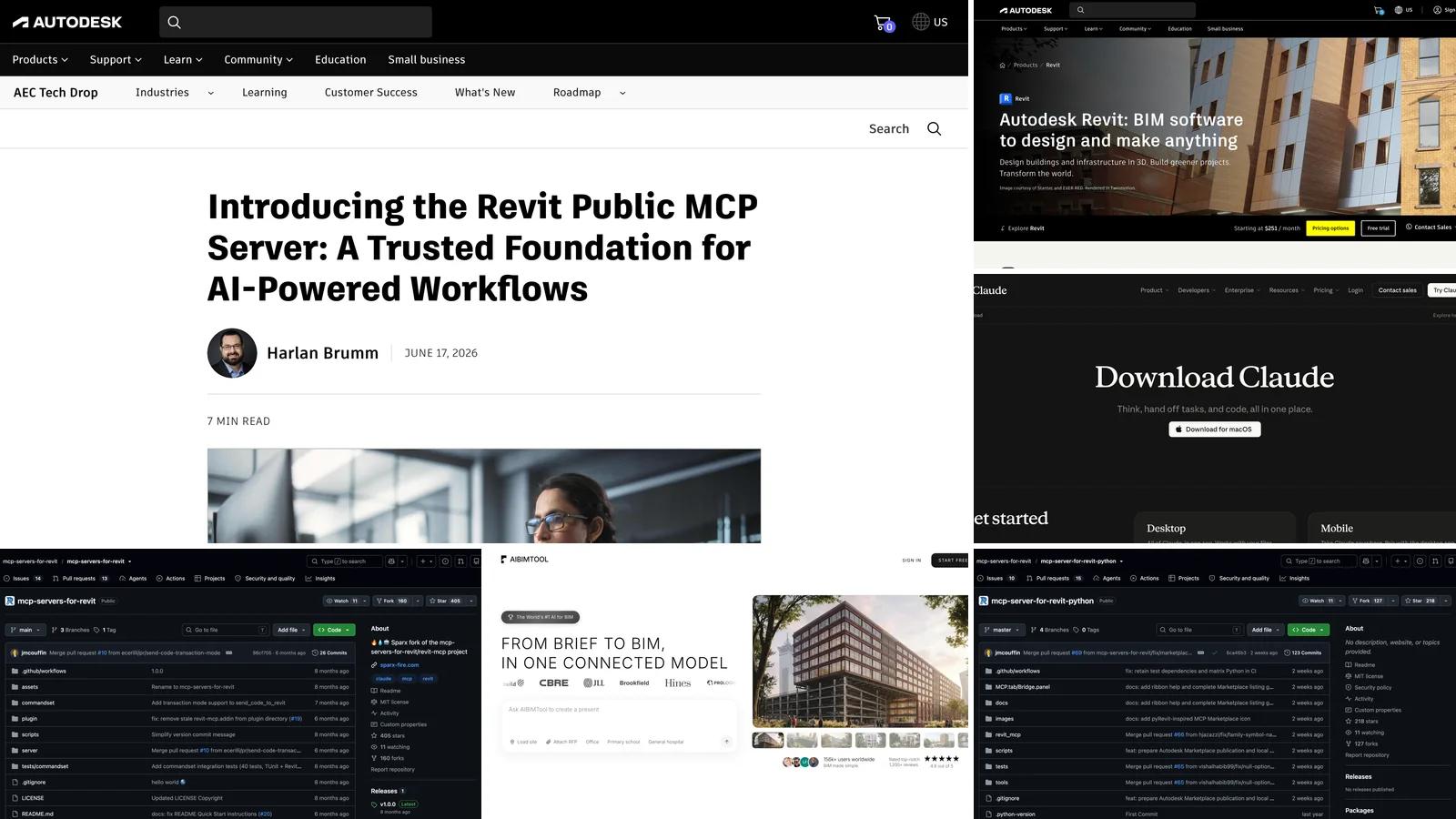
How to Connect Claude to Revit: The 3 Revit MCP Servers, Set Up Step by Step
Connect Claude to Autodesk Revit with MCP: Autodesk's official Revit 2027 server, the open-source mcp-servers-for-revit for Revit 2020 to 2026, and the pyRevit route, with exact configs, prompts and pitfalls. Plus the no-setup alternative: AIBIMTool, Claude-powered BIM modelling online with a free plan.
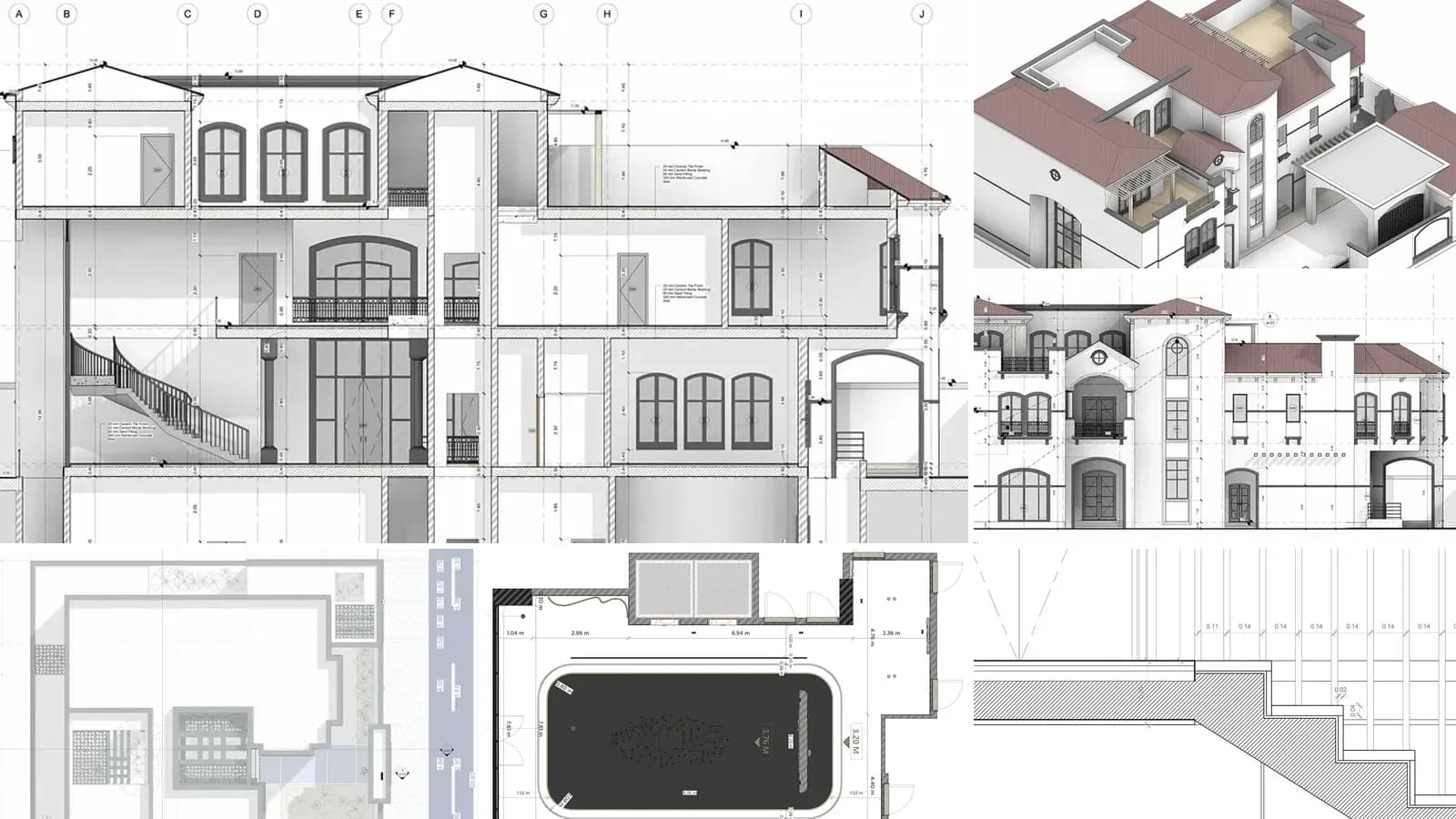
Architectural Drawings: 12 Types, Scales and How to Read Them
What architectural drawings are, the 12 types in a full drawing set with real examples, US scales, sheet numbers like A-101, the drawings each project phase produces and how to read them.
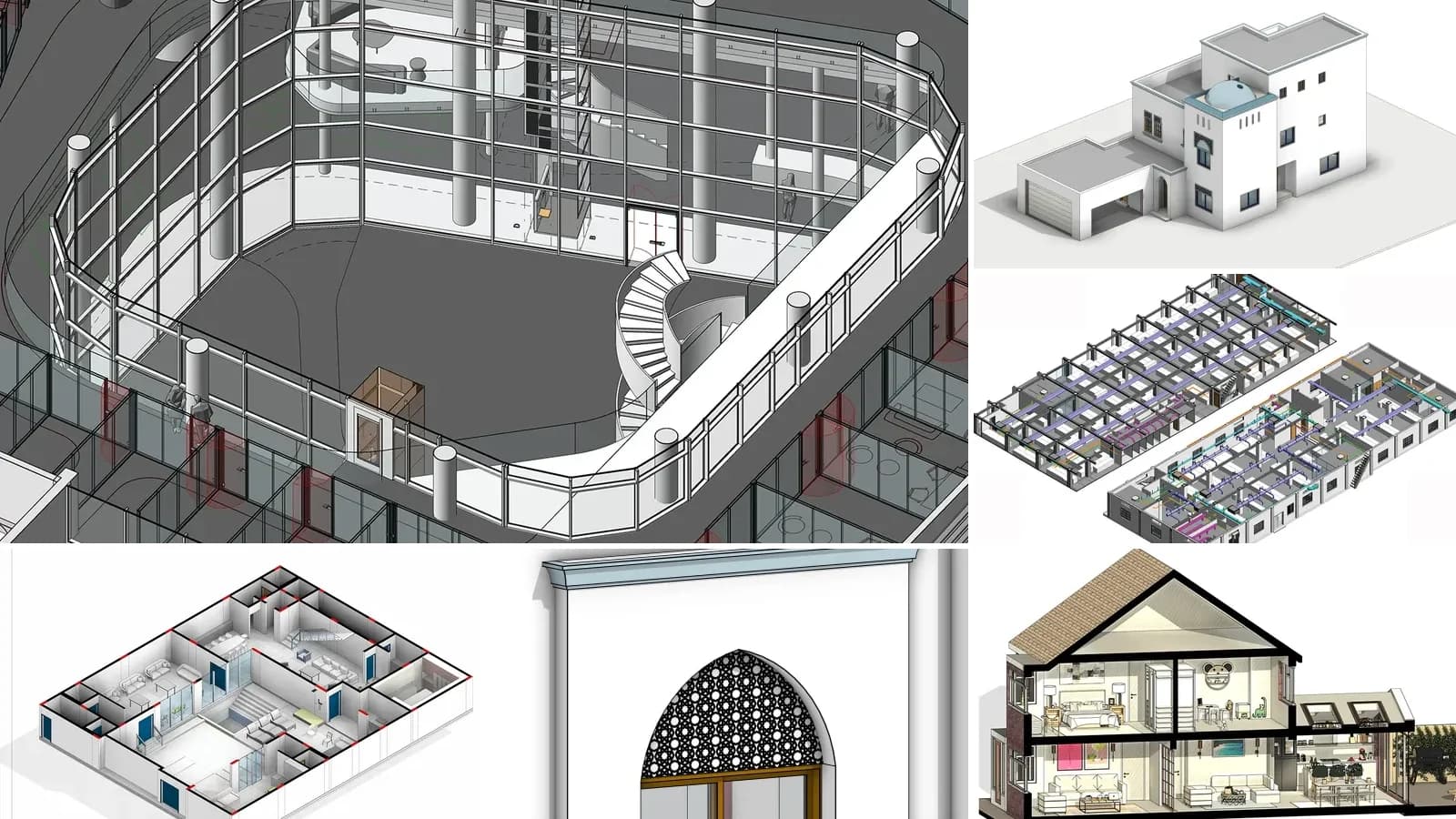
LOD in BIM: Level of Development 100 to 500, Explained with Real Models
LOD in BIM is the Level of Development of each model element, from LOD 100 to 500. What every level means in the 2025 BIMForum spec, LOD vs level of detail and LOIN, and the LOD our own AI-generated models reach.