
How to Connect Claude to Revit: The 3 Revit MCP Servers, Set Up Step by Step

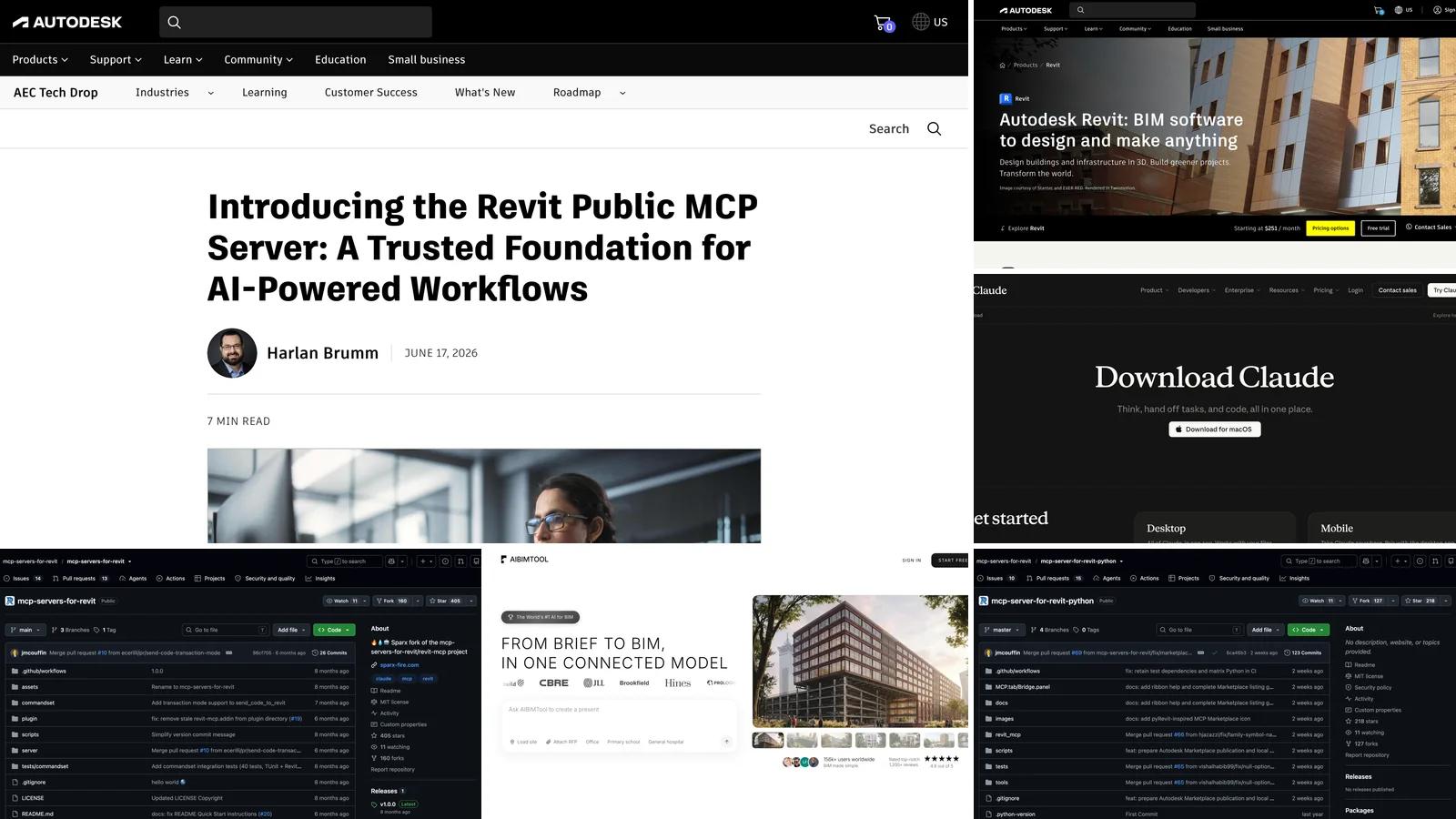
To connect Claude to Revit, you install an MCP server on the Windows PC where Revit runs and add it to Claude Desktop. In October 2026 there are three good options. Autodesk's own Revit Public MCP Server works with Revit 2027 and installs in a few clicks, but it can only read the model. The open-source mcp-servers-for-revit can also create and edit elements, on Revit 2020 to 2026. The pyRevit route suits people who want to write their own tools in Python. Below, each one is set up step by step, with the exact configuration and the mistakes that cost people an afternoon.
Our articles are still written by humans!
Get human written articles in your Google feed.
Want Claude to build a BIM model without any setup? Try AIBIMTool free
- AIBIMTool is online and free to try. It is an AI BIM tool that runs on Claude in your browser, on Windows, Mac or Linux, with no Revit licence, add-in or config file.
- It builds the model, not just reads it. Describe the building and load the site, and the agent models storeys, walls, slabs, doors, windows, stairs, the roof and named rooms.
- The free plan includes one full AI generation and the IFC4 download, which opens in Revit. Ask Claude to model, then keep working in Revit.
We make AIBIMTool, so weigh what we say about it with that in mind. It is not a Revit plugin, and nobody else in this guide paid to be in it. One thing to know about how this guide was made: our team works on Macs and we did not run these servers on our own Revit licence. Every step and every limitation below comes from the vendors' own documentation and repositories and from published video walkthroughs, all checked on 26 October 2026 and linked at the end. Where sources disagree or leave something out, we say so.
The short version
- You have Revit 2027: install Autodesk's Revit Public MCP Server. Official and safe, but read-only.
- You have Revit 2020 to 2026, or want Claude to model: use mcp-servers-for-revit, with 26 tools including create, tag and delete.
- You already use pyRevit and like Python: use the pyRevit MCP server and extend it.
- On a Mac: it only works inside a Windows VM, with Claude Desktop installed in that same Windows. Details.
- You want Claude to model a building, on any computer, with no setup: use AIBIMTool online, free to try, and open the IFC4 in Revit.
Key facts about Claude and Revit (October 2026)
- Claude connects to Revit through MCP servers, which run on the same Windows PC as Revit. There is no Claude button inside Revit itself.
- Autodesk's official Revit Public MCP Server, announced on 17 June 2026, works only with Revit 2027, has 7 tools and can only read the model. It is a tech preview.
- The most used open-source server, mcp-servers-for-revit, has 26 tools, can create and delete elements, supports Revit 2020 to 2026 and is MIT licensed.
- The pyRevit-based mcp-server-for-revit-python has 20 tools and shows every model change for review in Revit before it runs.
- Revit is Windows-only, so connecting Claude to Revit on a Mac needs a Windows virtual machine with both Revit and Claude Desktop inside it.
- AIBIMTool is the no-setup alternative for modelling: an online AI BIM tool built on Claude that turns a brief and a site into an IFC4 model in the browser, with a free plan.
What "connecting Claude to Revit" actually means
Claude cannot open a .rvt file, and Revit has no built-in Claude button. The bridge between them is the Model Context Protocol (MCP), an open standard that lets an AI app call tools in other programs. A Revit MCP server is a small program that exposes Revit as a set of tools such as "query the model", "get element data" or "create a wall". Claude decides which tool to call, the server passes the request to an add-in running inside Revit, and the add-in uses the Revit API on the model that is open right now.
Revit MCP server (definition): a program that runs next to Autodesk Revit and exposes parts of the Revit API to AI assistants through the Model Context Protocol, so that Claude, Cursor or another MCP client can read, and with some servers change, the model that is open in Revit.
Three things follow from this, and they explain most of the problems people hit:
- Revit has to be open, with the model loaded, on the same Windows machine as Claude Desktop. Nothing here works on a file sitting in a folder or in the cloud.
- Claude can only do what the server's tools allow. If the server has no "create stair" tool, Claude cannot make a stair, however you phrase the prompt. Servers with a "run code" tool can, in principle, do anything the Revit API allows, but that is also the risky part.
- What Claude reads, it sends to Anthropic. Element names, parameters and room data that a tool returns become part of the conversation.
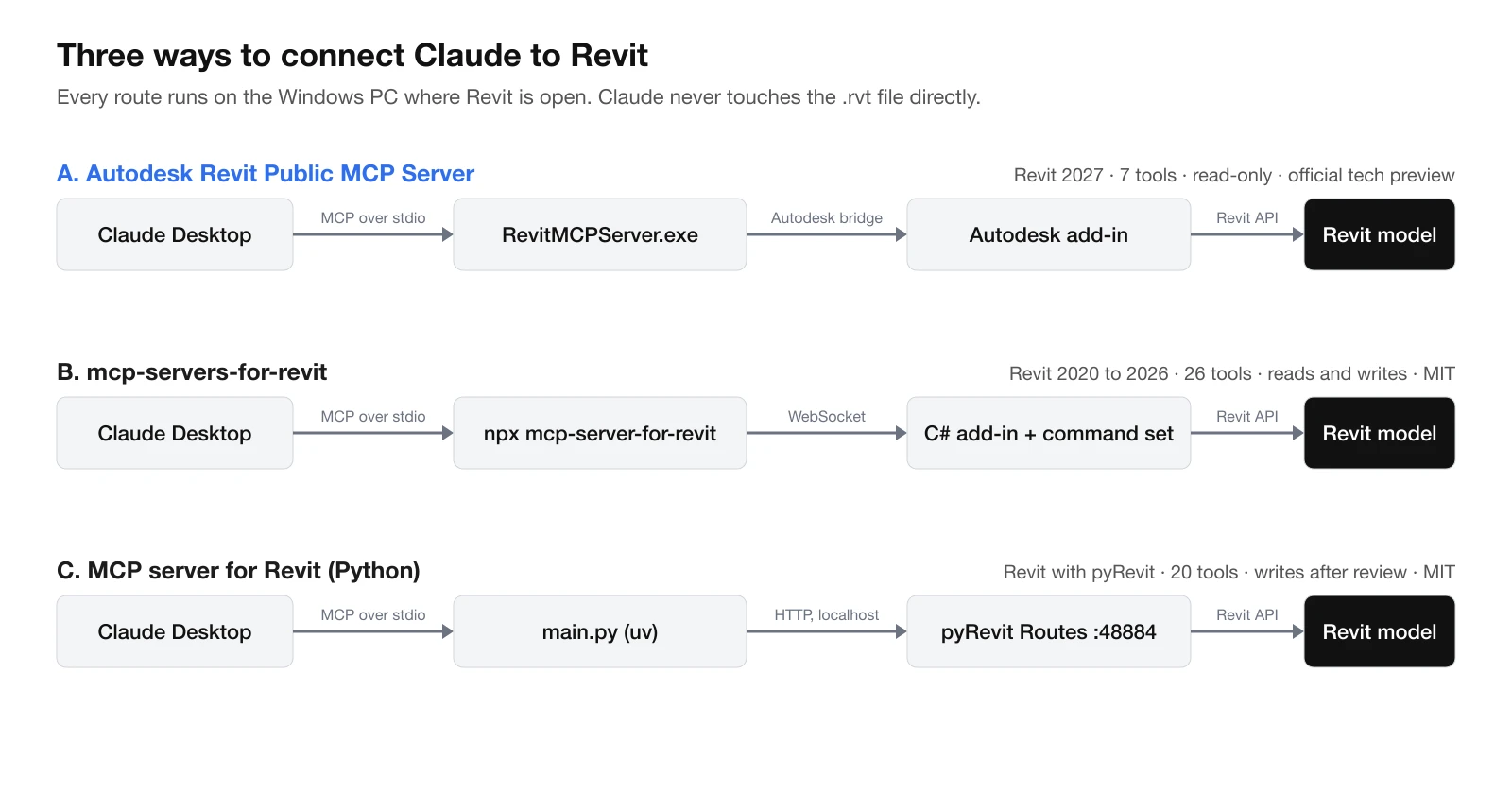
The three routes compared. Each one runs on the PC where Revit is open, and the add-in inside Revit is what actually touches the model.
Which Revit MCP server should you use?
| Autodesk Revit Public MCP Server | mcp-servers-for-revit | MCP server for Revit (Python) | |
|---|---|---|---|
| Made by | Autodesk (official) | Open-source community | Open-source community |
| Revit versions | 2027 only | 2020 to 2026 | Any version with pyRevit and its Routes server |
| Can it change the model? | No, read-only | Yes: create, modify, delete, tag | Yes, each change shown for review in Revit |
| Runs arbitrary code | No | Yes, C# (send_code_to_revit) | Yes, IronPython (execute_revit_code) |
| Tools | 7 | 26 | 20 |
| Install effort | Installer, auto-configures Claude | Copy add-in, paste JSON, needs Node.js | pyRevit extension, Routes server, uv and Python |
| Status on 26 Oct 2026 | Tech preview | v1.0.0, last code change April 2026 | Active, last change October 2026, no tagged release |
| Licence | Autodesk add-in | MIT | MIT |
Our recommendation: start with the official server if you are on Revit 2027. It is the only one built and supported by Autodesk, it cannot damage your model, and asking questions of a model is where most of the everyday value is: counts, missing parameters, schedules and finding elements. Move to a community server when you actually need Claude to model or bulk-edit, and run it on a copy of the project first.
The no-setup alternative: Claude for BIM in the browser with AIBIMTool
Most people who search "connect Claude to Revit" want one of two things: to ask questions about a model they already have, or to have Claude build a model for them. The MCP servers above are the right answer for the first. For the second, they are a long way round. You need Revit on a Windows PC, an add-in, a config file and a community server, and even then, simple elements such as levels and walls work while whole buildings do not.
AIBIMTool is built for the second job. It is an online AI BIM tool whose agent runs on Anthropic's Claude, the same model family you would connect to Revit. You describe the building in plain language ("a 3-storey apartment building with two-bedroom flats"), load the real site from the map or attach an RFP, and the agent models it: it reads the plot and the neighbouring buildings, sets the storeys, places walls, slabs, doors, windows, stairs and the roof, and names every room as an IFC space. It then checks its own work, such as missing doors, setbacks and site coverage, and lists what it did not model. You can keep talking to it to add a storey or widen a corridor, and it edits the same model. When you are done, you download an IFC4 file and open or link it in Revit.
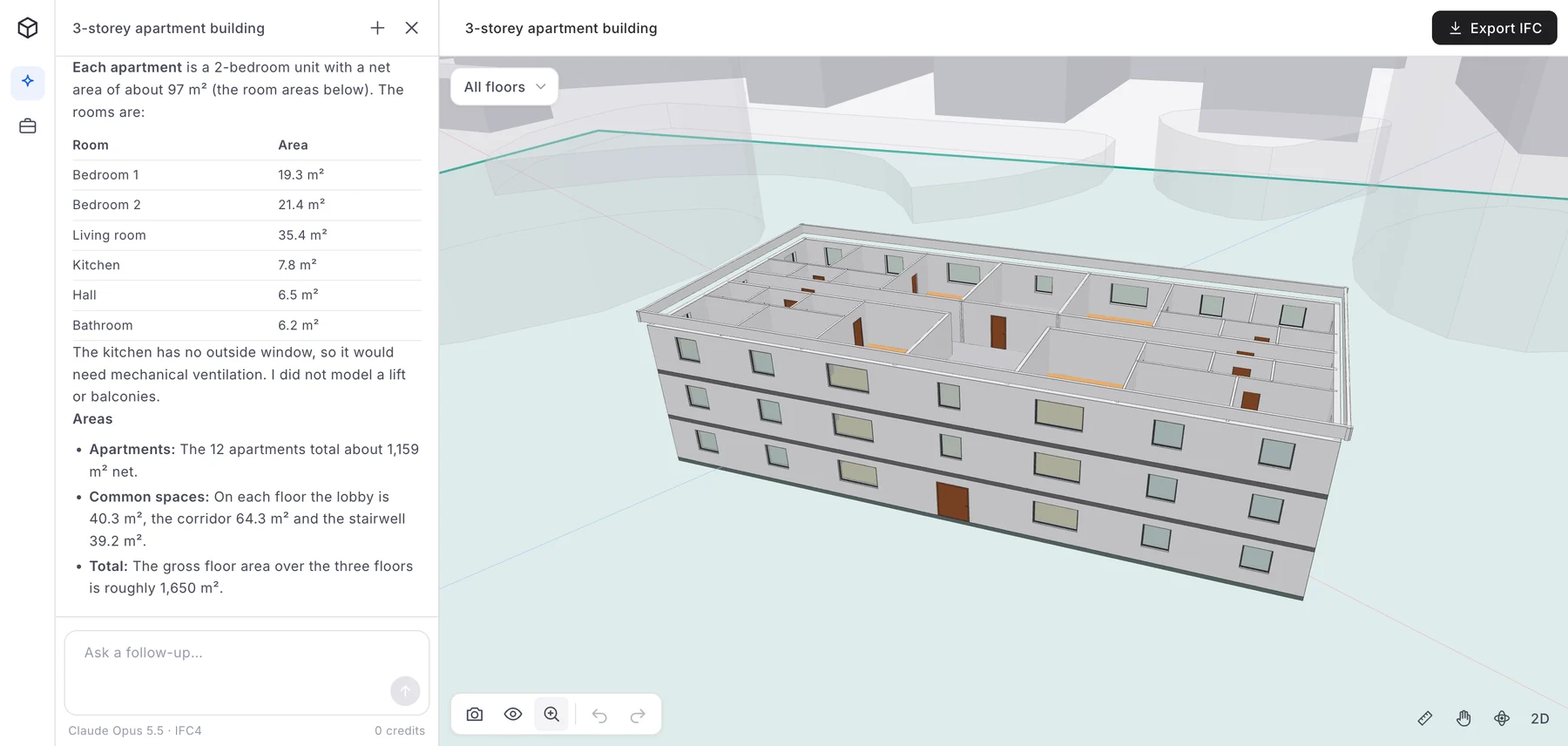
A real AIBIMTool project: the agent's summary and room table on the left, the 3D BIM model of a 3-storey apartment block on the right, inside the plot boundary (green) with the neighbouring buildings shown as transparent masses. Screenshot from aibimtool.com, 25 October 2026.
| Claude + Revit through MCP | AIBIMTool | |
|---|---|---|
| What you need | Revit licence, Windows PC, add-in, Claude Desktop, config | A browser, on Windows, Mac or Linux |
| Setup | An installer for the official add-in, more steps for community servers | None, you sign in and start |
| Can Claude build a whole building? | No. Official server is read-only, community servers handle simple elements | Yes, storeys, walls, slabs, openings, stairs, roof and named rooms |
| Knows the site | No, only what is already in the model | Yes, plot boundary and neighbouring buildings from the map |
| Cost to try | Revit from $251 a month, plus a Claude plan | Free plan with one AI generation and the IFC4 download |
| Output | Changes inside your .rvt model | IFC4 model for Revit, Archicad, and Rhino via an IFC plug-in |
| Best at | Querying, checking and bulk-editing existing Revit models | Going from a brief and a site to a first BIM model in minutes |
Where AIBIMTool is better than Revit, and where it is not
Better: AIBIMTool starts a project much faster than modelling by hand in Revit, because the AI does the first model in minutes rather than days. It runs on any computer, including a Mac, with nothing to install. It costs nothing to try, and its paid plans start at €49 a month billed yearly against Revit's $251 a month. And Claude is built in, so there is no MCP server to configure, approve or keep updated.
Not better, and we would rather say it than have you find out: AIBIMTool produces a concept and schematic model, not a construction set. It has no annotated sheets, door tags, wall build-ups, families or worksharing, and it does not cover structural or MEP engineering. It writes IFC4, not native .rvt, so in Revit you open or link the IFC and continue from there. If your job is to query or fix an existing Revit model, the MCP servers above are the right tool and AIBIMTool is not.
The two fit together. Generate the first model in AIBIMTool, bring the IFC into Revit, then use Claude with a Revit MCP server to check and develop it.
Try Claude for BIM in your browser
- Online, nothing to install. Works on Windows, Mac and Linux.
- Brief and site in, BIM model out, with real IFC classes and named rooms.
- Free plan: one full AI generation, the 3D viewer and the IFC4 download for Revit.
What you need before you start
- A Windows PC with Revit open. Revit is Windows-only. Mac users, see the Mac section.
- Claude Desktop for Windows, from claude.com/download, signed in to your Claude account. Claude Code and Cursor also work with every server here.
- A Claude plan that fits the job. Anthropic's help pages do not limit local MCP servers to paid plans, but model queries return a lot of text and use up a free plan's limits quickly. Every tutorial we checked used a paid plan.
- For route B, Node.js 18 or newer. For route C, Git, pyRevit and uv (a Python package manager).
- Permission to install add-ins. On managed office PCs this often means IT.

The Claude download page, 26 October 2026. The button offers the build for the system you visit from; on a Windows PC it downloads Claude Desktop for Windows.
Option A: Autodesk's official Revit Public MCP Server (Revit 2027)
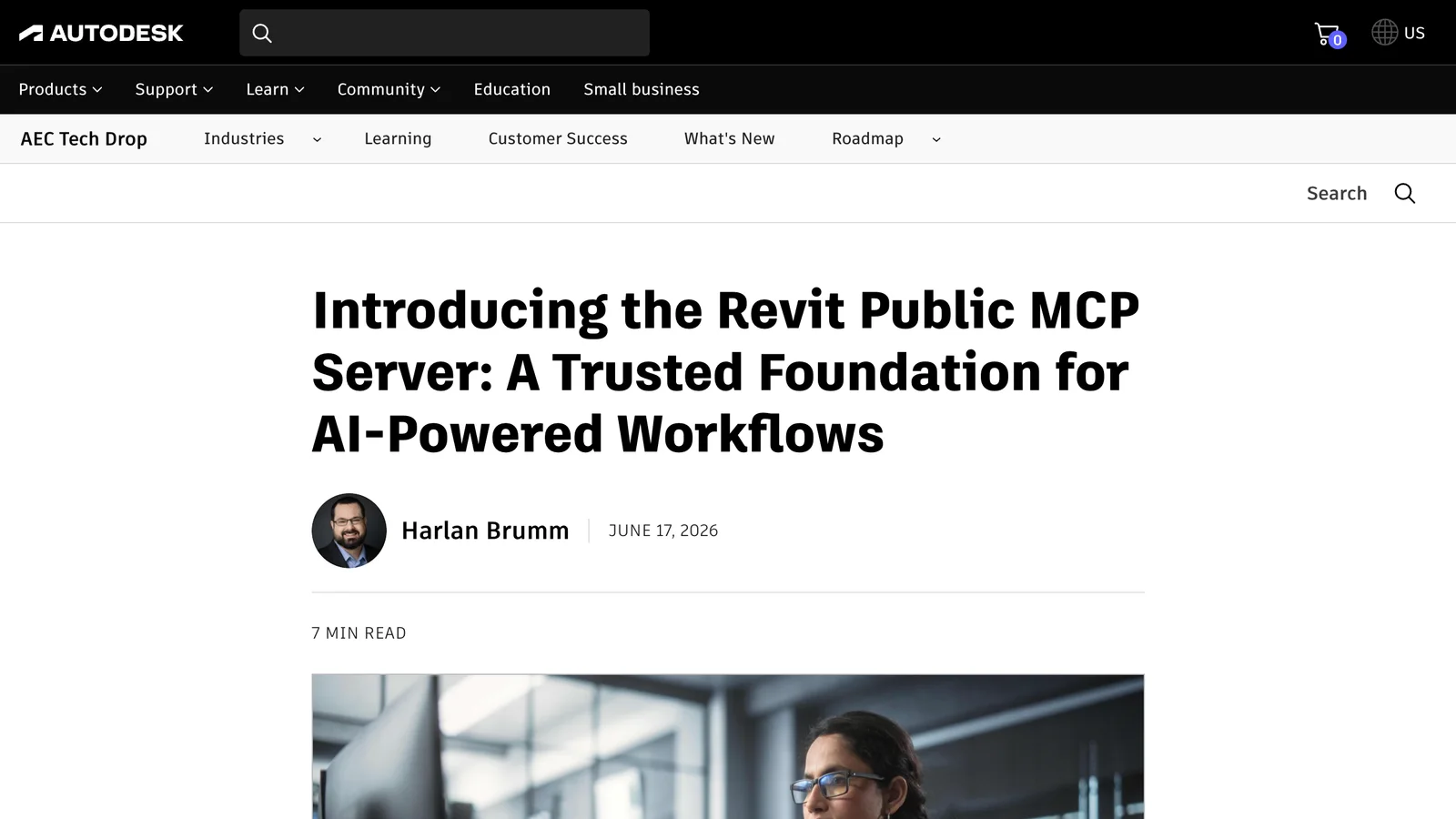
Autodesk's announcement of the Revit Public MCP Server on the AEC Tech Drop blog, by Harlan Brumm, 17 June 2026.
Autodesk calls it "Autodesk's official, supported MCP server for Revit 2027". It ships as a separate add-on, not inside Revit itself, and Autodesk describes this release as a tech preview: usable in real work, but expect changes.
Set it up
- Install Revit 2027. The server does not work with 2026 or earlier.
- Download the add-on from accounts.autodesk.com, where it is listed under your Revit 2027 entitlements as the Revit 2027 MCP Server Technical Preview. Run the installer.
- Install and open Claude Desktop on the same PC. According to Autodesk, the installer adds the server to Claude Desktop and Cursor for you.
- Fully quit and restart Claude Desktop. Closing the window is not enough: quit it from the system tray, otherwise it never reads the new configuration.
- Open a model in Revit, then check in Claude that the server is there: click the + button at the bottom left of the message box, open Connectors and look for revit.
- Ask a first question, such as "Which Revit models are open right now?", and approve the tool call when Claude asks.
If the installer did not set up Claude, add the server by hand. In Claude Desktop open Settings → Developer → Edit Config. This opens %APPDATA%\Claude\claude_desktop_config.json. Add:
{
  "mcpServers": {
    "revit": {
      "command": "C:\\Program Files\\Autodesk\\Revit 2027 MCP Server Technical Preview\\RevitMCPServer.exe"
    }
  }
}
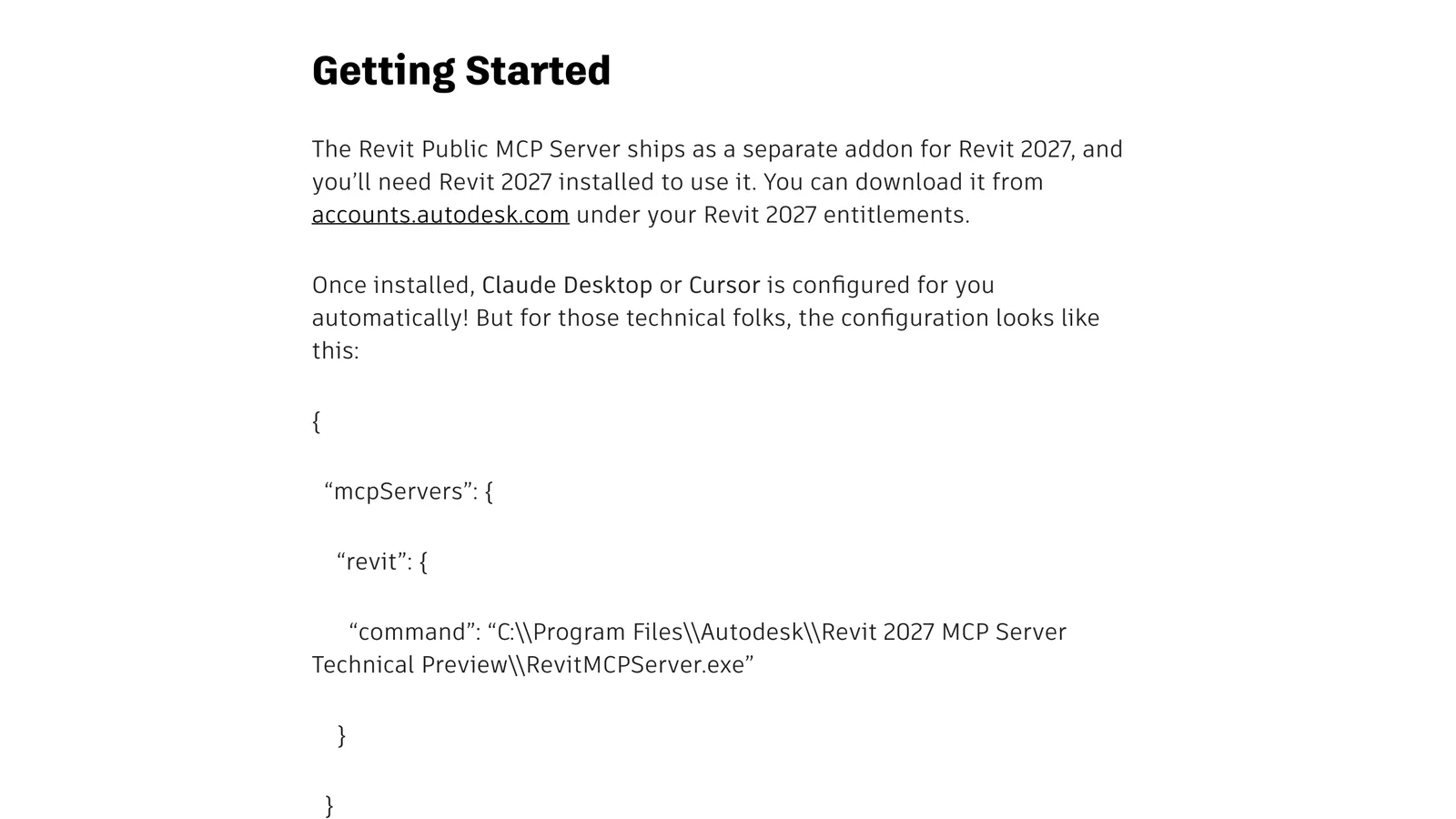
Autodesk's own configuration snippet, 26 October 2026. On the page, the JSON is set with typographic “curly” quotes, so copied as-is it is invalid.
The mistake that breaks this setup
- Do not copy the JSON from Autodesk's blog. The page prints it with curly quotes (“ ”), which JSON does not accept, so Claude Desktop silently ignores the server. Copy the version above, which uses straight quotes.
- Keep the double backslashes in the Windows path. A single backslash is an escape character in JSON.
- Check the path against the folder your installer actually created. Autodesk's path contains "Technical Preview" and is likely to change when the server leaves preview.
What it can do: the seven tools
Autodesk lists exactly seven tools, each doing one job:
| Tool | What it does |
|---|---|
| Get Running Revit Instances | Finds the open Revit sessions and their documents. It runs first, so Claude knows which model to talk to when several are open. |
| Query Model | Searches by category, family, name, level, bounding box and parameter values (equals, contains, starts with, greater or less than), in the current view, a given view or the whole model. Returns element IDs and a summary by category and level. |
| Get Element Data | Returns details for those IDs, from basic info to every instance and type parameter. |
| Select Elements | Selects elements in Revit, so you can inspect, tag or edit them yourself. |
| Zoom to Elements | Zooms the active view to those elements. |
| Open View | Opens a plan, section or 3D view by its ID. |
| Export View | Exports views to PNG, JPG, BMP or TIFF, views to separate PDFs, or schedules to CSV. |
That is a sensible scope for a first official release. It covers the questions that otherwise take a schedule, a filter and twenty minutes, while leaving every change in your hands. Autodesk says create, modify and manage tools will come later through a separate write server, so that read and write permissions stay apart.
Watch it working
BIM Pure's walkthrough is the clearest video we found of the official server in use. It installs the add-in, connects Claude, builds a model dashboard from a live Revit model, then turns the workflow into a reusable Claude Skill. As the video notes, the server only works with Revit 2027 and is still a preview.
New in Revit 2027: Revit MCP Server + Claude, by BIM Pure on YouTube, 8 minutes 20 seconds, published 20 April 2026. The player only loads when you press play.
Option B: mcp-servers-for-revit, to let Claude model (Revit 2020 to 2026)
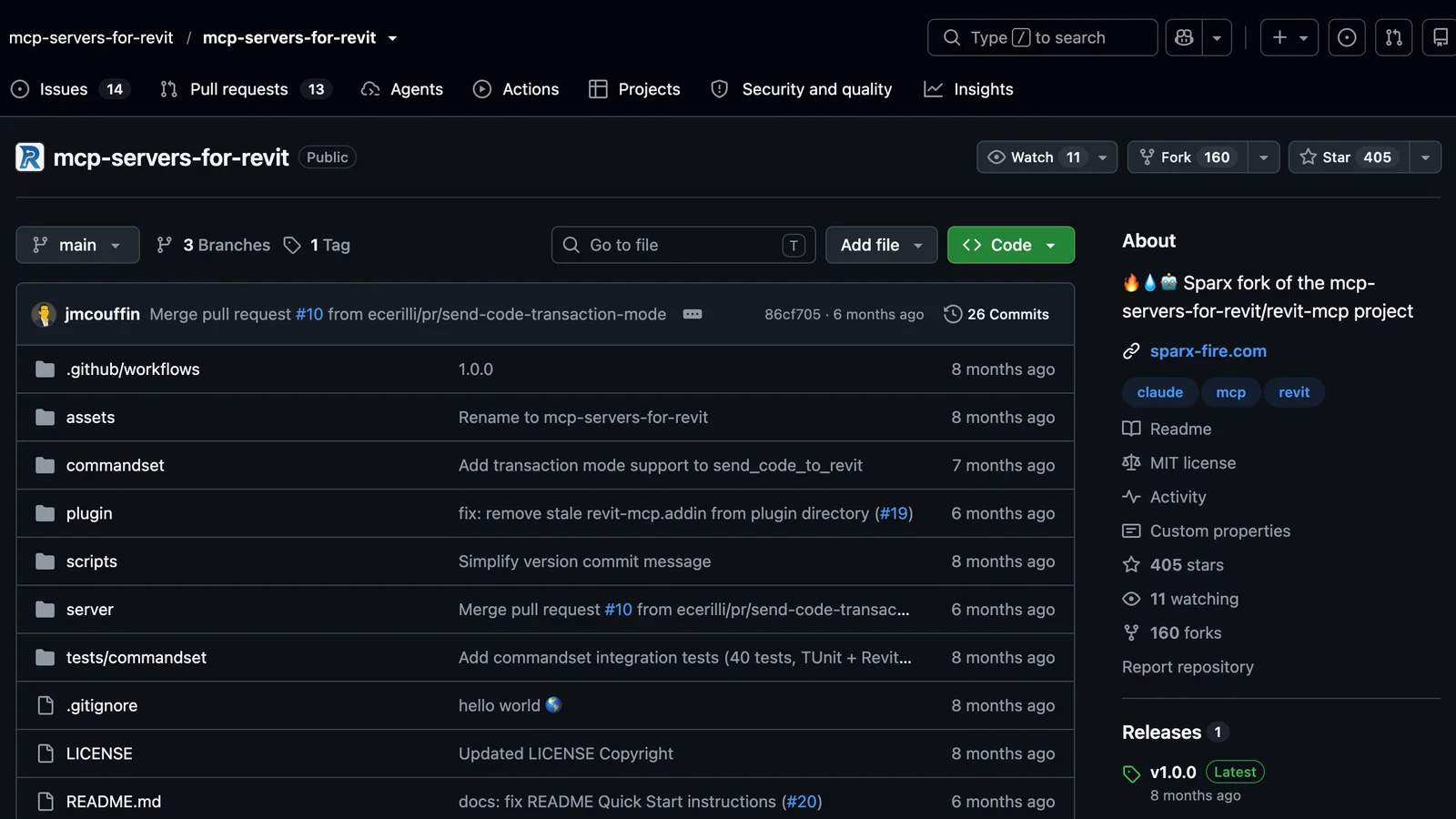
The mcp-servers-for-revit repository on GitHub, 26 October 2026: 405 stars, MIT licence, one release (v1.0.0).
This is the most widely used open-source Revit MCP server. It grew out of the earlier revit-mcp project, which is now archived in its favour, and it has three parts: an MCP server in TypeScript that Claude talks to, a C# add-in inside Revit that listens on a WebSocket, and a command set that makes the actual Revit API calls.
Set it up
- Download the ZIP for your Revit version from the Releases page, for example
mcp-servers-for-revit-v1.0.0-Revit2025.zip. - Copy its contents into
%AppData%\Autodesk\Revit\Addins\2025\(use your version's folder). You should end up withmcp-servers-for-revit.addinand arevit_mcp_pluginfolder next to it. - Install Node.js (the LTS version) if
node --versiondoes not work in a Command Prompt. - Add the server to Claude Desktop: open Settings → Developer → Edit Config and paste:
{
  "mcpServers": {
    "mcp-server-for-revit": {
      "command": "cmd",
      "args": ["/c", "npx", "-y", "mcp-server-for-revit"]
    }
  }
}
- Start Revit. When it warns about an unknown add-in, choose Always Load.
- Turn the commands on. On the new mcp-servers-for-revit ribbon tab, click Settings, tick the commands Claude may use and click Save. A command you leave unticked is a tool Claude cannot use, which is also the easiest way to switch off the risky ones.
- Fully quit and restart Claude Desktop, then test with
say_hello, which pops up a greeting dialog in Revit if the whole chain works.
If you use Claude Code instead, one line in a normal terminal does step 4:
claude mcp add mcp-server-for-revit -- cmd /c npx -y mcp-server-for-revit
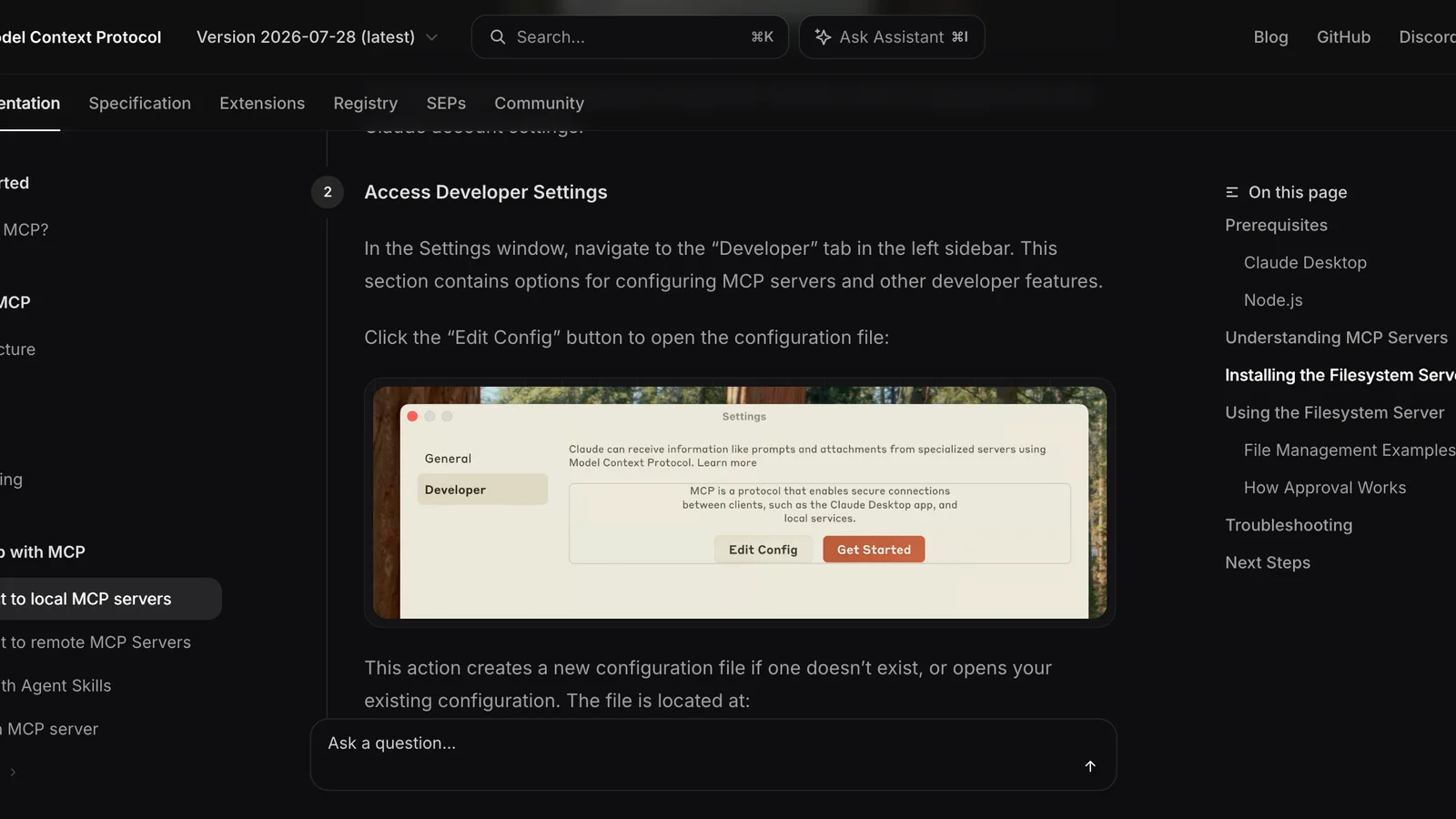
Where the configuration lives: Claude Desktop's Settings → Developer → Edit Config, as shown in the official MCP quickstart, 26 October 2026.
What it can do
Its 26 tools cover reading (view info, selected elements, family types, material quantities, model statistics, room data export) and writing: create_level, create_grid, create_room, create_line_based_element for walls, beams and pipes, create_surface_based_element for floors, ceilings and roofs, create_point_based_element for doors, windows and furniture, create_dimensions, create_structural_framing_system, tag_all_walls, tag_all_rooms, color_elements, delete_element and send_code_to_revit, which runs C# code that Claude writes.
Be realistic about the limits. The README itself says code sent to Revit "may not be successful", with a higher success rate on simple, clearly specified requests. Placing walls on a grid, adding levels, tagging and colouring by parameter work well, while stairs, complex roofs and anything that needs design judgement usually do not.
And check the version. Release v1.0.0 from February 2026 has builds for Revit 2020 to 2026 and none for Revit 2027, and the last code change was in April 2026. If you are on 2027 and need write tools, look at newer community projects that list 2027 support, such as BIMwright and Horizun Revit MCP. We have not reviewed either in depth.
Option C: the pyRevit route, for people who want their own tools
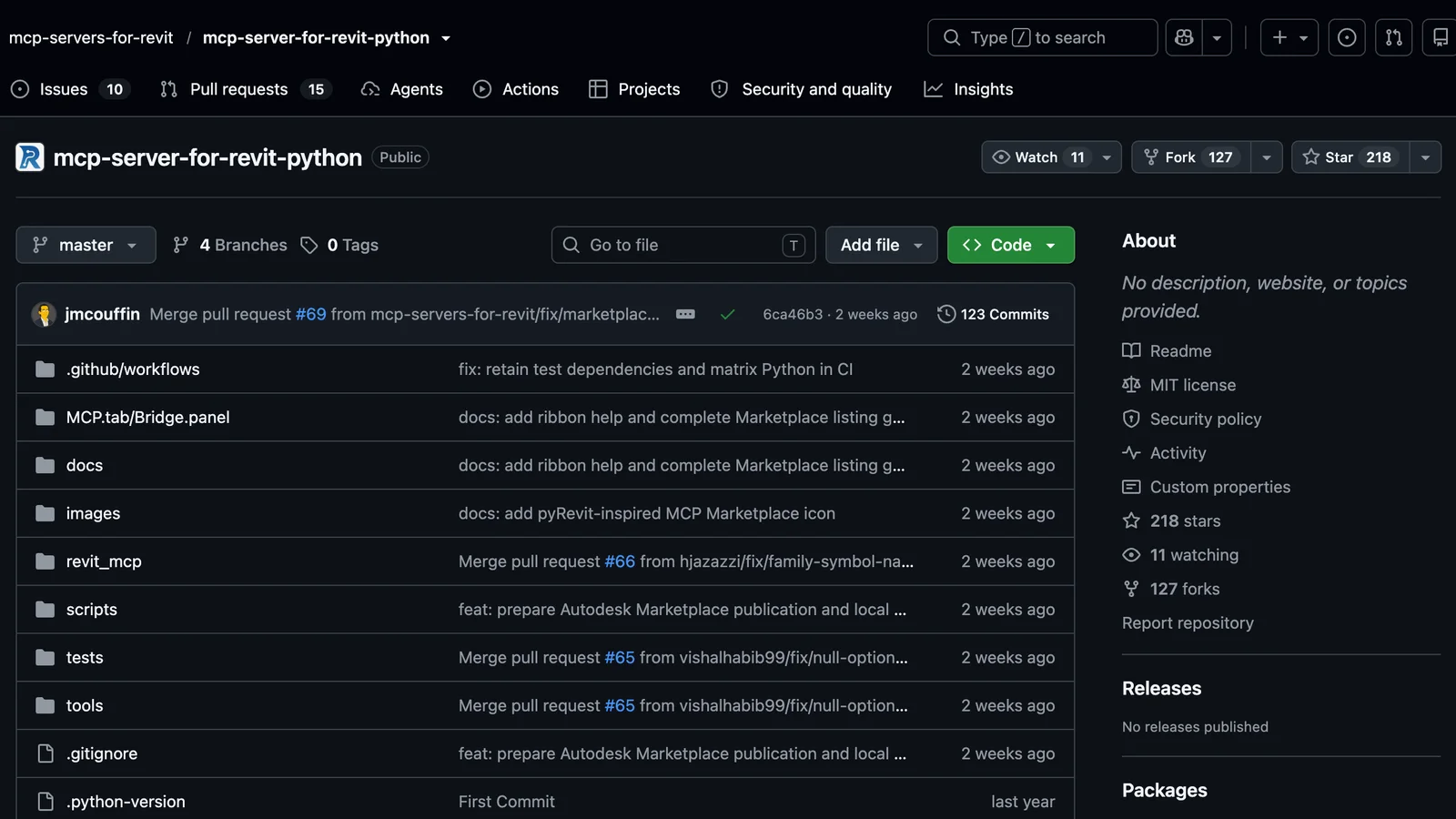
The mcp-server-for-revit-python repository on GitHub, 26 October 2026: 218 stars, MIT licence, being prepared for Autodesk Marketplace review.
pyRevit, the free add-in many Revit users already have, includes a small web server called Routes. The mcp-server-for-revit-python project uses it as the bridge. A Python MCP server (main.py) talks to Claude, and pyRevit Routes, running inside Revit on port 48884, executes the calls. If you can write a pyRevit script, you can add a tool.
Set it up
- In Revit, open the pyRevit tab → Settings → Routes and turn on the Routes Server. pyRevit then listens on
http://localhost:48884/. - Bind it to your own machine only. By default the bind address can be
0.0.0.0, which accepts connections from your network. Set it to127.0.0.1. BIM Pure's guide does this in%APPDATA%\pyRevit\pyRevit_config.ini, addingserver_host = "127.0.0.1"andserver_port = 48884under the Routes section. - Install the extension: pyRevit tab → Extensions, select MCP Server for Revit Python, click Install Extension and note the folder (by default under
%APPDATA%\pyRevit\Extensions). Let pyRevit reload, or restart Revit. - Pair it: on the new MCP tab, choose Bridge → Connect. This creates an encrypted pairing secret for your Windows user, and Disconnect revokes it.
- Install uv and add
main.pyfrom the extension folder to Claude Desktop's configuration, following the repository's README. If this is your first MCP server, BIM Pure suggests a shortcut: open the extension folder in Claude Code and ask it to install the server from the GitHub link. Approve each step it takes. - Restart Revit and Claude, open a model and ask Claude to check the connection with
get_revit_status.
Its tools include model info, levels, views exported as images, listing and placing families, colour-coding by parameter, opening, saving and syncing documents and execute_revit_code, which runs IronPython in Revit. Requests that change the model or run code show their content in Revit for you to review first, which is the best safety design of the three community options. Several write tools in its README, such as creating walls or deleting elements, are still marked as pending.
Prompts that work
Specific prompts work best. Name the category, the level and the parameter you care about, and say what output you want. These work with the official read-only server:
- "List the Revit models that are open, then count doors on each level of the first one."
- "Find all walls whose type name contains Generic and tell me which levels they are on."
- "Which rooms have an empty Department parameter? Select them in Revit."
- "Find structural columns taller than 4 m and zoom to them."
- "Export the Door Schedule to CSV and summarise the fire ratings in a table."
- "Export every floor plan view to PDF in C:\Exports."
With a server that can write (route B or C), keep each request small and check the result before the next one:
- "Create levels every 3.2 m up to 5 storeys, named L00 to L04."
- "Create a 6 by 4 grid at 7.5 m spacing, letters across, numbers down."
- "Tag all rooms in the current view."
- "Colour all walls in this view by their Fire Rating parameter."
Security: what to check before you connect a live project
- Use a detached copy for anything that writes. Detach from central, or use a local copy, until you trust the setup. Revit's undo works, but a script that changes 2,000 elements is not something to debug on a shared model.
- Approve tool calls rather than allowing them all. Claude Desktop asks before each tool runs. "Always allow" is convenient for read tools and a bad idea for
delete_elementor the code-running tools. - Treat "run code" tools as full access.
send_code_to_revitandexecute_revit_codecan do anything the Revit API can, so turn them off in the server settings if you do not need them. - Keep every listener on 127.0.0.1. The pyRevit project explicitly says not to expose its listener to a network, a tunnel or the internet.
- Check what your firm allows. Element names, room data and parameters that Claude reads go to Anthropic as part of the conversation. Team and Enterprise plans let admins control which extensions people can install.
- Prefer the official server where it is enough. Read-only and Autodesk-supported is the lowest-risk way to start.
Troubleshooting
| Symptom | Likely cause and fix |
|---|---|
| Server not listed under Connectors | Invalid JSON (curly quotes, single backslashes, a missing comma) or Claude was not fully restarted. Fix the file, quit from the system tray and reopen. |
| Server listed but tools fail | Revit is not open, no model is loaded, or the add-in did not load. In Revit, check the add-in's ribbon tab and, for route B, that the commands are ticked in Settings. |
npx errors or ENOENT on Windows | Node.js is missing or not on PATH, or npm was never installed globally. Install Node.js LTS. The MCP docs also suggest setting APPDATA in the server's env block when the log shows ${APPDATA} in a path. |
| pyRevit server cannot connect | Routes server off, wrong port, or a localhost and 127.0.0.1 mismatch. Use 127.0.0.1:48884 on both sides and restart Revit. |
| Nothing obvious | Read the logs in %APPDATA%\Claude\logs: mcp.log for connections, mcp-server-<name>.log for each server's own errors. |
| Answers run out halfway | Large models return a lot of data. Ask about one level or category at a time, or move to a plan with higher limits. |
Using a Mac?
Revit runs only on Windows, and every server above talks to Revit on the same machine. On a Mac you need a Windows virtual machine such as Parallels, with both Revit and Claude Desktop installed inside Windows. Claude Desktop on the Mac side cannot see Revit inside the VM with these servers. If a VM is not an option, do the AI part outside Revit: AIBIMTool runs in the browser on a Mac, models the building with Claude and hands you an IFC4 file for whoever runs Revit on your team.
Not on Revit? Archicad, Tekla, Allplan and Vectorworks through IFC
Archicad, Tekla Structures, Allplan and Vectorworks have no Revit-style official MCP server for Claude as of October 2026. What they all share with Revit is IFC, the open BIM exchange format. Export the model as IFC and you can work with it outside the authoring tool, and an IFC4 model from AIBIMTool opens in all of them. Our guide to what an IFC file is and how to open one covers the format in detail.

AIBIMTool at aibimtool.com, 25 October 2026: a brief and a site in, an IFC4 model out, for Revit, Archicad, any IFC viewer, or Rhino with an IFC plug-in.
For a wider view of the tools, see our ranking of the best BIM software in 2026, which compares Revit, Archicad, Tekla, Allplan, Vectorworks, Bonsai and the AI BIM tools.
Is it worth it? Our honest take
Yes for asking questions, not yet for modelling. Connecting Claude to Revit is most useful today as a fast, plain-language way to query a model. "Which rooms have no department?", "export this schedule and summarise it" and "show me every Generic wall" are real time savers, and the official server does them without any risk to the model. Claude writing to Revit works for repetitive, rule-based jobs such as levels, grids, tags and colour-coding, and it is unreliable for design work. Every tutorial we watched, and the community servers' own documentation, says the same.
If what you really want is for Claude to produce a building, not to edit one, the shorter path today is AIBIMTool. It runs on Claude in the browser, builds the whole first model from a brief and a site, and gives you an IFC4 file for Revit, with a free plan to try it.
What to watch next: Autodesk's planned write server, the pyRevit project's Autodesk Marketplace certification, and whether mcp-servers-for-revit ships a Revit 2027 build.
How we made this guide
We read Autodesk's announcement of the Revit Public MCP Server in full, along with the README, releases and commit history of mcp-servers-for-revit and mcp-server-for-revit-python on GitHub, the npm registry entry for mcp-server-for-revit, the official MCP quickstart for Claude Desktop and Anthropic's help page on local MCP servers, all on 26 October 2026. Tool counts were counted from each project's own tool list. We watched the BIM Pure walkthrough embedded above and read BIM Pure's written pyRevit MCP tutorial.
We did not run these servers against our own Revit licence: our team works on macOS and Revit is Windows-only. The configurations are copied from each project's documentation, with Autodesk's curly quotes corrected to valid JSON. Search volumes come from Ahrefs Keywords Explorer (US, October 2026), where "revit mcp" gets about 150 searches a month and "revit mcp server" about 100. Screenshots show each page as it looked on 26 October 2026, apart from the AIBIMTool homepage and project view, which were captured on 25 October.
What we say about AIBIMTool comes from our own product: the agent runs on Anthropic's Claude (as our privacy policy states), and the free plan and prices are those on aibimtool.com on 26 October 2026. We are its makers, so we listed where Revit is the better tool as plainly as where AIBIMTool is. Revit's $251 a month is Autodesk's US list price on 25 October 2026.
Sources
- Autodesk, Introducing the Revit Public MCP Server: A Trusted Foundation for AI-Powered Workflows, Harlan Brumm, 17 June 2026.
- mcp-servers-for-revit on GitHub: README, tool list and release v1.0.0.
- mcp-server-for-revit-python on GitHub: README, pairing and security notes.
- mcp-server-for-revit on npm.
- Model Context Protocol, Connect to local MCP servers: config file paths, logs and troubleshooting.
- Claude Help Center, Getting started with local MCP servers on Claude Desktop.
- BIM Pure, New in Revit 2027: Revit MCP Server + Claude (YouTube, 20 April 2026) and pyRevit MCP + Claude Code tutorial.
Frequently asked questions
Can Claude connect to Revit?
Yes. Claude connects to Revit through an MCP server, a small program that runs on the same Windows PC as Revit and passes Claude's requests to the Revit API. Autodesk ships an official Revit Public MCP Server for Revit 2027 (a tech preview, read-only), and open-source servers such as mcp-servers-for-revit (Revit 2020 to 2026) and the pyRevit-based mcp-server-for-revit-python can also create and change elements.
Is there an official Revit MCP server?
Yes. Autodesk announced the Revit Public MCP Server on 17 June 2026. It is a separate add-in for Revit 2027, downloaded from your Autodesk account under the Revit 2027 entitlements, and it configures Claude Desktop and Cursor automatically. It is a tech preview with seven read-only tools: find running Revit instances, query the model, get element data, select elements, zoom to elements, open a view and export views or schedules.
Can Claude create or edit elements in Revit?
Not with Autodesk's official server yet: it is read-only, and Autodesk says writing will come through a separate write server. The open-source mcp-servers-for-revit can create walls, floors, doors, levels, grids and rooms, tag elements and delete them, and both it and the pyRevit server can run code inside Revit. Simple, well-specified elements work best; tutorial authors report that complex geometry such as stairs often fails.
Does Claude for Revit work on a Mac?
Only through Windows. Revit runs only on Windows, and every Revit MCP server talks to Revit on the same machine, so on a Mac you run Revit in a Windows virtual machine such as Parallels and install Claude Desktop inside that same Windows. Claude Desktop on the Mac side cannot reach Revit in the VM with these servers.
Is it safe to connect Claude to a Revit model?
The official server is read-only, so it cannot change your model. With the community servers, Claude can change and delete elements and, through tools such as send_code_to_revit or execute_revit_code, run code inside Revit. Work on a detached copy, approve each tool call, keep the server bound to 127.0.0.1 and check your firm's policy, because model data you query is sent to Anthropic as part of the conversation.
Which Revit versions work with Claude?
Autodesk's Revit Public MCP Server needs Revit 2027. The mcp-servers-for-revit release v1.0.0 has builds for Revit 2020 to 2026 and none for 2027. The pyRevit-based server works with any Revit version that pyRevit supports and that has the Routes server. For Revit 2027 with write tools, newer community servers such as BIMwright and Horizun list 2027 support.
Do I need to code to connect Claude to Revit?
No. The official server installs like any Autodesk add-in and sets up Claude Desktop for you. The community servers need you to copy an add-in into the Revit Addins folder and paste a few lines of JSON into Claude Desktop's configuration file, plus Node.js or Python on the PC. Writing your own tools is where code comes in.
Can I use Claude for BIM without Revit?
Yes. AIBIMTool is an online AI BIM tool whose agent runs on Anthropic's Claude: you describe the building and load the site in the browser, and it models an editable BIM model with storeys, walls, slabs, doors, windows, stairs, a roof and named rooms, exported as IFC4 that opens in Revit and Archicad, and in Rhino with an IFC plug-in. It needs no Revit licence, no Windows PC and no MCP setup, and it has a free plan with one AI generation and the IFC download.
What is the easiest way to get Claude to build a BIM model?
The easiest way is AIBIMTool at aibimtool.com, which runs in the browser on any computer and is built on Claude, so there is nothing to install or configure. Through Revit, only community MCP servers can create elements, they need Revit 2020 to 2026 on Windows, and they handle simple elements such as levels, grids and walls far better than whole buildings. Autodesk's official Revit MCP server cannot create elements at all yet.
Is AIBIMTool a replacement for Revit?
No, it covers a different stage. AIBIMTool generates the first BIM model of a project from a brief and a site in minutes, at concept and schematic level, and exports it as IFC4. Revit is where that model becomes a full set of construction documents, with families, sheets, worksharing and the engineering disciplines. Many teams start in AIBIMTool and finish in Revit.







How to Connect Claude to Rhino for BIM: Rhino MCP, Grasshopper and IFC
Connect Claude to Rhino with McNeel's official Rhino MCP Platform or rhinomcp, step by step, then get a real BIM model into Rhino: VisualARQ, a free IFC-to-3dm script we tested on an AIBIMTool building, and prompts for BIM work in Rhino and Grasshopper.
Architectural Drawings: 12 Types, Scales and How to Read Them
What architectural drawings are, the 12 types in a full drawing set with real examples, US scales, sheet numbers like A-101, the drawings each project phase produces and how to read them.
LOD in BIM: Level of Development 100 to 500, Explained with Real Models
LOD in BIM is the Level of Development of each model element, from LOD 100 to 500. What every level means in the 2025 BIMForum spec, LOD vs level of detail and LOIN, and the LOD our own AI-generated models reach.