
RFI in Construction: What It Means, How to Write One, and a Free Template

An RFI (request for information) in construction is a formal written question from the contractor to the design team, asking the architect or engineer to clarify, complete or correct something in the contract documents. Typical RFIs ask about two drawings that disagree, a dimension that is missing, a detail that cannot be built as drawn, or a site condition the drawings never showed. The answer comes back in writing, gets a number and becomes part of the project record.
Our articles are still written by humans!
Get human written articles in your Google feed.
This guide covers who sends and answers RFIs, what they cost, how to write one that gets a fast answer, and how an RFI differs from a submittal, an ASI and a change order. It also comes with a free RFI template: a one-page form and an RFI log in Excel, plus a printable PDF.
The short version
- An RFI asks what the documents mean. It does not change the contract; changes go through an ASI or change order. RFI vs submittal vs change order.
- The GC sends it, the architect answers or routes it to the engineer. The RFI process.
- RFIs are expensive: $1,080 each and 796 per project on average in a study of 1,362 projects. The numbers.
- One question, exact references, a sketch, a suggested fix and a due date get the fastest answers. How to write one.
- Free template: RFI form and RFI log (Excel) and a printable PDF. Download.
What is an RFI in construction?
RFI (request for information), construction: a numbered, written request from the contractor to the architect or engineer for information that is missing, unclear or contradictory in the contract documents, answered in writing and kept as part of the project record.
RFI stands for request for information. Outside construction, especially in public procurement, the same three letters mean a request sent to possible suppliers before a request for proposal (RFP) or request for quotation (RFQ). On a building site, an RFI is always the contractor's question to the design team during construction.
RFIs exist because drawings and specifications are never perfect. A typical set has hundreds of sheets by several consultants, and the people building from it find the places where they disagree or say nothing. Common reasons for an RFI:
- Conflicts between documents: the structural drawing shows a beam where the mechanical drawing shows a duct, or the plan and the schedule disagree about a door size.
- Missing information: a dimension, a detail, a finish or a fixing that is not shown anywhere.
- Design that cannot be built as drawn: a detail that does not work with the product actually available, or a sequence that is impossible on site.
- Site conditions: an existing pipe, a different soil, or an existing building that does not match the survey.
- Owner or code questions: an inspector asks for something the drawings do not show, or the owner asks for something that may not be in the contract.
Who sends an RFI, and who answers it?
On a typical US project:
- Subcontractors and site staff find the problem and draft the question.
- The general contractor (or construction manager) reviews it, checks it is not already answered, numbers it, sets the date it is needed by and sends it. All RFIs go through one channel, so none get lost and none are asked twice.
- The architect answers it, or routes it to the consultant who designed that part (structural, mechanical, electrical, civil), collects the answer and returns it.
- The owner is copied when the answer may affect cost, time or the owner's requirements.
The contract usually sets how fast the designer must answer. AIA's standard form for this, G716 Request for Information, has spaces for the documents the sender already checked, the sender's recommendation and the response, and it says on its face that neither the request nor the answer authorises extra cost or time.
What RFIs cost: the numbers
The most cited study of RFIs, by the Navigant Construction Forum (April 2013), analysed 1,362 projects worldwide with 1,083,807 RFIs, using data from the Aconex project platform:
| Measure | Result |
|---|---|
| RFIs per project, average | 796 |
| Cost to review and answer one RFI, average | $1,080 |
| Total RFI cost per project, estimated | $859,680 |
| Days to first reply, average | 6.4 |
| Days to reply, median | 9.7 |
The study is more than ten years old and its cost figure uses 2013 hourly rates, so treat the numbers as a scale, not a price list. The point still holds: every RFI costs hours from several people, and every day without an answer is a day the work at that location waits.
The RFI process
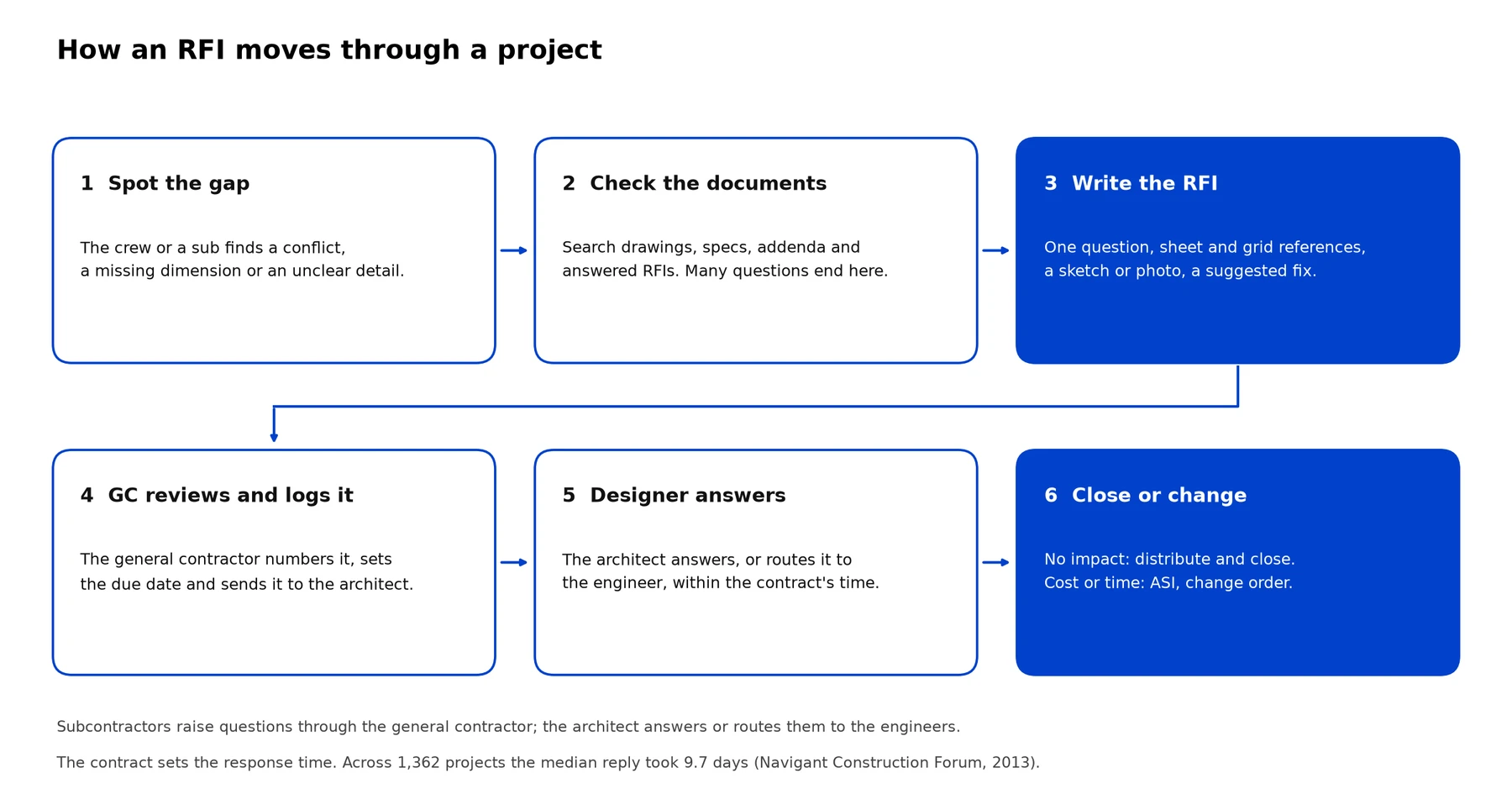
The six steps of an RFI. Step 2 is the one most often skipped: many questions are already answered in the documents, and an RFI that is answered with "see detail 4/A-501" wastes everyone's time.
On many projects the whole process runs in a construction management platform such as Autodesk Build, Procore or Aconex rather than by email. The platform numbers each RFI, routes it, tracks who has it (the "ball in court") and keeps the log automatically:
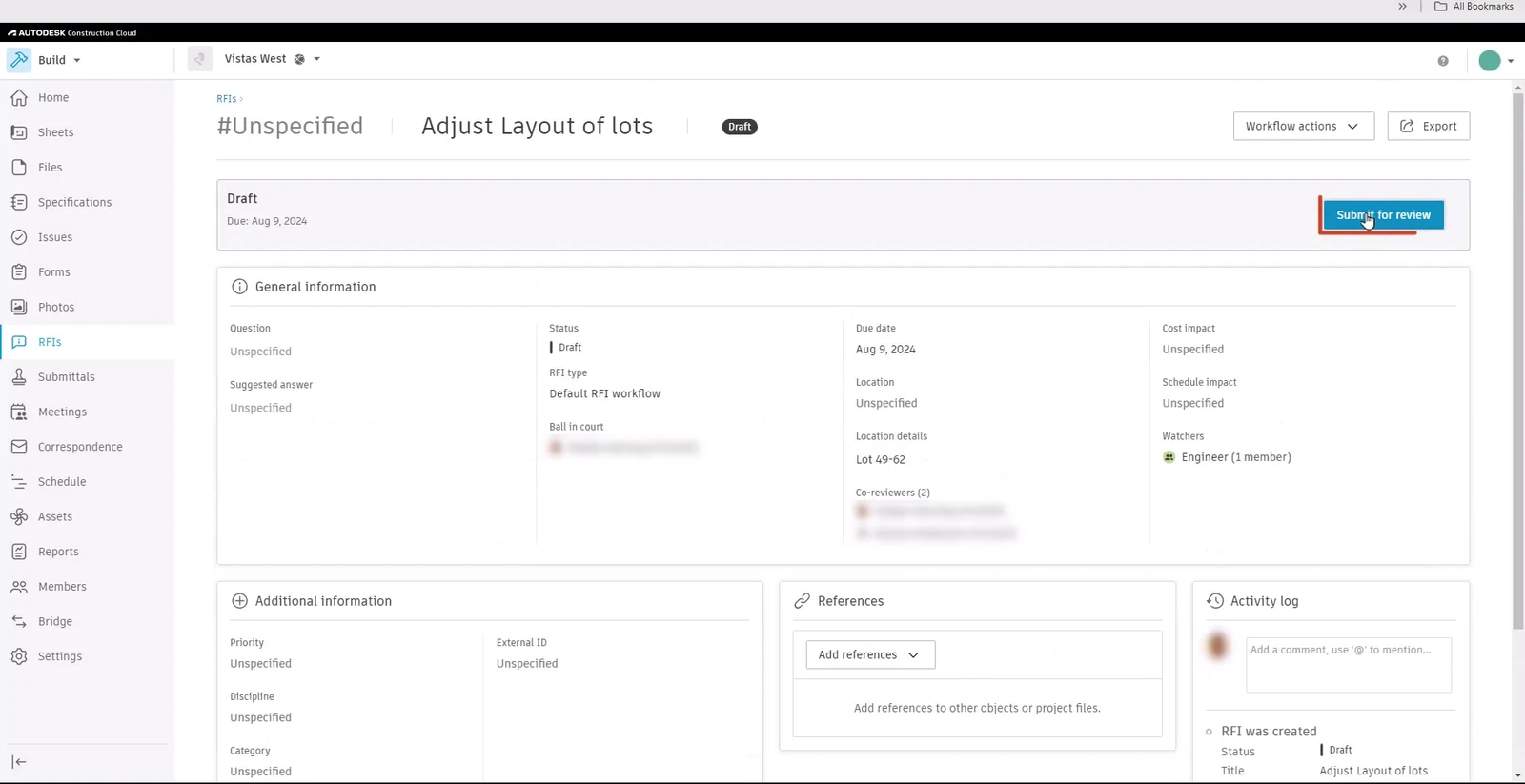
A draft RFI in Autodesk Build (now called Forma Build): the same fields as a paper form (question, suggested answer, due date, location, cost and schedule impact), plus the workflow, ball in court and an activity log. Frame from Autodesk's Create and manage RFIs in Autodesk Build tutorial, © Autodesk, CC BY-NC-ND 3.0.
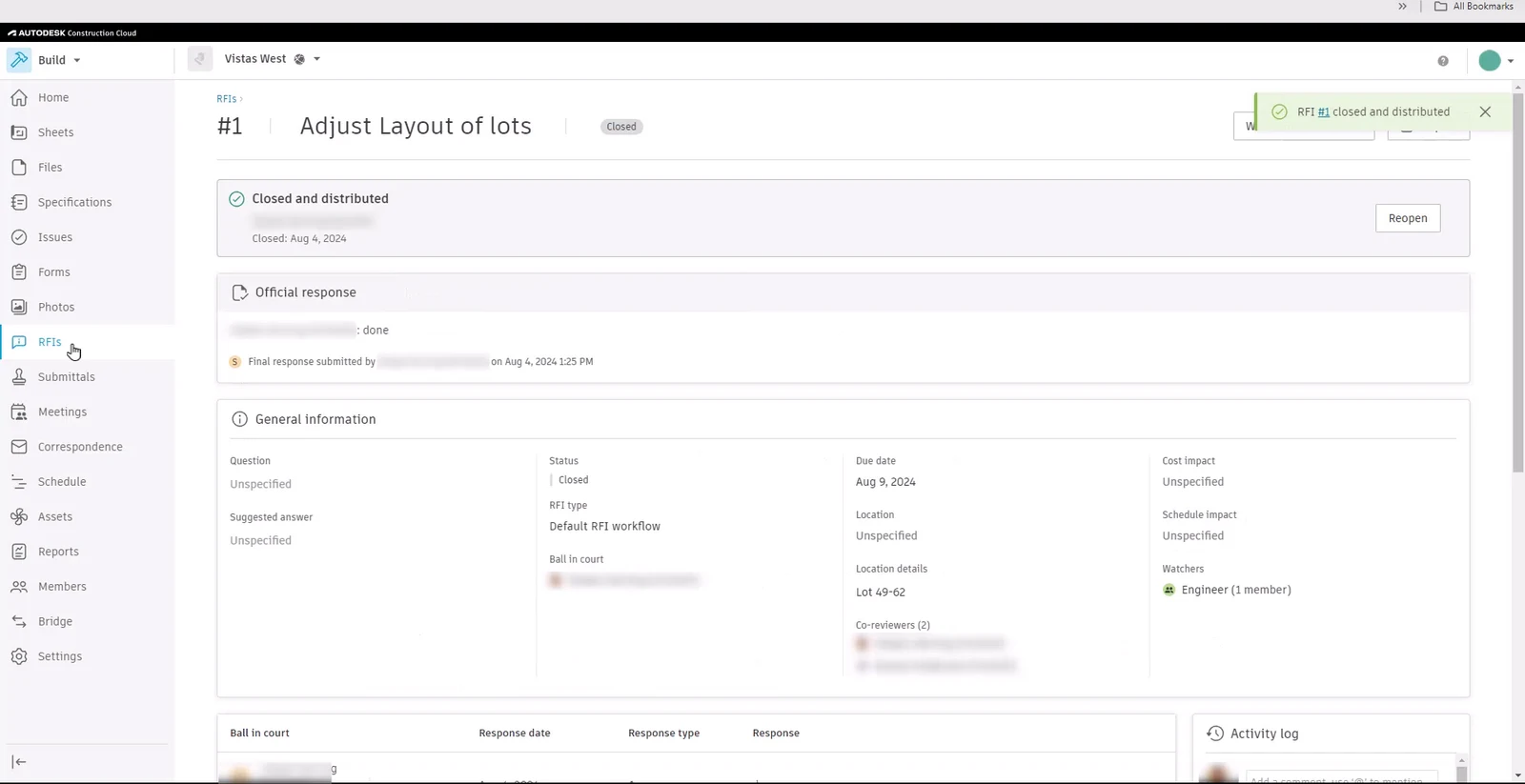
The same RFI at the end of the process: an official response recorded, then closed and distributed to the team. Frame from the same Autodesk tutorial, © Autodesk, CC BY-NC-ND 3.0.
After the answer comes back, three things should happen: the RFI is marked answered in the log, the answer is distributed to everyone who builds that part, and the drawings are updated. Many offices cloud the change on the next issue of the sheet and note the RFI number in the revision table of the title block, so the answer does not live only in an email.
How to write an RFI that gets a fast answer
A good RFI can be answered in one reading. These rules make the difference:
- One question per RFI. Two questions in one RFI get one answer, late.
- Reference exactly. Sheet and revision (S-201 rev C), detail number, grid line (C/4), level and specification section. The designer should not have to search.
- Say what the documents show and why it does not work. "Beam bottom at 9'-10", duct top at 10'-2"" is answerable. "Duct conflicts with steel, please advise" is not.
- Attach a picture. A marked-up sketch, a photo of the site condition or a screenshot from the coordination model.
- Suggest a solution. The contractor often knows the best fix. A proposed answer can be accepted in a minute.
- Give a due date and the reason. "Needed by 11 November: steel order date 13 November" tells the designer why it matters.
- Flag possible cost or time impact honestly, so the owner is not surprised later.
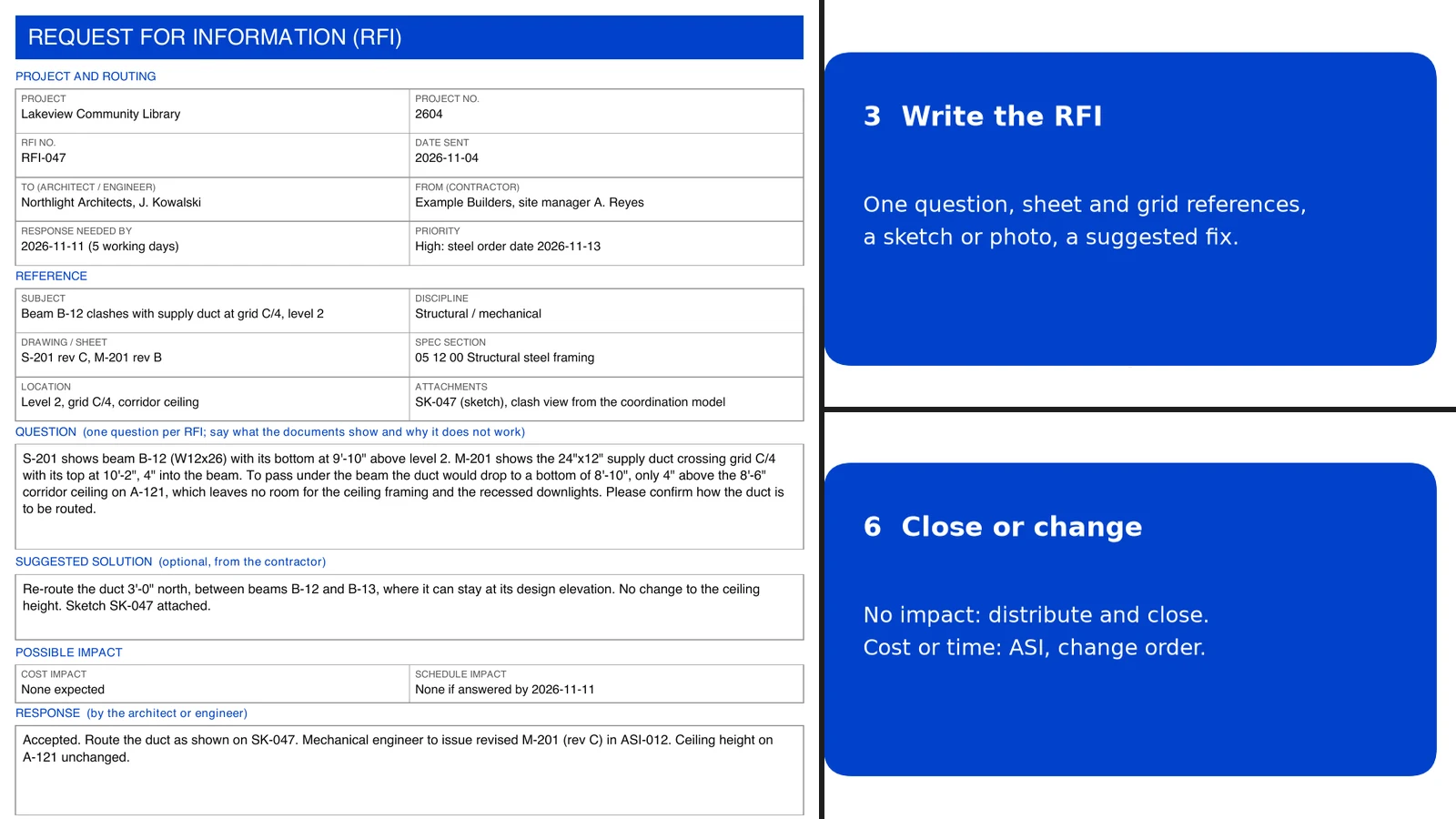
Here is an RFI that follows those rules, filled in on our free template. The project, firms and people are made up:
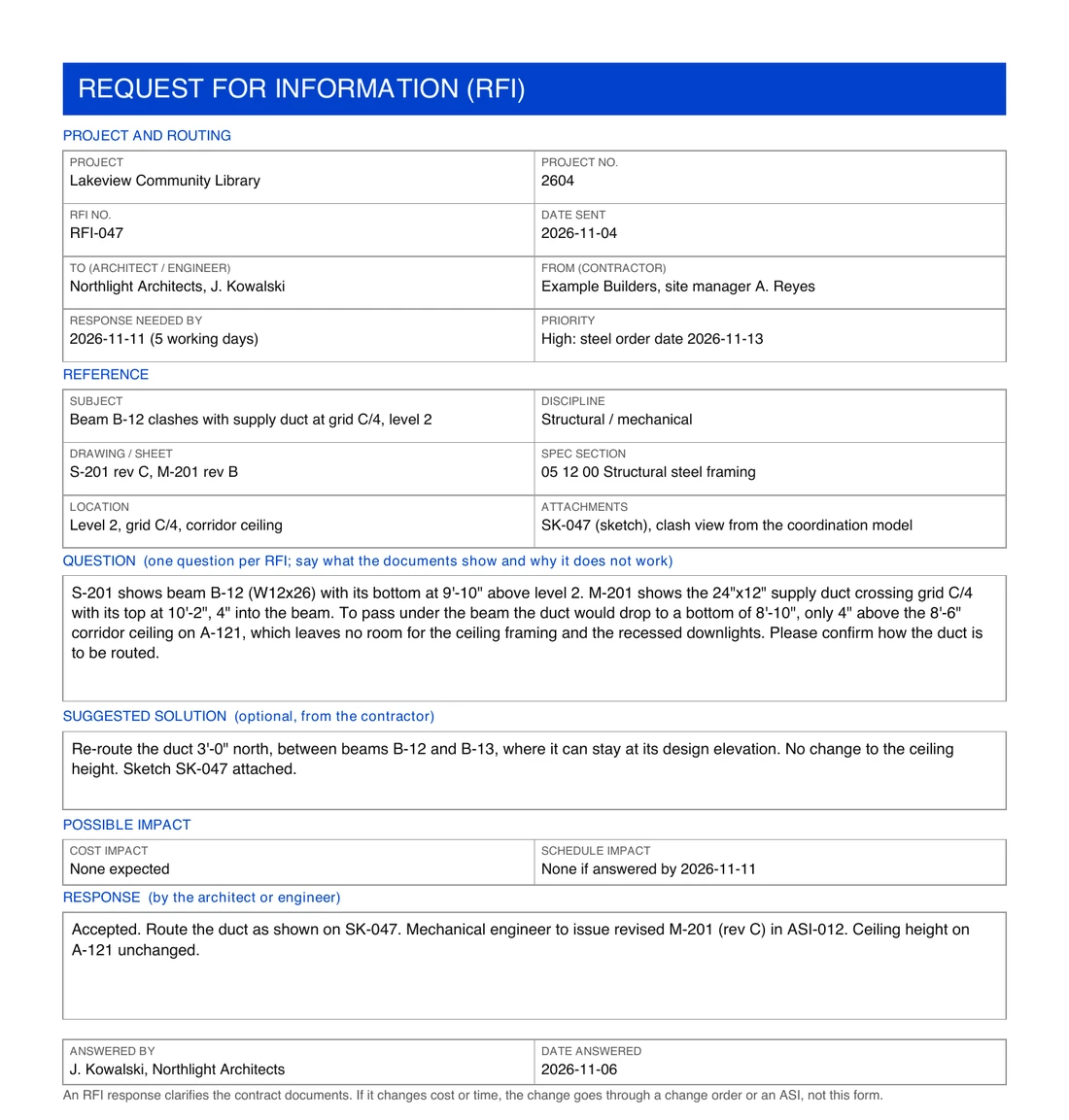
A complete RFI on our template: one question, exact references, the reason it does not work, a suggested fix, a due date tied to the steel order, and a response that points to the ASI that will revise the drawing.
The same question, badly and well asked:
| Weak RFI | Strong RFI | |
|---|---|---|
| Subject | Duct issue | Beam B-12 clashes with supply duct at grid C/4, level 2 |
| Reference | "Mechanical drawings" | S-201 rev C, M-201 rev B, spec 05 12 00, level 2, grid C/4 |
| Question | "Duct conflicts with steel, please advise" | Gives both elevations and why the duct cannot drop below the beam |
| Attachment | None | Sketch SK-047, view from the coordination model |
| Proposal | None | Re-route 3'-0" north between B-12 and B-13 |
| Needed by | "ASAP" | 2026-11-11, because steel is ordered on 2026-11-13 |
RFI vs submittal vs ASI vs change order
These documents travel between the same people and get confused all the time:
| Document | Who sends it | What it is for | Can it change cost or time? |
|---|---|---|---|
| RFI | Contractor, to the architect | Ask what the documents mean, or report a gap or conflict | No, by itself |
| Submittal | Contractor, to the architect | Show what will be installed: shop drawings, product data, samples | No, it shows compliance with the design |
| ASI (architect's supplemental instructions) | Architect, to the contractor | Issue a minor change or clarification with no cost or time change (AIA G710) | No; if the contractor disagrees, it becomes a change |
| Change order | Owner, contractor and architect sign it | Change the work, the price or the time (AIA G701) | Yes |
| Construction change directive | Owner and architect | Order a change before price and time are agreed (AIA G714) | Yes, settled later |
| RFP / RFQ | Owner, to bidders | Ask for proposals or prices before a contract exists | Not part of the construction phase |
The usual chain is: an RFI reveals a problem; the answer is a clarification, or an ASI if the drawings change; if the change costs money or time, it becomes a change order. Shop drawings in submittals often trigger RFIs when the fabricator finds a gap. Once the questions are settled, revised sheets are reissued as issued for construction (IFC) drawings.
The RFI log
Every project keeps an RFI log: one row per RFI with its number, subject, who it went to, when it was sent, when it is needed by, when it was answered and its status. The log is how a project manager sees which questions are holding up which work, and later it is evidence in any dispute about delay. Things worth tracking:
- Days open for every RFI, and which ones are past their due date.
- Status: draft, open, answered, closed or void.
- Cost and schedule impact flagged early, with the linked ASI or change order.
- Trends: many RFIs on one discipline or one area usually point to a coordination problem in that part of the design.
Free RFI template: form and log
Our free RFI template is public domain (CC0): use it on commercial projects, change it, add your logo.
| File | What is in it | Download |
|---|---|---|
| RFI template (Excel) | Sheet 1: a one-page RFI form that prints on US Letter. Sheet 2: an RFI log with 300 rows, days-open formulas, overdue rows highlighted in red, status and impact drop-down lists, filters and three example rows | XLSX |
| RFI form (PDF) | The same form, blank, to print and fill in by hand |
The log uses only basic formulas (IF and TODAY), drop-down lists and conditional formatting, nothing that needs macros. Delete the three example rows before you start. The form follows the same fields as AIA's G716 (sender, receiver, references, the question, the sender's recommendation and the response), but it is our own layout, not the AIA document.
RFIs and BIM: asking the question in the model
On BIM projects, many coordination questions are found in the model before anyone is on site: a clash detection run finds the beam and the duct of the example above weeks before the steel is ordered. Those questions are often raised as BCF issues rather than as RFIs. BCF (BIM Collaboration Format) is buildingSMART's open format for model-based issues: each issue carries a title, a description, comments, a status, an assignee, a snapshot and a camera viewpoint that opens the IFC model at exactly the spot in question, with the elements involved selected.
That makes a model-based question faster to answer than a paper RFI, because the designer sees the problem in 3D instead of reading two elevations. Many teams still log the formal RFI for the contract record, and attach the BCF viewpoint or a screenshot of it, like the "clash view from the coordination model" in our example.
If you receive BCF files and need to read them without the authoring software, our free BCF viewer opens BCF 2.0, 2.1 and 3.0 in the browser, shows each issue on the IFC model in 3D, and exports the issues to an Excel list with a snapshot in every row or a PDF report, which is a ready-made issue log. Nothing is uploaded.
Common RFI mistakes
- Asking what the documents already answer. Check drawings, specs, addenda and the RFI log first.
- RFIs used to claim money. Asking a question that is really a change request, or a chain of RFIs written to build a delay claim, damages trust and slows every real answer.
- Vague questions. "Please advise" without references or a proposed fix gets a request for more information, not an answer.
- No due date, or "ASAP" on everything. Designers answer in order of stated urgency; give the real date and why.
- Answers that stay in the inbox. An answer that is not distributed to the trade and put on the drawings will be asked again, or built wrong.
- Changes hidden in RFI answers. If the answer changes cost or time, it needs an ASI or change order, not just a reply.
Where AIBIMTool fits
AIBIMTool works earlier in the project than RFIs do: it turns a written brief and a real site into an editable IFC4 BIM model with storeys, walls, slabs, doors, stairs and named rooms, for early design and feasibility. It does not manage RFIs or construction administration. Two things from us help during construction: the free BCF viewer for model-based issues, and the free RFI template above.
Free tools for model-based coordination
- BCF viewer: open BCF issues on the IFC model in your browser, export them to Excel or PDF.
- IFC viewer: open any IFC model in the browser, nothing uploaded.
- AIBIMTool: generate the first BIM model of a building from a brief and a site.
Sources
- Navigant Construction Forum, Impact & Control of RFIs on Construction Projects (April 2013): 1,362 projects, 796 RFIs per project, $1,080 per RFI, 9.7-day median reply.
- AIA Contract Documents, Summary of G716–2004 Request for Information: what the AIA RFI form contains, and that it does not authorise extra cost or time.
- Autodesk Learn, Create and manage RFIs in Autodesk Build: the Autodesk Build screenshots.
- buildingSMART, BCF-XML: the BIM Collaboration Format specification.
Frequently asked questions
What is an RFI in construction?
An RFI, or request for information, is a formal written question from the contractor to the design team, usually the architect or engineer, asking them to clarify, complete or correct something in the contract documents: a conflict between drawings, a missing dimension, an unclear detail or a condition on site that the drawings do not cover. The answer becomes part of the project record, and if it changes cost or time, the change goes through a change order.
What does RFI stand for in construction?
RFI stands for request for information. In construction it is the contractor's formal question to the architect or engineer during the build. In procurement, RFI means something else: a request for information sent to possible suppliers before a request for proposal (RFP) or request for quotation (RFQ).
Who submits an RFI and who answers it?
Subcontractors and the general contractor's own staff raise the questions, but the general contractor (or construction manager) submits the RFI, so that every question goes through one channel and gets a number. The architect answers it, or routes it to the structural, mechanical or electrical engineer who designed that part, and returns the answer through the same channel.
How much does an RFI cost?
A study by the Navigant Construction Forum of 1,362 projects and more than one million RFIs found an average cost of $1,080 to review and answer one RFI, an average of 796 RFIs per project, and a median reply time of 9.7 days. The data is from 2013, so costs are higher today, but the scale is the point: RFIs cost real money, and late answers delay work.
What is the difference between an RFI and a submittal?
An RFI asks the design team a question about the documents. A submittal is the contractor's proposal of what it will actually install, such as shop drawings, product data and samples, sent for the architect's review against the design intent. An RFI asks what is meant; a submittal shows what will be built.
Can an RFI change the contract price or schedule?
Not by itself. An RFI response clarifies the contract documents; AIA's G716 form states that neither the request nor the response authorises work that adds cost or time. If the answer does change the work, the change must be documented separately, for example as an architect's supplemental instructions (ASI), a construction change directive or a change order.
How do you write a good RFI?
Ask one question per RFI. Reference the exact sheet, detail, grid line and specification section. Say what the documents show and why it does not work, attach a marked-up sketch, photo or model view, propose a solution if you have one, and state the date you need the answer by and what happens if it is late. Before sending, check that the answer is not already in the drawings, specifications, addenda or earlier RFIs.
Is there a free RFI template?
Yes. This article has a free RFI template as an Excel workbook with two sheets, a one-page RFI form and an RFI log with days-open formulas, overdue highlighting and status lists, plus the same form as a printable PDF. Both are public domain (CC0), so you can use and change them freely.







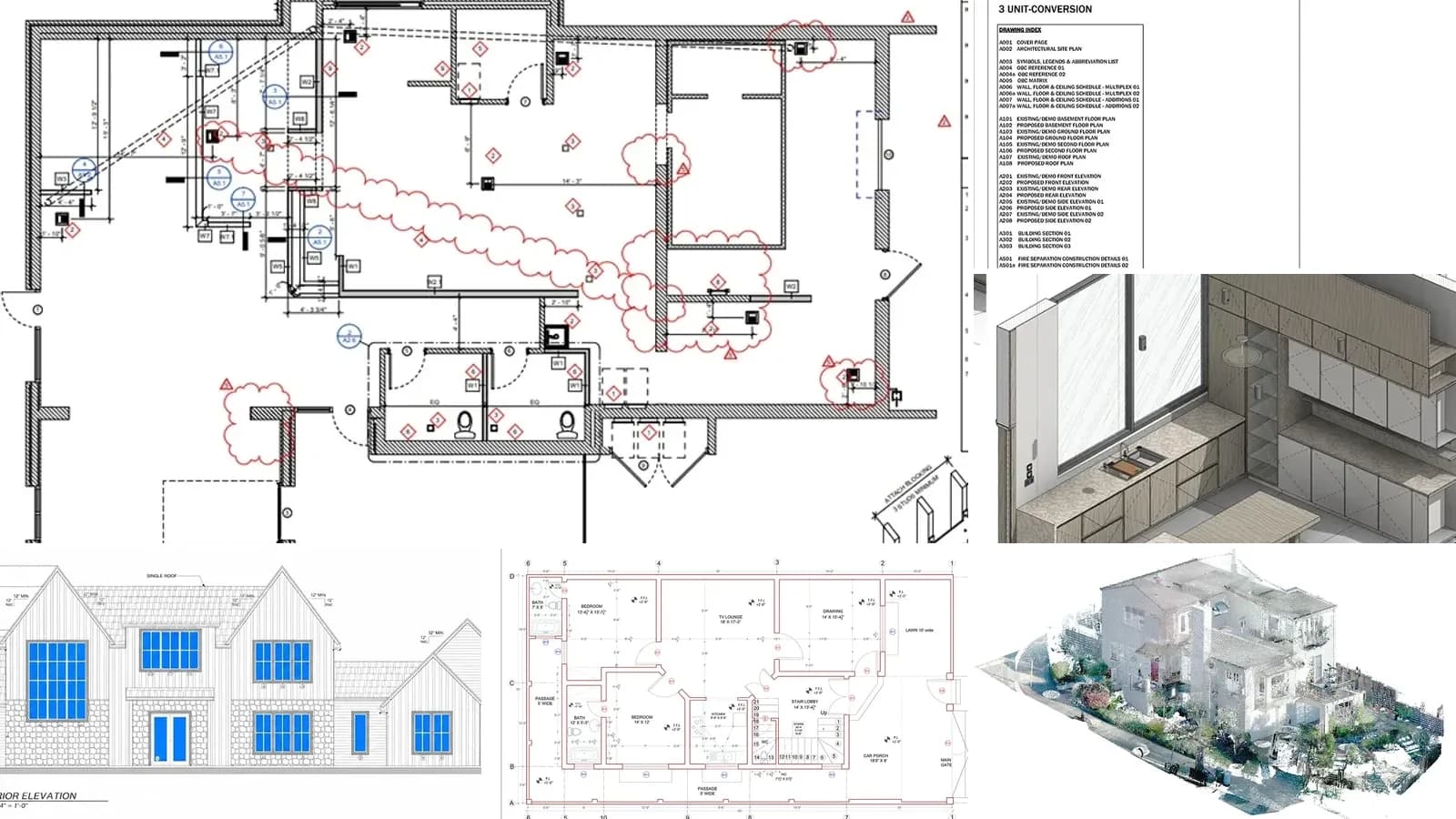
IFC Drawings: What Issued for Construction Means, and IFC vs IFA, IFB and Shop Drawings
IFC drawings are the sheets issued for construction: the revision a contractor is allowed to build from. What an IFC set contains, the IFR, IFA, IFB, IFC ladder, how IFC differs from shop and as-built drawings, how revisions work after issue, and the UK ISO 19650 codes that replace it.
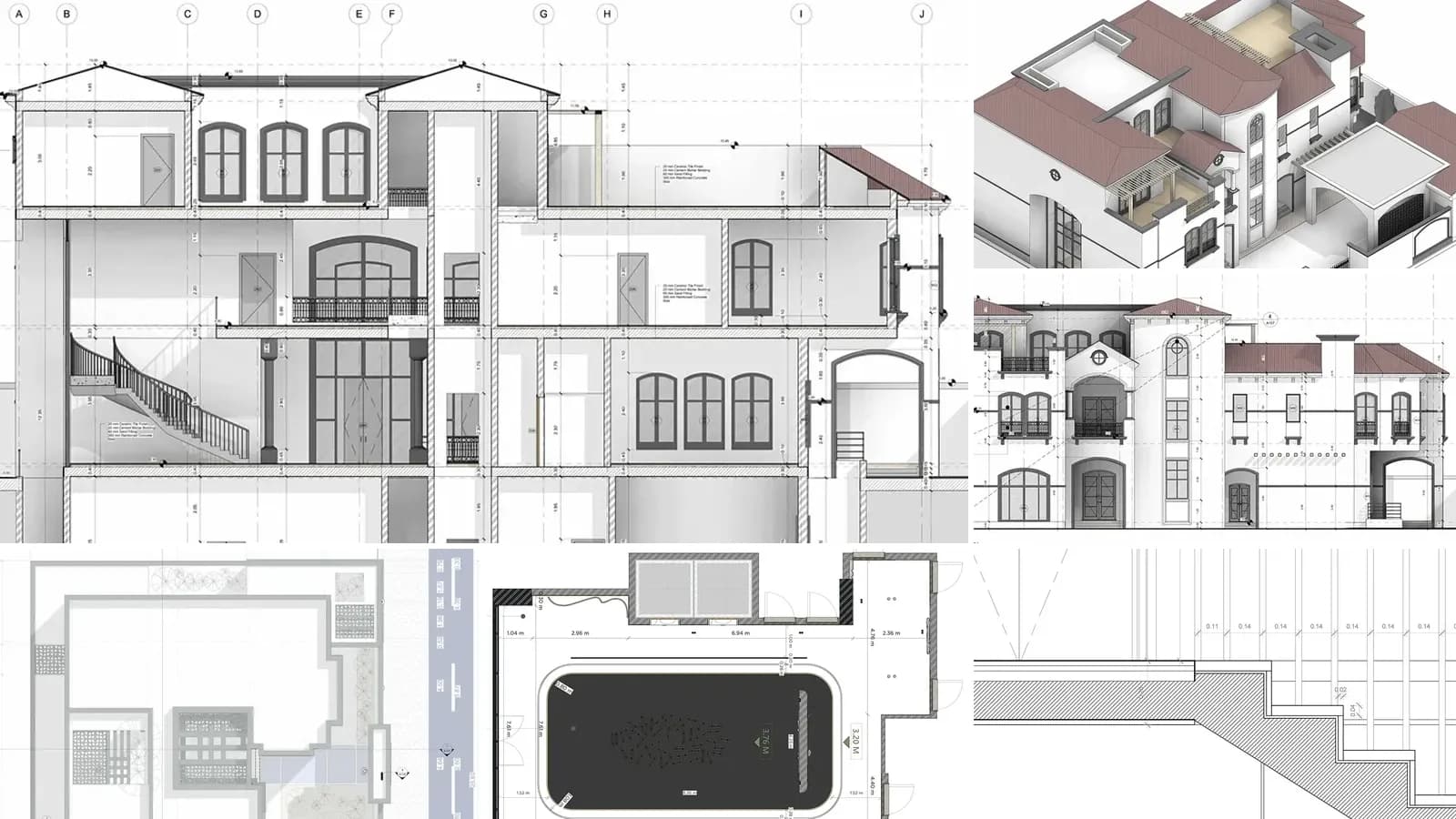
Architectural Drawings: 12 Types, Scales and How to Read Them
What architectural drawings are, the 12 types in a full drawing set with real examples, US scales, sheet numbers like A-101, the drawings each project phase produces and how to read them.
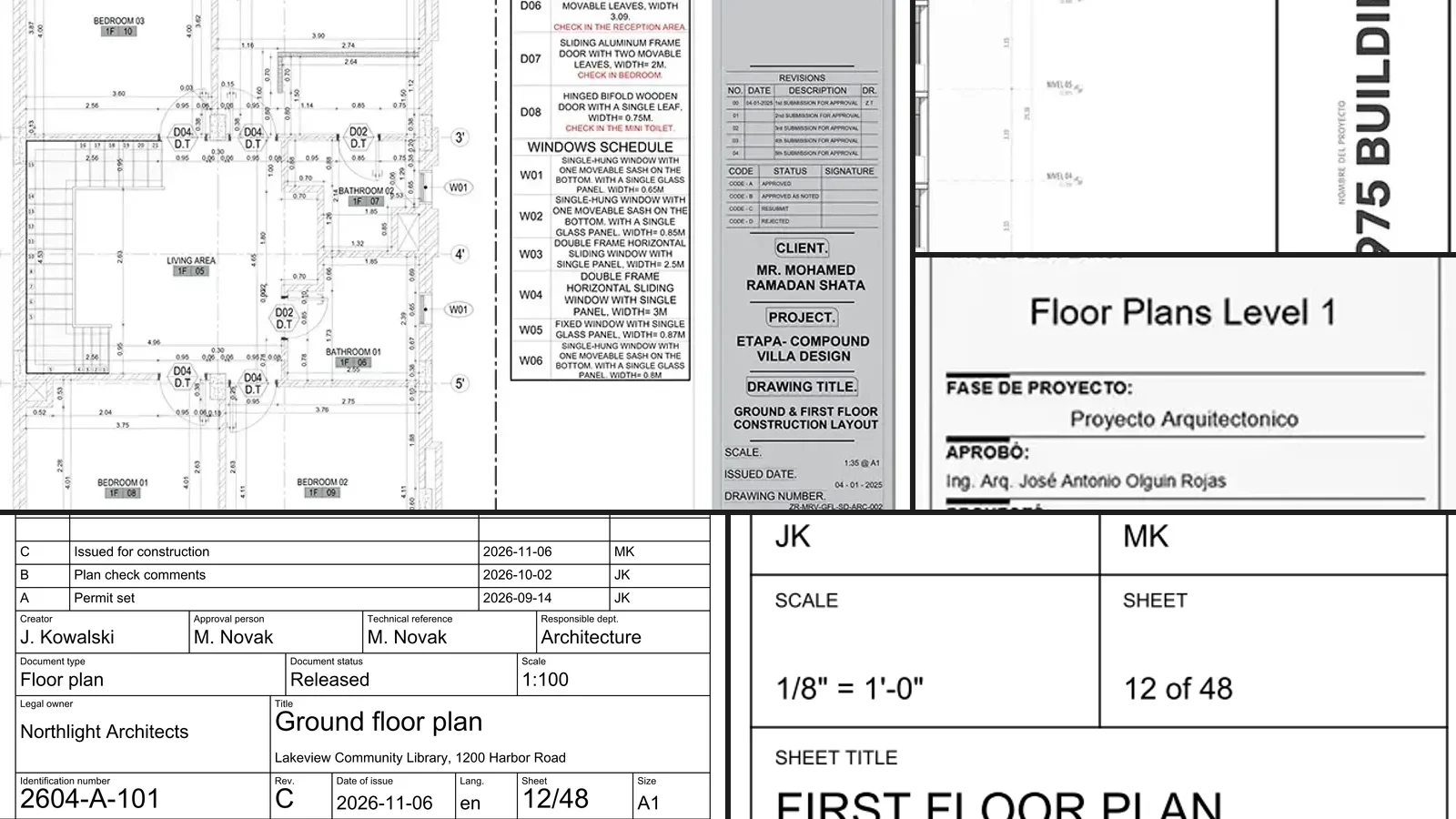
Title Block: What It Is, What Goes in It, and Free Templates (DXF, PDF)
What a title block is, the fields every drawing sheet needs, where it goes on US and ISO sheets, real examples, how to add one in AutoCAD and Revit, and five free title block templates as DXF and PDF.