Free IFC editor
Edit an IFC file online: properties, names, classes and elements, one at a time or thousands at once. Download the same file with only your changes in it.
Or drop it here. It never leaves your browser.IFC or IFCZIP · never leaves your phone
No sign-up · no upload · IFC2x3, IFC4, IFC4.3
Pset_WallCommon · 13 walls
- FireRating
- REI 60
- IsExternal
- TRUE
- AcousticRating
- Mixed
How it works Open, edit, download
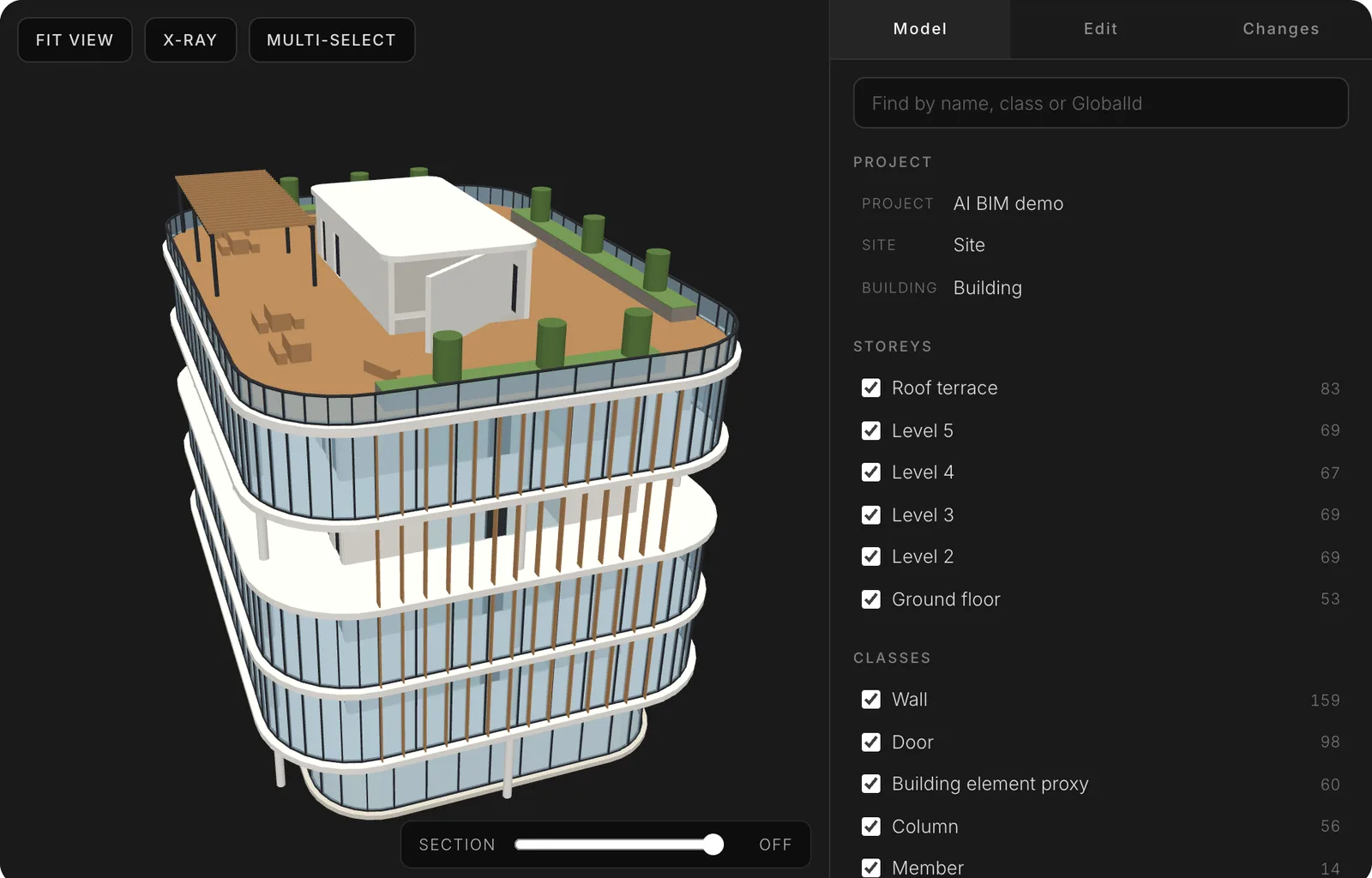
1. Open your IFC
Drop an .ifc or .ifcZIP. It is read in your browser, never uploaded.
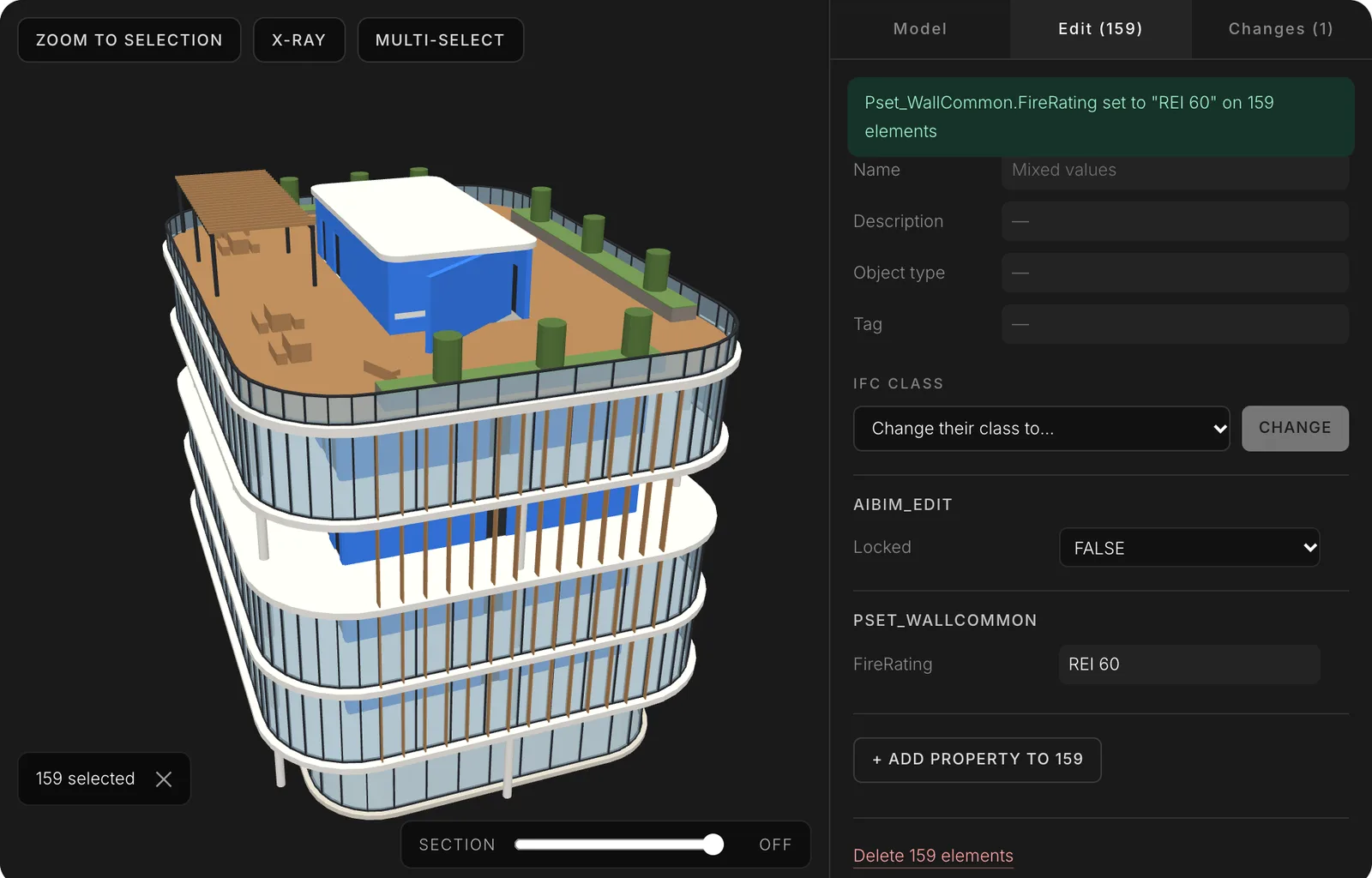
2. Change one or thousands
Click an element, or select a whole storey, class or type, and edit.
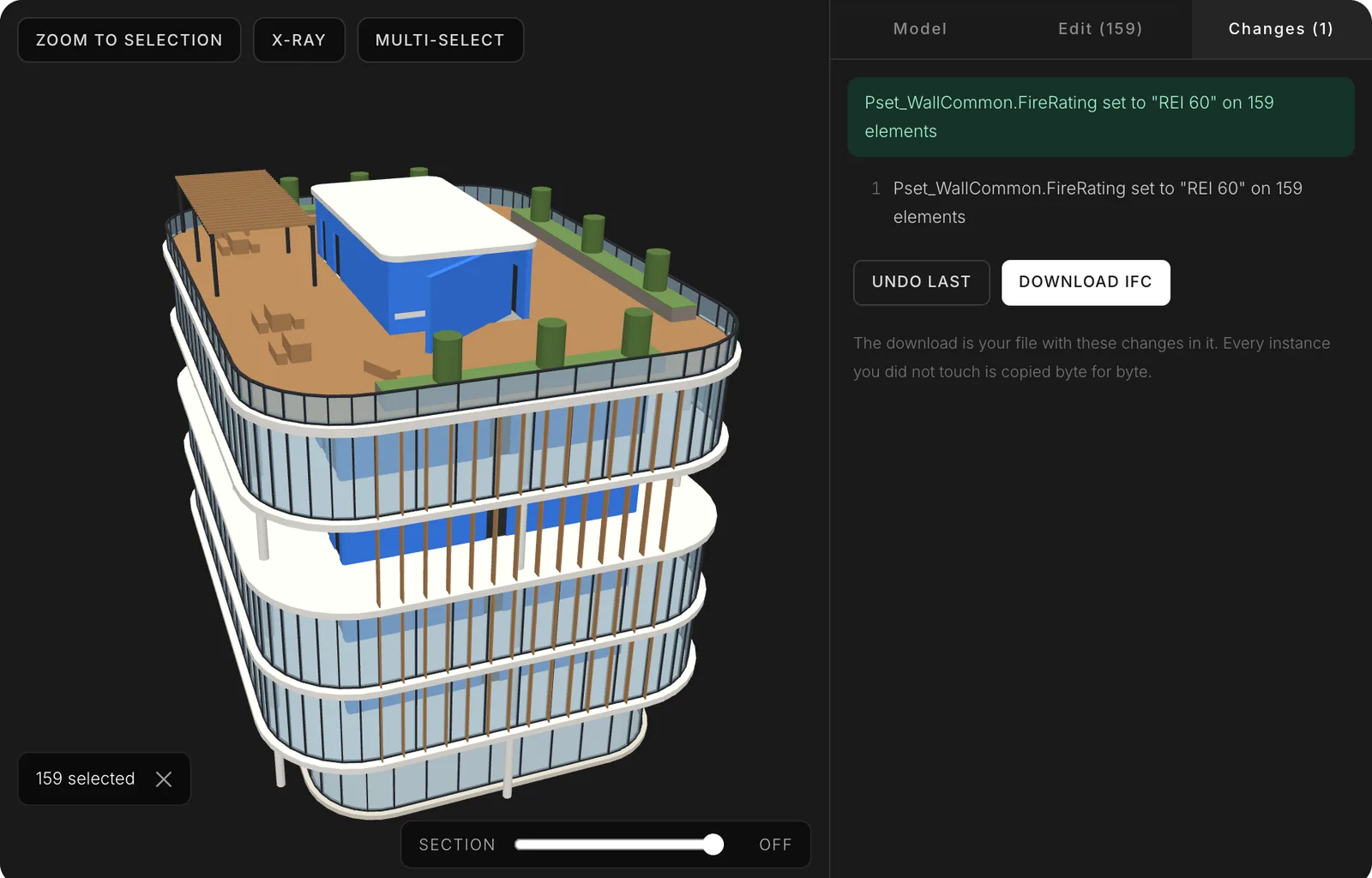
3. Download the same file
Only what you changed is rewritten. Everything else stays byte for byte.
What you can change Data, not shapes
Property values
Edit any value, add a property or a whole set, remove what you do not need. Units come from the file.
Bulk edits
Select a storey, a class, a type or a search result and set a property on all of them at once.
Excel round trip
Export to .xlsx, edit in Excel, import it back. Rows are matched by GlobalId.
Fix proxies
Turn IfcBuildingElementProxy into IfcWall, IfcSlab, IfcBeam and 14 more, type object included.
Names and storeys
Name, Description, ObjectType and Tag on any element; rename storeys, the building and the project.
Delete elements
Openings go with their wall, parts with their assembly. Doors and windows stay where they were.
Your file stays yours Nothing leaves your browser
Edit an IFC fileNo upload
The file is read and changed inside your browser tab. Nothing reaches a server.
Only your changes
The download is your file, patched. What you did not touch stays byte for byte.
Undo anything
Every change is listed and can be taken back, last first, until you download.
Questions About the editor
How do I edit an IFC file online?
Drop the file onto the editor at the top of this page. Click an element to see its attributes and property sets, change a value and press Enter. Select more elements with Shift-click, or a whole storey or class from the Model tab, to change them together. When you are done, Download edited IFC saves the file with your changes in it.
Is this IFC editor free?
Yes: no file size limit, no watermark, no sign-up and no paid tier. It is paid for by AIBIMTool, which generates BIM models from a written brief; you never need it to use this page.
Is my IFC file uploaded anywhere?
No. The file is read and changed by code running in your browser tab. Nothing is sent to a server, stored or logged, and once the page has loaded it works offline.
What exactly changes in the file I download?
Only the lines your changes touch. The editor patches the original file instead of writing a new one, so every instance you did not change, its numbers, names and formatting, is copied byte for byte. New property sets and properties are added at the end of the data section with fresh GlobalIds.
How do I change IfcBuildingElementProxy to IfcWall?
Select the proxies, open IFC class in the edit panel, pick IfcWall and press Change. If the proxies have a type object, it becomes an IfcWallType too, so the pair stays valid; that is why the editor asks you to select every element of a shared type first (Select same type does it). Building elements can become proxies, walls, slabs, beams, columns, members, plates, coverings, railings, roofs, footings, stairs, ramps, curtain walls, chimneys, shading devices, furniture or furnishing elements. Doors and windows have attributes of their own and cannot be converted.
What happens when a property set is shared by several elements?
Archicad, Revit and IfcOpenShell often attach one property set to many elements. Editing it in place would change elements you never selected, so the editor copies the set for the elements you selected and changes the copy. Type properties are the exception: they belong to the type, and the panel marks how many elements share it.
How does the Excel round trip work?
Export to Excel writes one row per element (the selection, or the whole model) with its attributes and one column per property, named PropertySet.Property. Change cells, add a column such as Pset_WallCommon.FireRating to add a property, save, and use Import from Excel. Rows are matched by GlobalId, grey columns are ignored and empty cells are left as they are. A CSV saved from Excel works too.
Will Revit, Archicad and other tools open the edited file?
They should: it is the same IFC with valid changes in it. We test the editor on exports from Revit, Archicad, Allplan and IfcOpenShell (IFC2x3, IFC4 and IFC4.3), and every edited file is checked with IfcOpenShell's schema validator and re-read with web-ifc. The validator found no problem in an edited file that the original did not already have.
What can it not edit?
Geometry: it does not move, resize or draw elements, and it does not add new ones. Quantity sets and enumerated, list or bounded properties are shown read only. Sites, buildings and storeys can be renamed but not deleted. ifcXML is not supported, and an .ifcZIP is saved back as a plain .ifc.
Which IFC versions does it open?
IFC2x3, IFC4 and IFC4.3 (including IFC4X3_ADD2), as .ifc or .ifcZIP, from any authoring tool.
Guides: Free IFC viewer · Free BCF viewer · Occupant load calculator · What is an IFC file? · Drawings from IFC · LOD in BIM · BIM execution plan
Sources: buildingSMART: IFC · ISO 16739-1:2024 · ISO 10303-21 (STEP files) · IfcOpenShell validate · web-ifc (MPL-2.0)
Starting from scratch? Generate a model from a brief
Describe the building and AIBIMTool drafts the program, floor plans and an IFC4 model for Revit or Archicad.
Start free now